
iOS · iPhone & iPad
Fix iPhone Vibration or Haptics Not Working
Source-checked About 10 minutes
Answer
Set Sounds & Haptics > Haptics to play in the modes you need, make sure Accessibility > Touch > Vibration is on, and turn off a Focus that suppresses the alert.
Set alert haptics
Open Settings > Sounds & Haptics > Haptics and choose Always Play or Play in Silent Mode as needed.
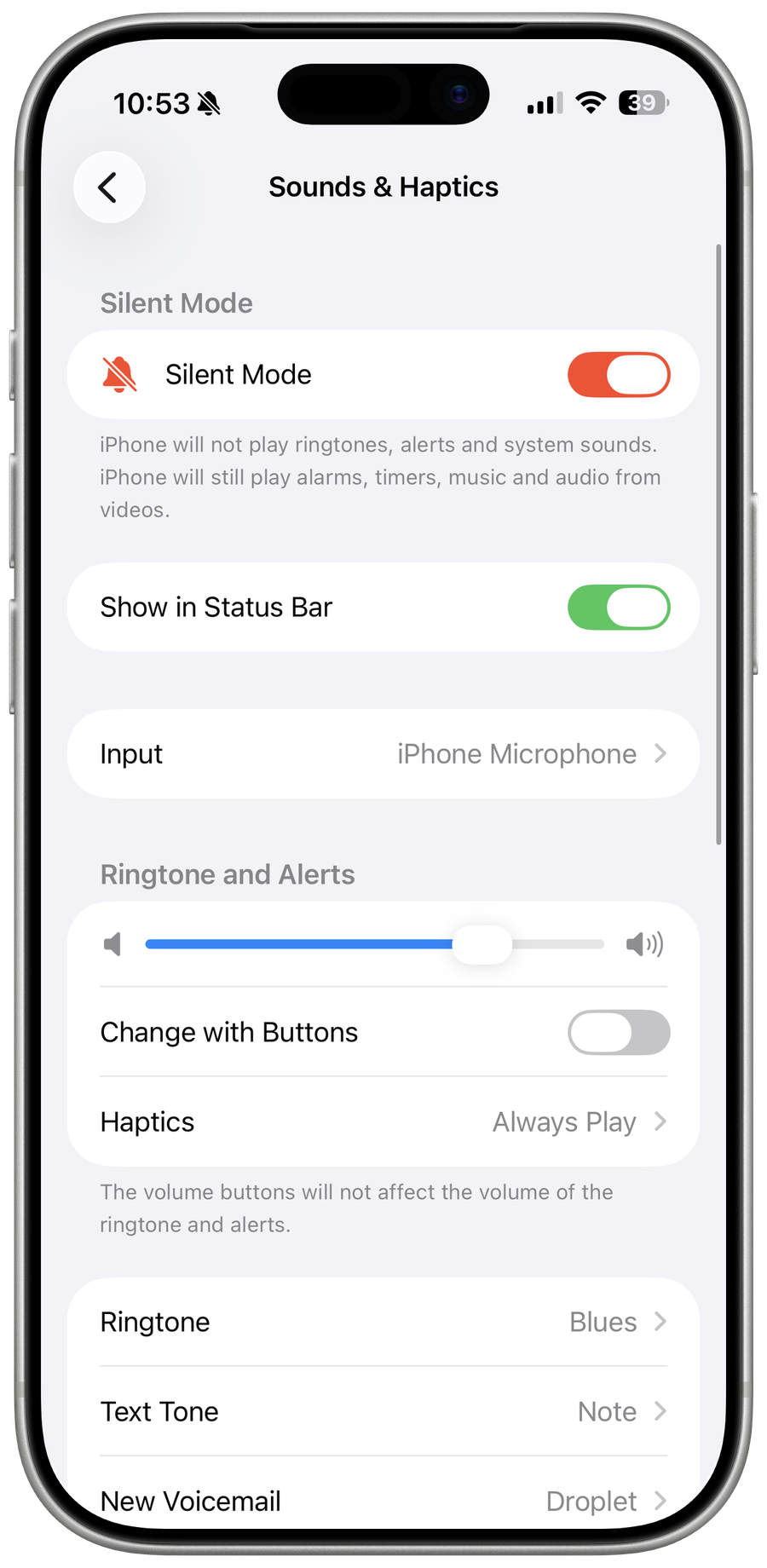
Enable system vibration
Open Settings > Accessibility > Touch and make sure Vibration is on.
Check the alert itself
Open Ringtone, Text Tone, or the relevant alert and choose a Haptic pattern instead of None.
Check Focus
Open Control Center > Focus and turn off Do Not Disturb for the test, or allow the person or app in that Focus.
Restart and test hardware
Restart the iPhone and test several alert types. If no system haptic works after updating iOS, contact Apple for service.
Video walkthrough
If it does not work
- If haptics still fail, test calls and alerts with Silent Mode and accessibility settings understood. Contact Apple for device-wide failure rather than resetting blindly.
Sources and verification
Checked against official documentation on . Scope: iPhone & iPad.
Reviewed against the linked first-party guidance; interface labels can vary by current app, service, or operating-system version.