
Gaming · Windows & macOS
How To Play Truckers of Europe on PC & Mac
Original source date
Answer
To play Truckers of Europe on your PC, you must use an Android emulator, such as Bluestacks. Bluestacks is a popular choice to play mobile games on your PC, as it’s optimized for playing mobile games. This should take a second to complete, and you can follow the install wizard to install the application to your system.
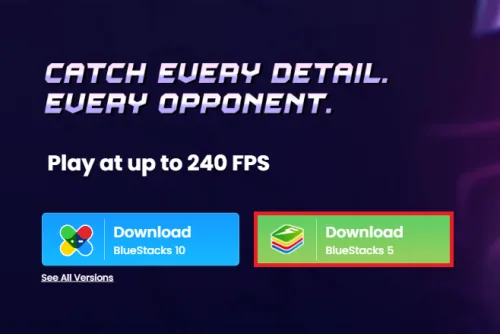
Download & Install BlueStacks
To play Truckers of Europe on your PC, you must use an Android emulator, such as Bluestacks. Bluestacks is a popular choice to play mobile games on your PC, as it’s optimized for playing mobile games. This should take a second to complete, and you can follow the install wizard to install the application to your system.
Download Truckers of Europe
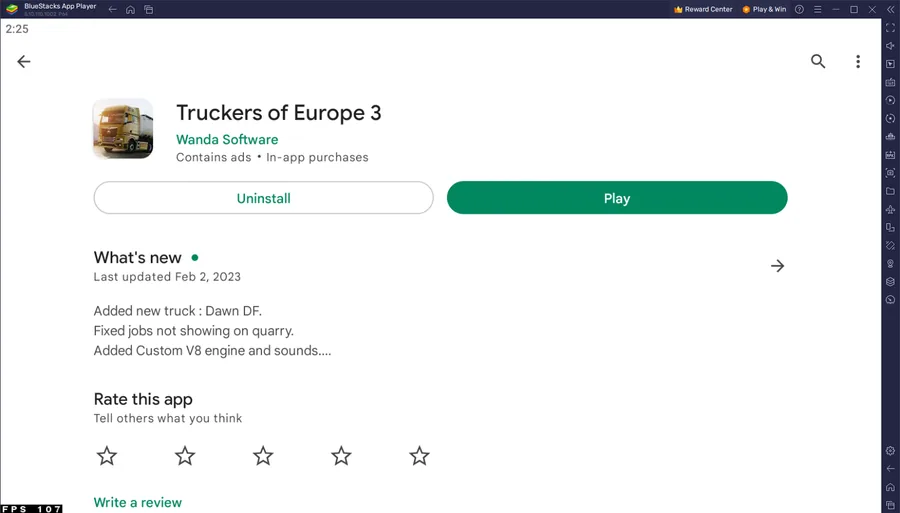
Open your Play Store and log in with your Google account. Search for Truckers of Europe and download the game to your BlueStacks emulator. This might take a few minutes to complete depending on your network connection.
BlueStacks Performance Settings
While downloading the game, you should look at your emulator settings. Click on the gear icon to access these settings. In the Performance tab, you should set these according to your PC’s performance. Allocate a High amount of CPU cores if you don’t have a lot of other applications running in the background. The same goes for your Memory allocation. For users with 4GB or less RAM, set this option to Low.
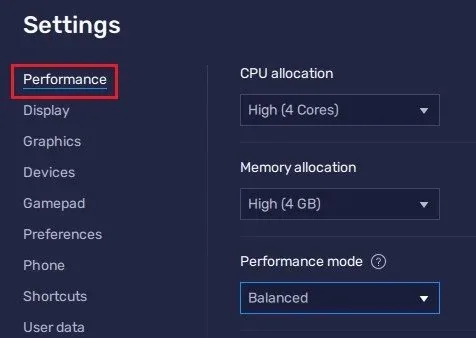
Under Performance Mode, set the option to Balanced
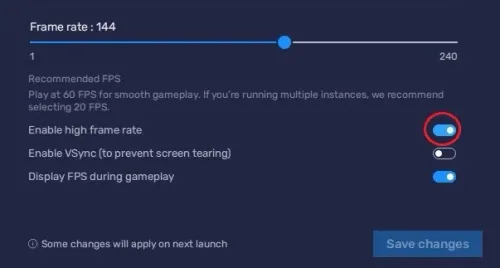
Under Performance Mode, set the option to Balanced. This will reduce the memory and CPU usage if your PC lags or you otherwise encounter low performance. I prefer to enable the high FPS option and set the frame rate of the emulator according to my screen refresh rate.
BlueStacks Display Settings
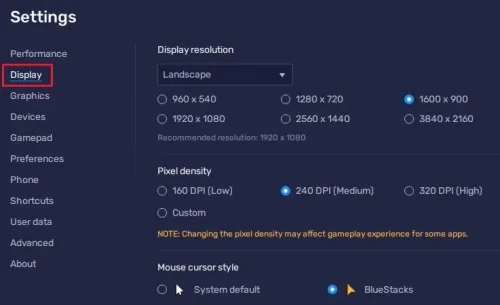
In your Display settings, set the display orientation to landscape, and choose a proper resolution to play Truckers of Europe on your monitor. You can also adjust the size of this window by dragging its corners.
Truckers of Europe Controls
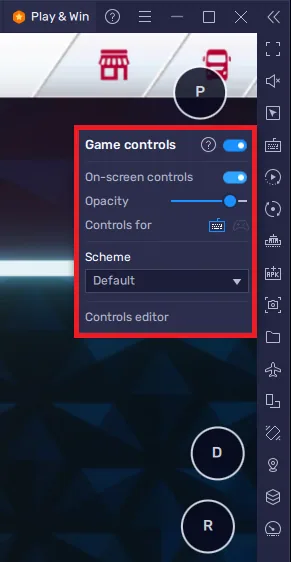
While in-game, click on the keyboard icon in your BlueStacks menu bar on the right-hand side. This will allow you to enable and disable the On-Screen Controls option. This will help you figure out which keyboard keys to play Truckers of Europe on your PC or Mac. To change your key mapping, click on Controls Editor. You can then drag and change the location of individual controls, change the key, and apply other settings to help improve your gaming experience. After loading into the game, your keyboard and mouse controls should work by default.
Truckers of Europe Control Settings
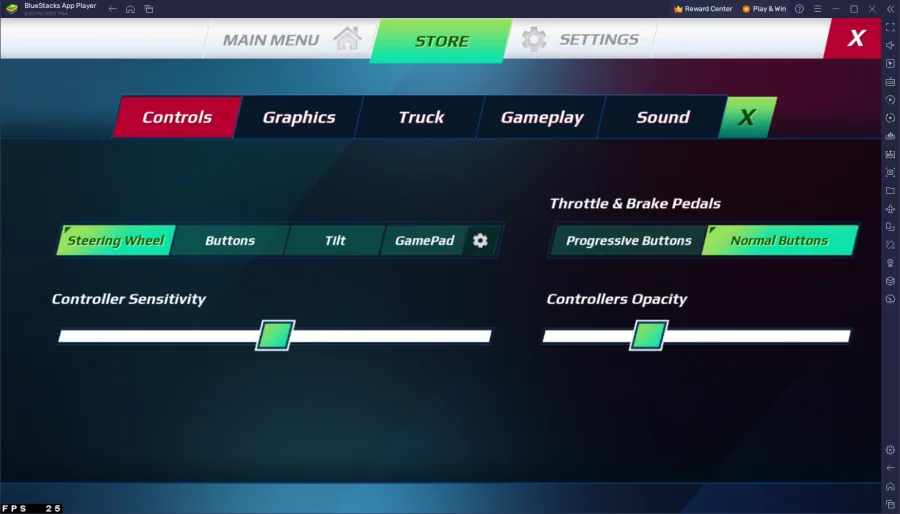
I suggest looking at your in-game settings to optimize the game to run on your PC. You can change your controls, sensitivity, controllers opacity, and choose whether to use the Progressive or Normal buttons to use the throttle and brake. This will come down to personal preference, and I suggest playing around with these settings while driving to see what works best for you.
Truckers of Europe Graphics Settings Optimization
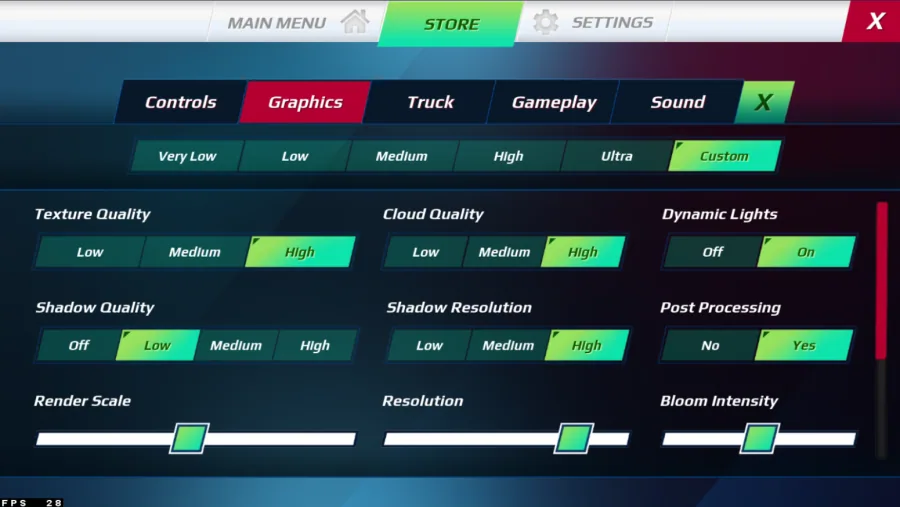
Lower your overall graphics preset in the Graphics section of your settings if you encounter any lag or other performance issues. It will be set to High by default. Lower the Shadow Quality, as it’s not helping much with immersion and can help keep a better frame rate. The render scale will help improve the performance of the game by a lot. If you wish to increase this option, ensure enough memory is allocated to your BlueStacks instance. The same applies to your Resolution. You should update your graphics driver and close background apps to help run the game at a higher resolution and render scale.
How to troubleshoot common problems with BlueStacks on Windows
How To Fix “Device Isn’t Compatible With Bluestacks” Error; Best BlueStacks Settings for Low-End PC - Fix Lag & Boost FPS; How To Fix BlueStacks 5 Not Launching or Loading on Windows; How To Run Android 11 Apps & Games on Windows 11
Video walkthrough
If it does not work
- Do I need a high-end PC to play Truckers of Europe?. No, you do not need a high-end PC to play Truckers of Europe. However, your computer should meet the minimum system requirements, which include a 64-bit operating system, a dual-core CPU, 4GB RAM, and a dedicated graphics card with 1GB VRAM.
- Can I use a gamepad or controller to play Truckers of Europe?. Yes, you can use a gamepad or controller to play Truckers of Europe. The game supports most popular game controllers, including Xbox and PlayStation controllers.
- How do I save my game progress in Truckers of Europe?. Truckers of Europe has an automatic save system that saves your progress every time you complete a job or sleep in your cabin. You can also save the game manually by opening the menu and selecting the "Save Game" option.