
Gaming · Windows & macOS
How To Play Critical Strike on PC & Mac
Original source date
Answer
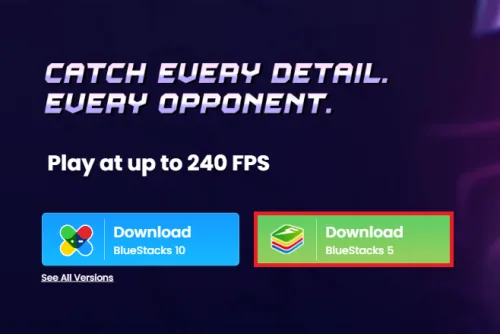
To play Critical Strike on your PC, you must use an Android emulator, such as Bluestacks. Bluestacks is a popular choice to play mobile games on your PC, as it’s optimized for playing mobile games. This should take a second to complete, and you can follow the install wizard to install the application to your system.
Download & Install BlueStacks
To play Critical Strike on your PC, you must use an Android emulator, such as Bluestacks. Bluestacks is a popular choice to play mobile games on your PC, as it’s optimized for playing mobile games. This should take a second to complete, and you can follow the install wizard to install the application to your system.
Download Critical Strike
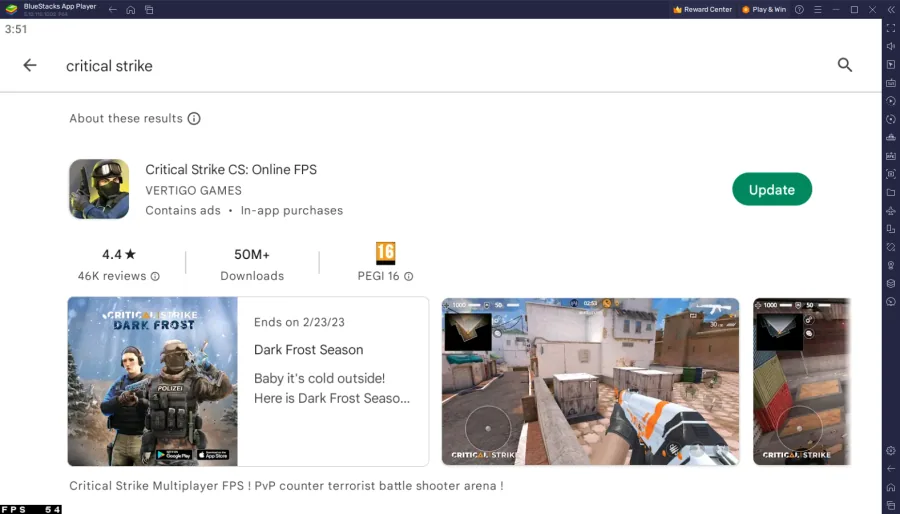
Open your Play Store and log in with your Google account. Search for Critical Strike and download the game to your BlueStacks emulator. This might take a few minutes to complete depending on your network connection.
BlueStacks Performance Settings
While downloading the game, you should look at your emulator settings. Click on this gear icon to access these settings. In the Performance tab, you should set these according to your PC’s performance. Allocate a High amount of CPU cores if you don’t have a lot of other applications running in the background. The same goes for your Memory allocation. For users with 4GB or less RAM, set this option to Low.
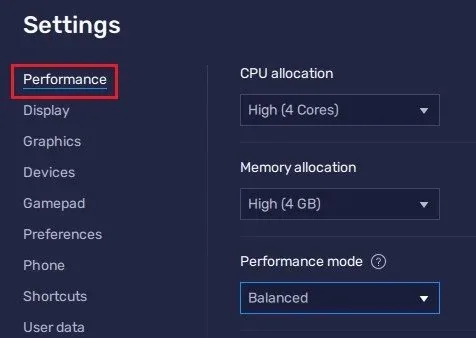
Under Performance Mode, make sure to set this option to Balanced
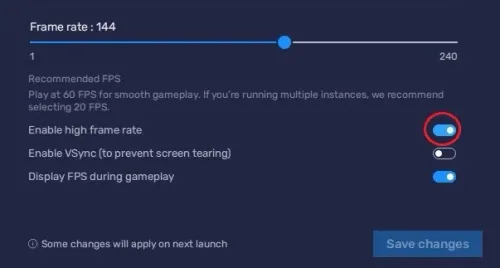
Under Performance Mode, make sure to set this option to Balanced. This will reduce the memory and CPU usage if your PC lags or you otherwise encounter low performance. I prefer to enable the high FPS option and set the frame rate of the emulator according to my screen refresh rate.
BlueStacks Display Settings
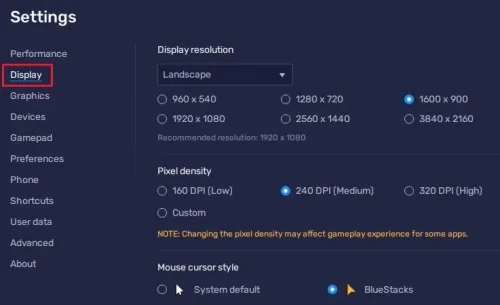
In your Display settings, set the display orientation to landscape, and choose a proper resolution to play Critical Strike on your monitor. You can also adjust the size of this window by dragging its corners.
Critical Strike Controls
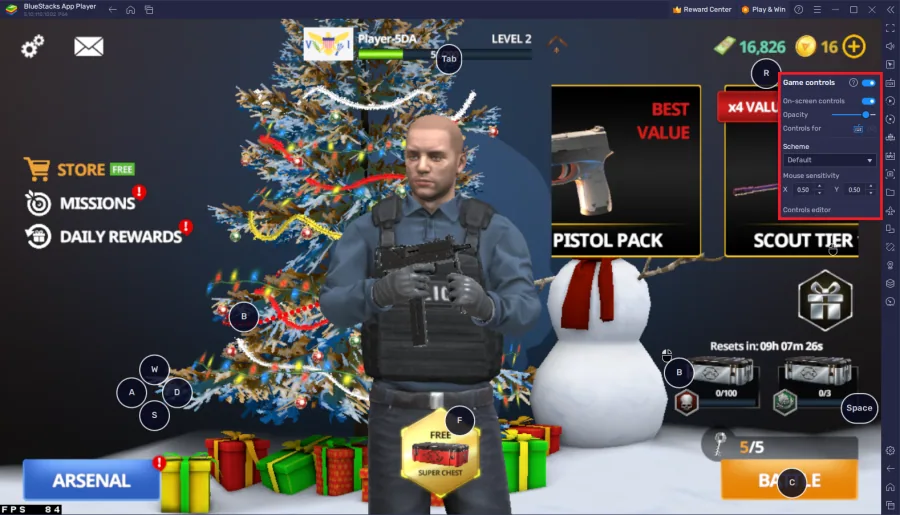
While in-game, click on the keyboard icon in your BlueStacks menu bar on the right-hand side. This will allow you to enable and disable the On-Screen Controls option. This will help you figure out which keyboard keys to use to play Critical Strike on your PC or Mac. To change your keymapping, click on Controls Editor. You can then drag and change the location of individual controls, change the key, and apply other settings to help improve your gaming experience. After loading into the game, your keyboard and mouse controls should work by default
Critical Strike Account Settings
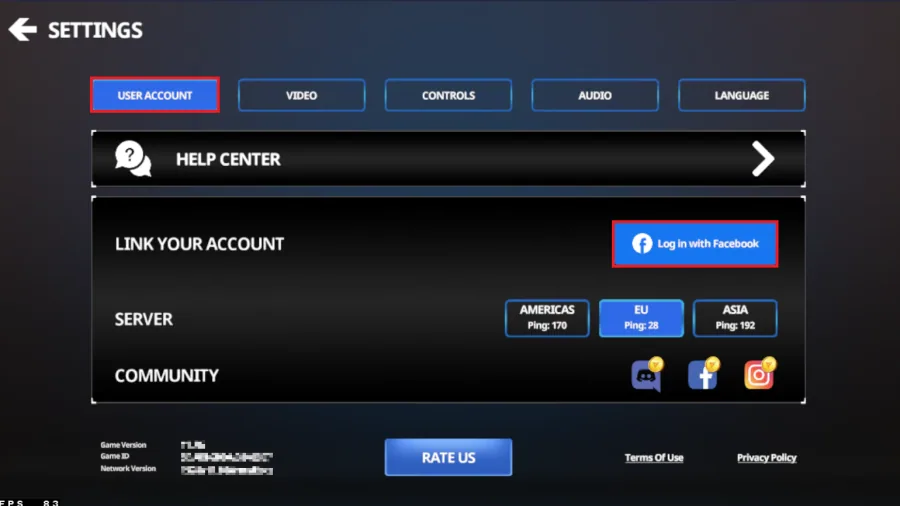
Navigate to your in-game settings. In the User Account section, you can log into your account and preview your current latency to the game servers.
Critical Strike Graphics Settings
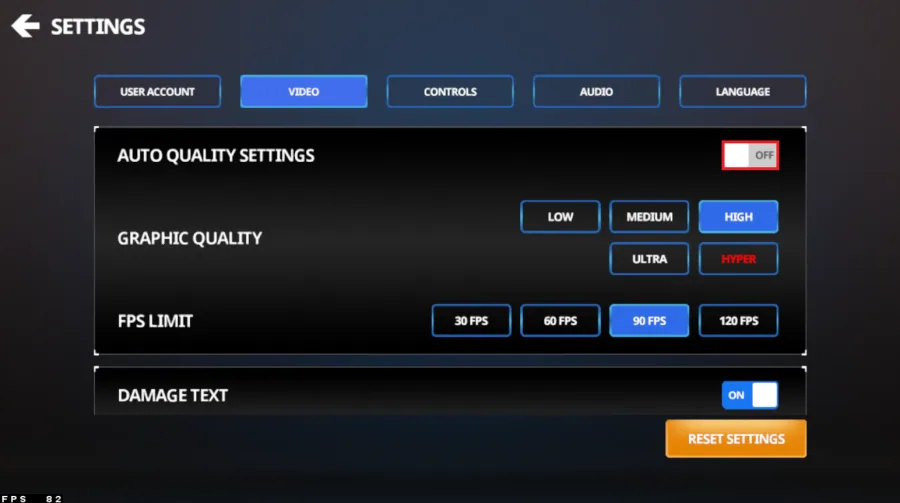
Change your graphics settings in the video section. Disable Auto Quality Settings if you experience lag or overall low performance. You can then set the Graphics Quality to Medium and set the FPS target to 60 FPS. Alternatively, you can increase these settings if you have some performance to spare. This will also come down to how much memory you allocated for this BlueStacks instance.
In the controls section you can further change your settings
In the controls section you can further change your settings. When clicking on Customize, you can preview your current controls layout. You can change it, but you should in turn also change your BlueStacks controls accordingly.
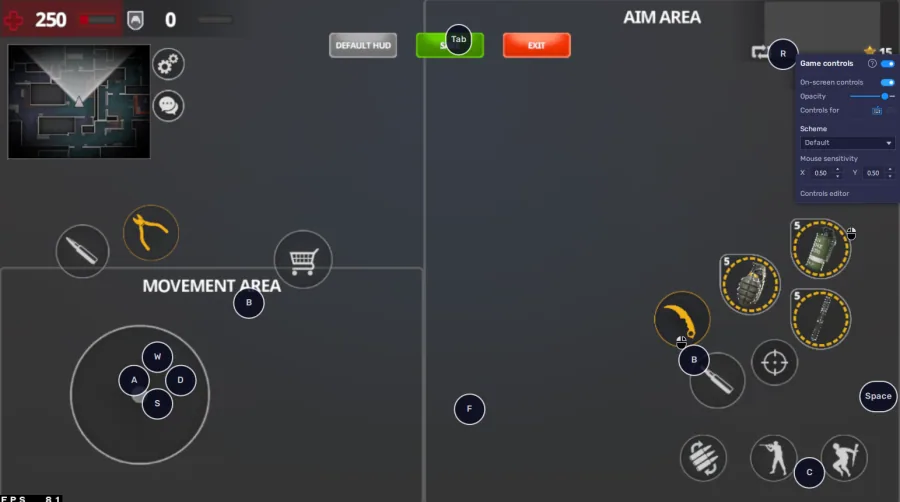
Use mouse and keyboard controls
One of the most significant advantages of playing Critical Strike on BlueStacks is the ability to use mouse and keyboard controls. This makes the game much more manageable and provides a more immersive experience. You can configure these controls in the BlueStacks settings.
Use macros for faster gameplay
Macros are a great way to streamline your gameplay and make it faster. You can create macros for actions such as reloading, shooting, and more. To create a macro, go to the BlueStacks settings and select "Macro Manager."
Play in full-screen mode
Playing Critical Strike in full-screen mode provides an even more immersive experience. To play in full-screen mode, click the "Full Screen" button in the BlueStacks settings.
How to troubleshoot common problems with BlueStacks on Windows
How To Fix “Device Isn’t Compatible With Bluestacks” Error; Best BlueStacks Settings for Low-End PC - Fix Lag & Boost FPS; How To Fix BlueStacks 5 Not Launching or Loading on Windows; How To Run Android 11 Apps & Games on Windows 11
Video walkthrough
If it does not work
- What is BlueStacks?. BlueStacks is an Android emulator that allows you to run Android apps and games on your PC or Mac.
- Is it necessary to have a Google account to play Critical Strike on BlueStacks?. Yes, in order to download and play Critical Strike on BlueStacks, you'll need to have a Google account.
- Can I use my mobile account on BlueStacks to play Critical Strike?. Yes, you can use your mobile account to play Critical Strike on BlueStacks. Simply sign in to your Google account on BlueStacks and then download and install the game.
- Are there any performance differences between playing Critical Strike on a mobile device and on BlueStacks?. Yes, playing Critical Strike on BlueStacks offers improved graphics and faster gameplay compared to playing it on a mobile device.
- Is it possible to play Critical Strike in full-screen mode on BlueStacks?. Yes, you can play Critical Strike in full-screen mode on BlueStacks. Simply click the "Full Screen" button in the BlueStacks settings.