
Gaming · Windows & macOS
How To Play Bless Global on PC & Mac
Original source date
Answer
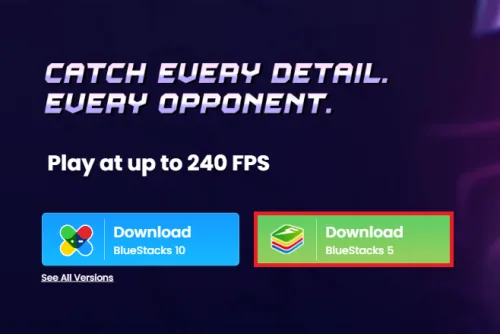
To enjoy Bless Global on your computer, you'll need an Android emulator like BlueStacks. Widely recognized for its exceptional performance, BlueStacks is designed to optimize PC mobile gaming. The download and installation process is straightforward and quick – follow the on-screen instructions provided by the setup wizard. With BlueStacks installed, you'll be all set to experience Bless Global in a whole new way on your PC or Mac.
Download & Install BlueStacks
To enjoy Bless Global on your computer, you'll need an Android emulator like BlueStacks. Widely recognized for its exceptional performance, BlueStacks is designed to optimize PC mobile gaming. The download and installation process is straightforward and quick – follow the on-screen instructions provided by the setup wizard. With BlueStacks installed, you'll be all set to experience Bless Global in a whole new way on your PC or Mac.
Download Bless Global
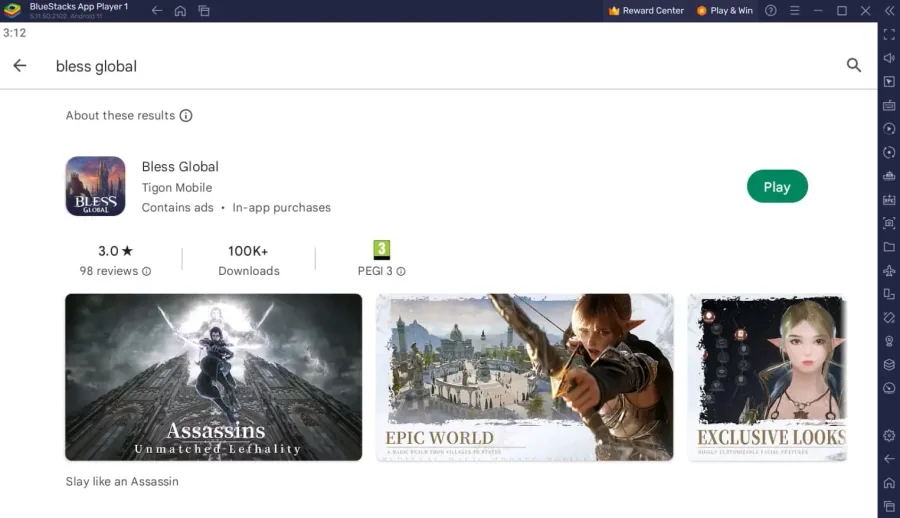
Open your Play Store and log in with your Google account. Search for Bless Global and download the game to your BlueStacks emulator. This might take a few minutes to complete depending on your network connection.
Optimize BlueStacks Performance Settings
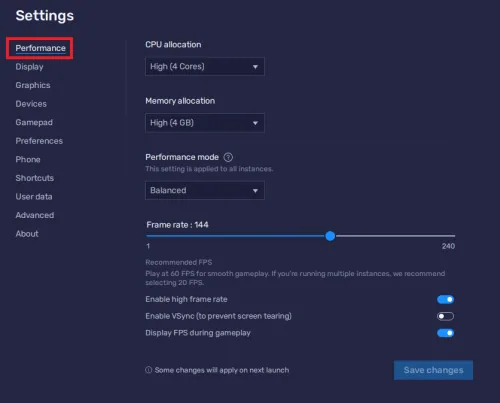
While downloading the game, take a moment to review your emulator settings. In the Performance tab, adjust the settings based on your PC's capabilities. Allocate a high number of CPU cores if you have minimal background applications running. Similarly, consider your Memory allocation; for users with 4GB or less RAM, set this option to Low. Under Performance Mode, select the Balanced option to optimize memory and CPU usage, reducing lag or performance issues. For an enhanced gaming experience, enable the High FPS option and match the emulator's frame rate to your screen's refresh rate, ensuring smooth gameplay.
BlueStacks Display Settings
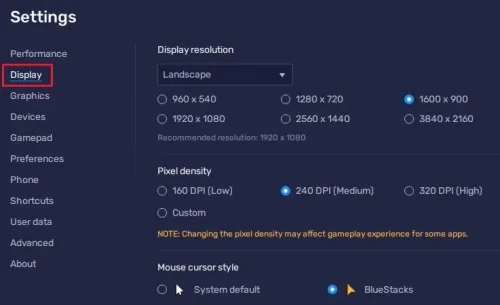
In your Display settings, set the display orientation to landscape, and choose a proper resolution to play Bless Global on your monitor. You can also adjust the size of this window by dragging its corners.
Bless Global Control Customization
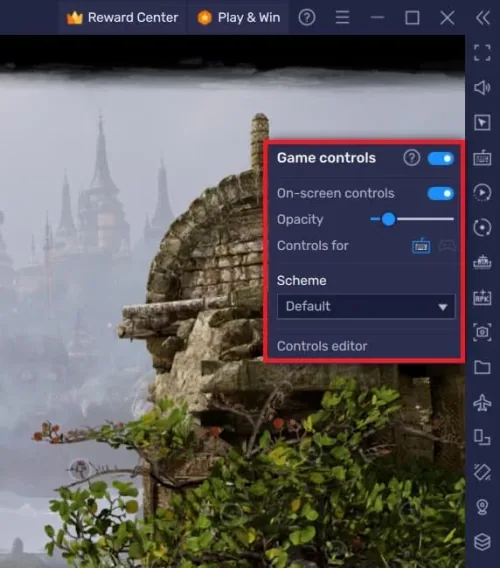
Once you've logged in to your account, get ready to dive into the enthralling world of Bless Global. To tailor your keyboard or controller keybindings for the game, locate the keyboard icon in the BlueStacks menu bar and give it a click. This will grant you access to the control editor, where you can fine-tune the controls for both keyboard and mouse or controller, according to your preferences. Feel free to toggle the visibility of the on-screen controls, adjusting their opacity and positioning on your display for the optimal gaming experience.
Bless Global Performance Optimization
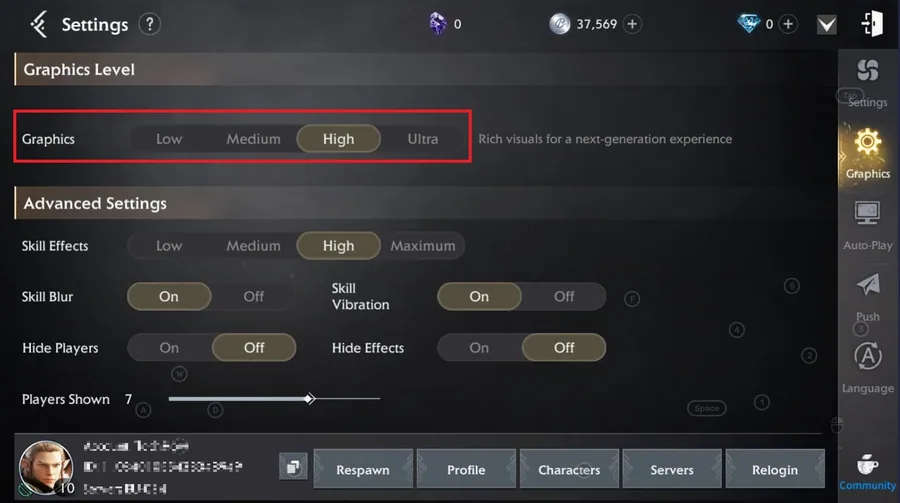
Should you encounter performance-related issues during gameplay, navigate to the in-game settings. It's possible that the Graphics settings are set too high by default when you first launch the game, so consider lowering the graphics preset and skill effects settings for improved performance.
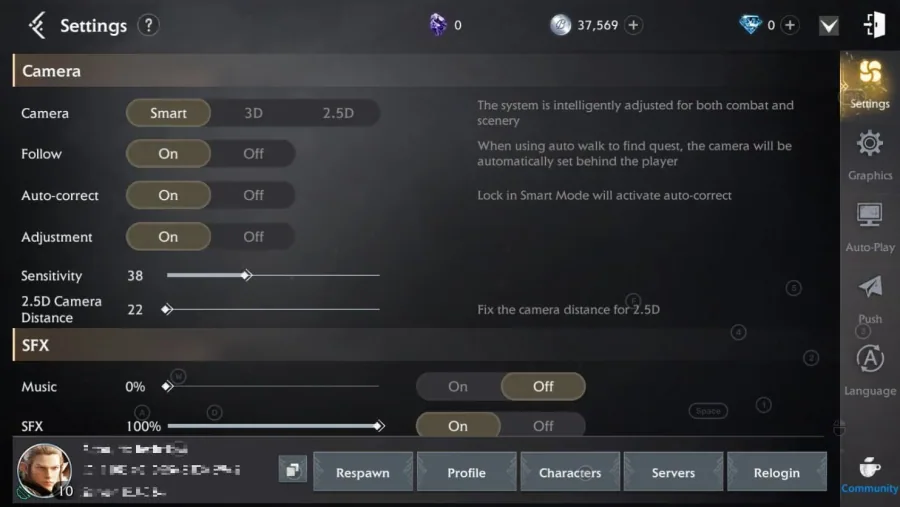
Within the Settings section, you'll also find options to fine-tune your camera an…
Within the Settings section, you'll also find options to fine-tune your camera and sensitivity settings, ensuring a smoother and more enjoyable gaming experience.
How to troubleshoot common problems with BlueStacks on Windows
How To Fix “Device Isn’t Compatible With Bluestacks” Error; Best BlueStacks Settings for Low-End PC - Fix Lag & Boost FPS; How To Fix BlueStacks 5 Not Launching or Loading on Windows; How To Run Android 11 Apps & Games on Windows 11
Video walkthrough
If it does not work
- Can I play Bless Global on PC or Mac using BlueStacks?. Yes, you can play Bless Global on your PC or Mac using the BlueStacks emulator, which provides a seamless gaming experience with customizable controls and settings.
- How can I adjust the keyboard or controller settings for Bless Global on BlueStacks?. To customize your keyboard or controller settings, click on the keyboard icon in the BlueStacks menu bar, access the controls editor, and adjust the controls for the keyboard, mouse, or controller according to your preferences.
- Can I change the on-screen controls' appearance in Bless Global on BlueStacks?. Yes, you can toggle the on-screen controls on and off, as well as modify their opacity and position on your screen through the BlueStacks controls editor.
- How do I optimize Bless Global's performance on my PC or Mac using BlueStacks?. To optimize the game's performance, head to the in-game settings and adjust the Graphics settings, such as lowering the graphics preset and skill effects settings. You can also modify camera and sensitivity settings for an improved gaming experience.
- Are there any other tips for enhancing my Bless Global gameplay experience on BlueStacks?. Make sure to keep your BlueStacks emulator updated and check the compatibility of your system's hardware and software for optimal performance. Additionally, fine-tuning the in-game settings can further enhance your gaming experience.