
iOS · iPhone & iPad
Fix a Greyed-Out Personal Hotspot on iPhone
Source-checked About 5 minutes
Answer
Open Settings > Cellular and turn on Cellular Data. Then open Personal Hotspot, or Cellular > Personal Hotspot, and turn on Allow Others to Join. If Personal Hotspot is still unavailable, confirm that your carrier and plan support it.
Turn on Cellular Data
Open Settings > Cellular and turn on Cellular Data. Personal Hotspot cannot work without an active cellular data connection.
Enable Personal Hotspot
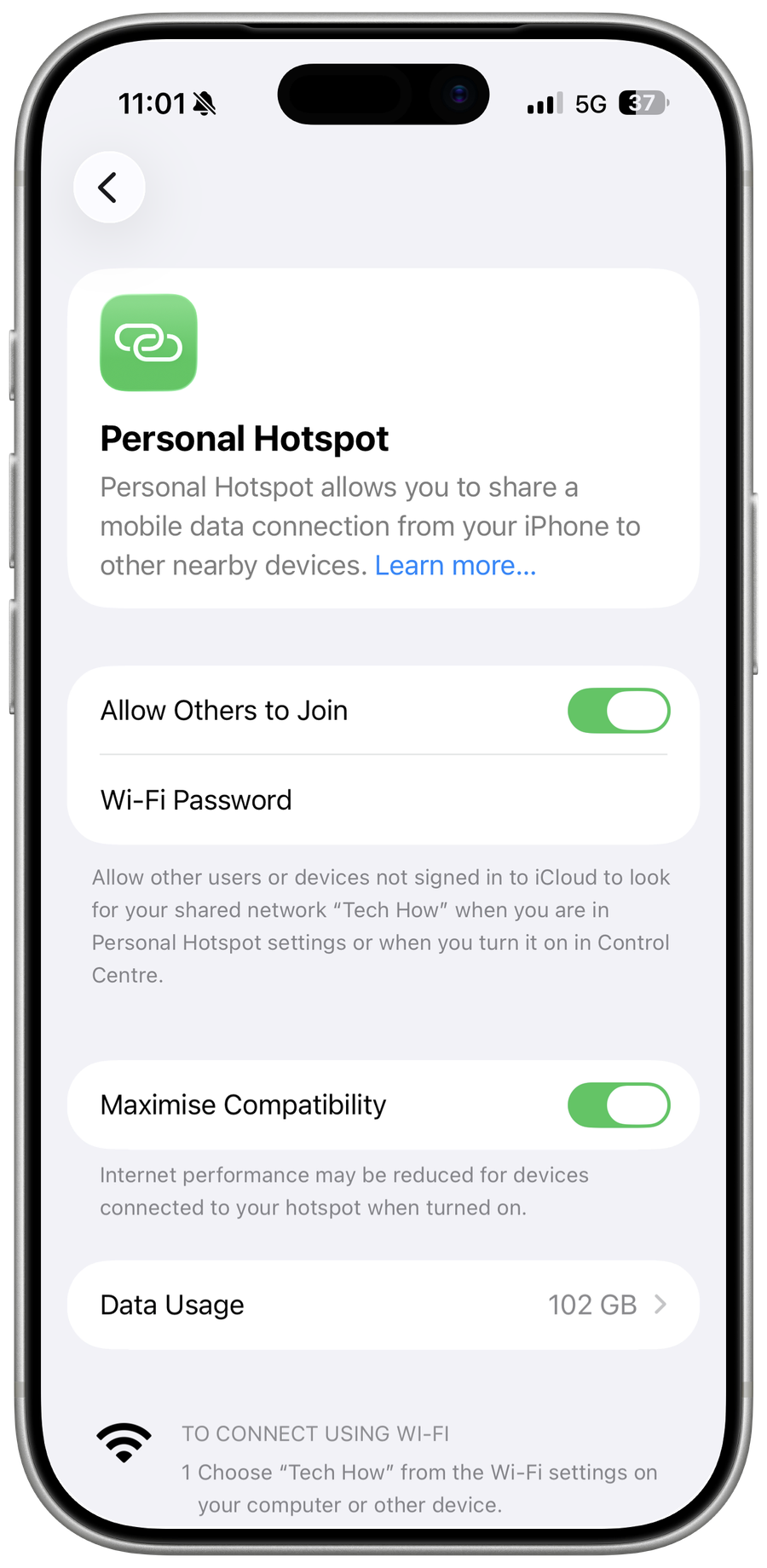
Open Settings > Personal Hotspot, or Cellular > Personal Hotspot, then turn on Allow Others to Join.
Confirm carrier support
If the option is missing or dimmed, ask your carrier whether Personal Hotspot is enabled for your wireless plan.
Restart and update
Restart the iPhone or iPad, then install the latest available iOS or iPadOS update and try again.
Reset network settings
As a final step, open Settings > General > Transfer or Reset iPhone > Reset > Reset Network Settings. This removes saved Wi-Fi networks and passwords, cellular settings, and VPN and APN settings.
Test the hotspot
Keep the Personal Hotspot screen open, then connect another device to the iPhone's network. Confirm that the other device loads a web page over the iPhone's cellular connection.
Video walkthrough
If it does not work
- If Personal Hotspot remains unavailable, verify cellular data, carrier-plan support, the active line, carrier settings and Screen Time or management restrictions. Contact the carrier before resetting network settings or removing an eSIM, because missing provisioning cannot be repaired by repeatedly changing the iPhone.
Sources and verification
Checked against official documentation on . Scope: iPhone, iPad Wi-Fi + Cellular, current Apple Support guidance.
Checked against current Apple guidance. The Personal Hotspot screenshot was captured on iOS 26.6 on 1 August 2026.