

MAD (Management Allowable Depletion): What It Is and When to Irrigate
1. Key Definitions: FC, PWP, TAW, and MAD
Field Capacity (FC)
The soil moisture level right after excess water drains away, ideal for plant growth.
Beyond this, water percolates deeper and becomes unavailable to roots.
Permanent Wilting Point (PWP)
The lower limit. Below this, plants can't extract water, risking permanent damage.
Varies by soil type.
Total Available Water (TAW)
The water available between FC and PWP. This is the soil 'bank account' you can draw from.
Management Allowable Depletion (MAD)
The portion of TAW you can use before your crop experiences harmful stress.
Typically expressed as a percentage of TAW.
Varies depending on crop type and sensitivity.
2. Why TAW vs MAD Matters for Irrigation Timing
Plants experience stress before they hit PWP. That’s where MAD comes in, it helps avoid yield loss by scheduling irrigation early enough.
Common MAD values: 30–50% of TAW, with higher percentages for deep-rooted or stress-tolerant crops.
Example: If TAW is 3.5 inches and MAD is 30%, the threshold to irrigate is ~1.05 inches.
3. How to Calculate MAD Thresholds — Step by Step
Follow this formula from Colorado State’s extension materials:
d_MAD (inches) = (MAD ÷ 100) × AWC × rooting depth
Where:
AWC: Available Water Capacity (inches of water per inch of soil)
Rooting depth: Depth in inches plants draw from
This tells you exactly how much water to let the soil lose before irrigating.
Real Example:
A loam soil has AWC ≈ 1.8 in/ft
Crop root zone is 3 ft
TAW = 1.8 × 3 = 5.4 inches
With MAD at 50% → d_MAD = 2.7 inches.
Irrigate when soil water deficit reaches 2.7 inches.
4. How Irrigation Calculator Pro Automates This
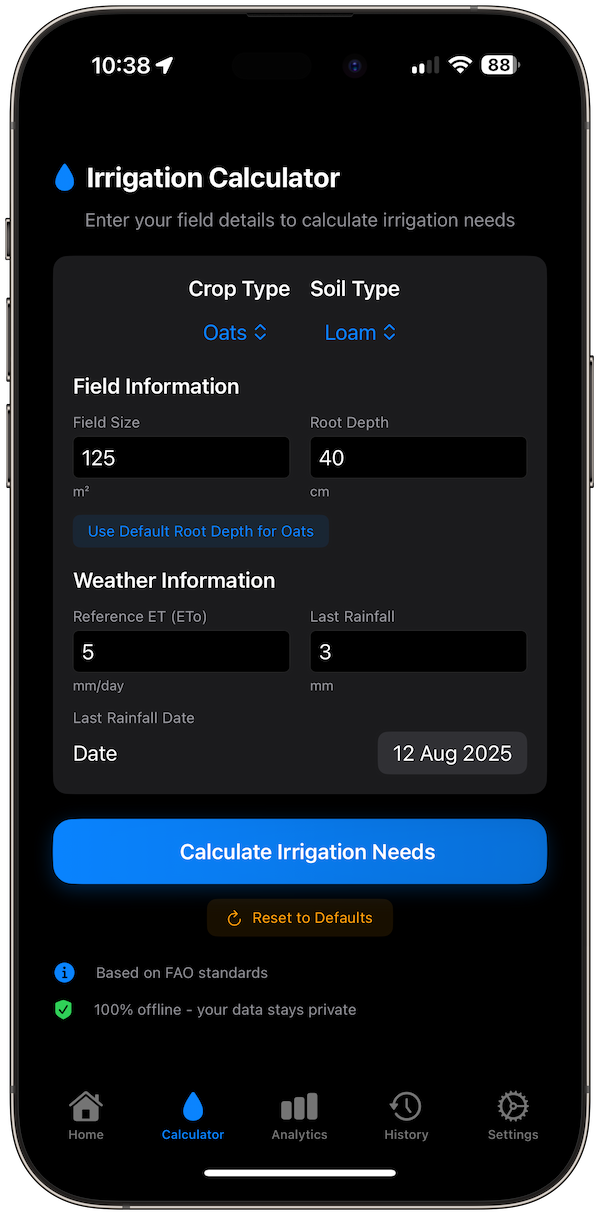
Irrigation Calculator Pro uses these thresholds to alert you when to water:
Select soil texture: app loads AWC value.
Enter crop: app uses preset MAD % for that crop.
Enter rooting depth or use the default.
App calculates TAW and d_MAD automatically.
Track soil moisture factors (ET, rainfall) with the checkbook method.
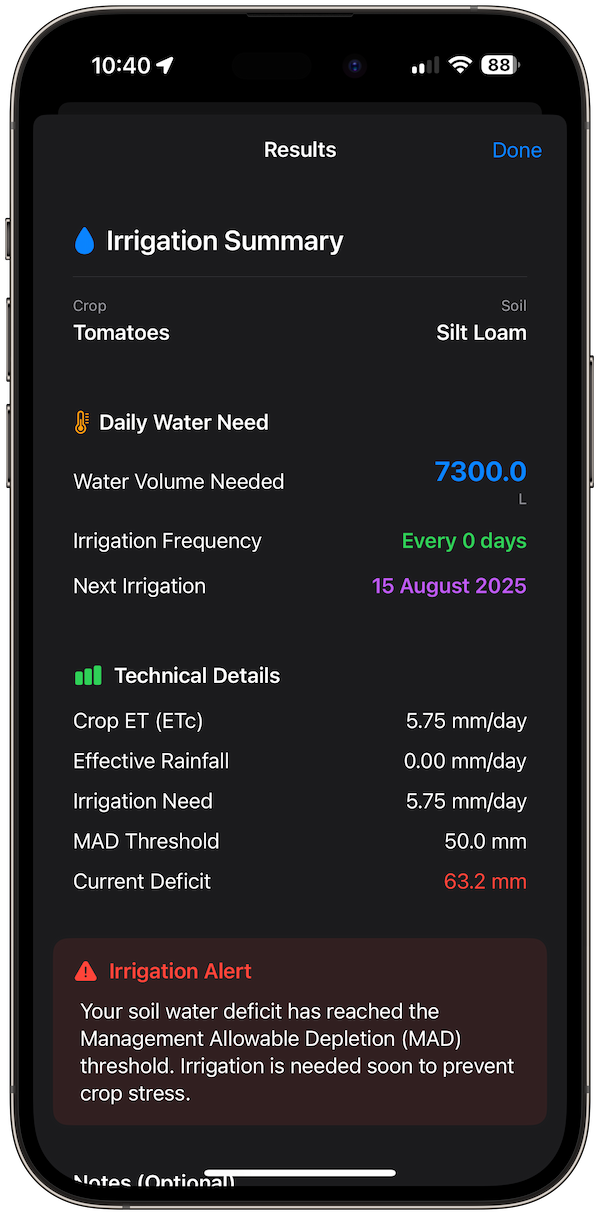
Receive alerts when your soil water deficit nears or exceeds d_MAD.
Tap “Calculate” to get volume, timing, and schedule.
This takes complex calculation off your plate and turns it into a smart alert.
5. Example Walk-Through: Corn on Loam Soil
Let’s say:
Soil: Loam (AWC ≈ 1.8 in/ft)
Rooting depth: 3 ft → TAW = 5.4 in
Crop: Corn (MAD ~ 50%)
So: d_MAD = 0.50 × 5.4 = 2.7 in of extraction
When your depletion (ET minus rain) hits ~2.7 in, the app notifies you to irrigate before stress occurs.
6. Why MAD-Based Irrigation Works (And Saves Water)
Prevents crop stress before damage begins.
Optimizes water use: you don’t overwater out of caution.
Customizable by crop and soil: MAD values are built-in and editable in the app.
Visual, data-driven approach: see alerts, history graphs, and irrigation records.

7. Final Insights
MAD links soil capacity (TAW) with plant needs: Setting a smart, preemptive irrigation threshold. Irrigation Calculator Pro simplifies this by loading AWC, MAD, rooting depth, and giving you triggered alerts and volume recommendations, no guesswork, all science.
References
Colorado State University: Irrigation Scheduling: The Water Balance ApproachFAO: ETc under soil water stress conditionsOklahoma State University: Understanding Soil Water Content and Thresholds for Irrigation ManagementUniversity of Minnesota: Basics of irrigation schedulingUniversity of Wyoming: Irrigation Management:Basics of Soil Water