
Windows 11 · Windows
Fix YouTube Video Flickering on a Windows PC
Source-checked About 10 minutes
Answer
Determine whether YouTube alone or the whole Windows display flickers, then follow the matching browser or Microsoft display diagnosis.
Before you start
Determine whether flickering occurs in one video, all YouTube playback, one browser, or the entire Windows desktop. Save work and note the browser, graphics driver, display, refresh rate, and whether Task Manager flickers too.
Determine the flicker scope
Play another video and open Task Manager to check whether the YouTube player alone flickers or the entire display and Task Manager flicker. Use another YouTube video and Task Manager to separate a player/browser symptom from Microsoft's system-wide flicker branch.
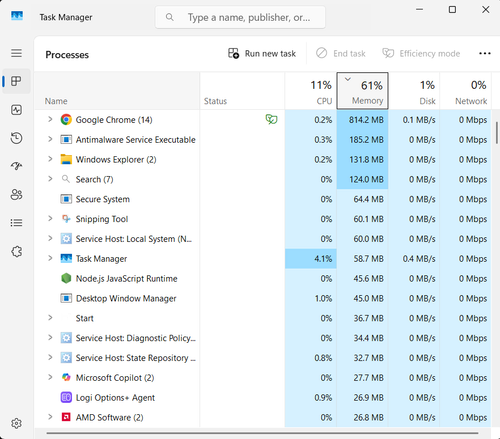
Refresh the YouTube playback environment
Restart or update the browser and Windows device, then follow YouTube's current playback troubleshooting for a YouTube-only problem. For YouTube-only playback, update and restart the browser, test a private window, and disable only an extension shown to interfere.
Follow Windows display diagnosis
If the entire display flickers, use Microsoft's driver and incompatible-app diagnosis before changing browser settings. For full-display flicker, follow Microsoft's Task Manager diagnosis for display drivers versus incompatible apps instead of random browser flags.
Verify the result
Replay the same video at the same quality in full screen and windowed mode, then test another site. Confirm Task Manager and the desktop remain stable before concluding the display issue is fixed.
Troubleshoot YouTube video flickering
If one browser fails, report its version, extensions, and hardware-acceleration state to its publisher. If the whole display flickers, use Microsoft's driver/app path or hardware service. Avoid registry edits and generic driver cleaners. For a YouTube-only result, compare the same video in another current supported browser before clearing data or reinstalling anything. A clean comparison separates a browser profile, extension, or graphics-acceleration interaction from the video itself and from a Windows-wide display fault.
Video walkthrough
Sources and verification
Checked against official documentation on . Scope: Windows.
Follow the linked first-party guidance if labels differ after a platform or app update.