
Gaming · Platform not recorded
Valorant - How To Fix "You Are Not Allowed To Download This Content At This Time" Error
Original source date
Answer
This error is caused by a high demand in downloads in your region. To fix this issue, you must mask your download location using a VPN or web-based proxy. Use the onboard memory when using your mouse from the software if you can. Navigate to this website to download the installer while masking your download location.Select a different country and enter the following link: https://playvalorant.com/en-us/download. You should now be able to download Valorant to your system!
Mask your Download Location
This error is caused by a high demand in downloads in your region. To fix this issue, you must mask your download location using a VPN or web-based proxy. Use the onboard memory when using your mouse from the software if you can.

Use a Web Proxy
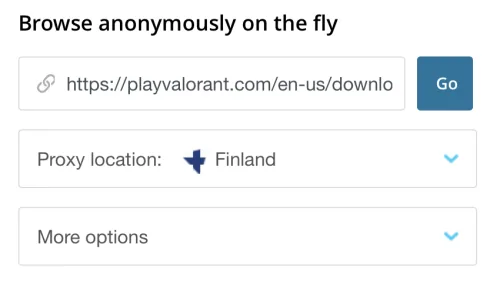
Navigate to this website to download the installer while masking your download location.Select a different country and enter the following link: https://playvalorant.com/en-us/download. You should now be able to download Valorant to your system!
Video walkthrough
If it does not work
- If the current interface differs, compare it with the recorded video walkthrough.