
Gaming · Platform not recorded
How To Fix Valorant Slow Download (Stuck On 0.1KB/s)
Original source date
Answer
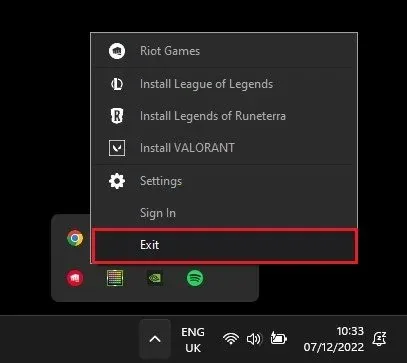
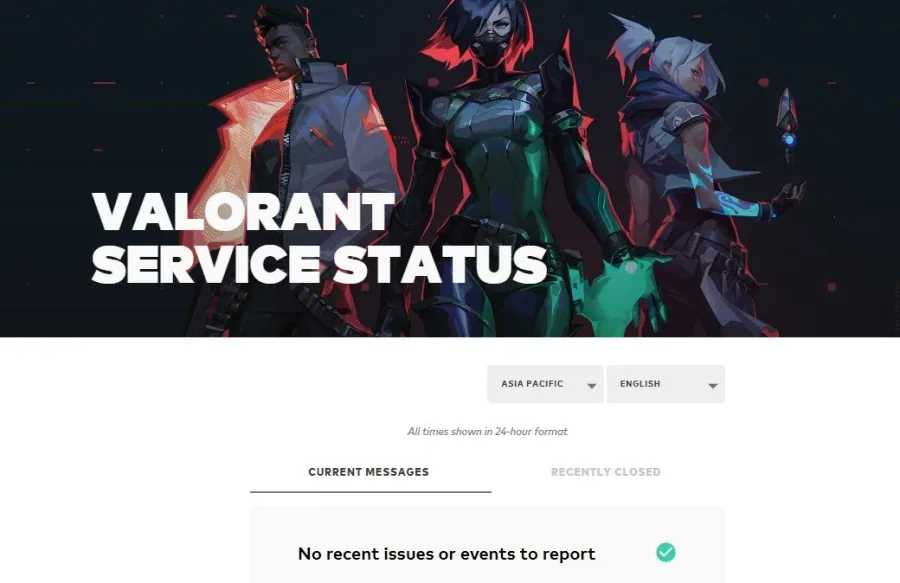
First, close all Valorant and Riot games processes running on your PC. Right-click the Riot Games icon in your system tray and select Exit. Next, ensure that the Riot Games servers are operational in your region. Here, choose your current location to see if there are any reported issues or server maintenance.
Exit Riot Games Launcher
First, close all Valorant and Riot games processes running on your PC. Right-click the Riot Games icon in your system tray and select Exit.
Check Riot Games Server Status
Next, ensure that the Riot Games servers are operational in your region. Here, choose your current location to see if there are any reported issues or server maintenance.
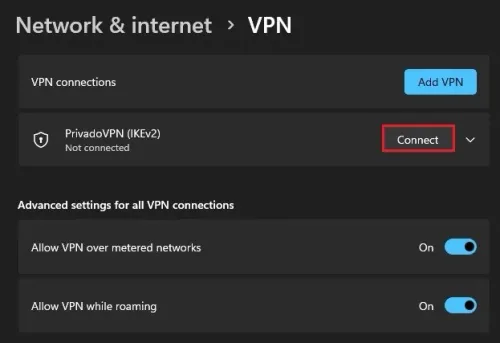
Disable VPN Connection
If the server seems to be operational in your region, you should prevent any VPN or proxy connection from running on your PC. Alternatively, you can use a VPN if the servers run fine in another location. Open up your Windows settings. Navigate to the Network & internet section, and under VPN, make sure to enable or disable your VPN connection. Again, this will depend on the status of the Valorant servers. If you are looking for a reliable VPN connection, we recommend PrivadoVPN.
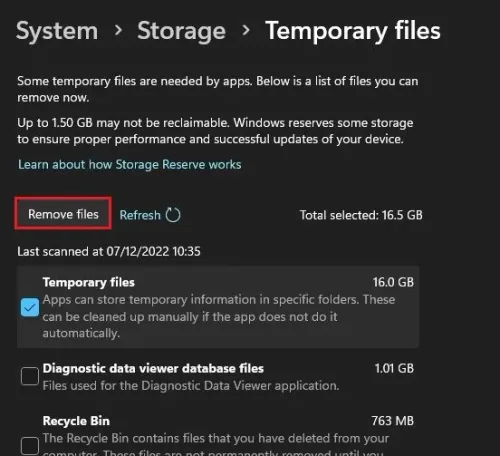
Ensure Enough Storage on Windows
While still in your settings, navigate to System and select Storage. Make sure you have a minimum of storage left to download and install the Valorant game or update your system. If your storage is close to getting full, then you can delete your temporary files and the content of your Recycle Bin to free up some space. When this is done, you can re-open the Riot launcher and check if the download speed is normal.
Update Network Adapter Driver
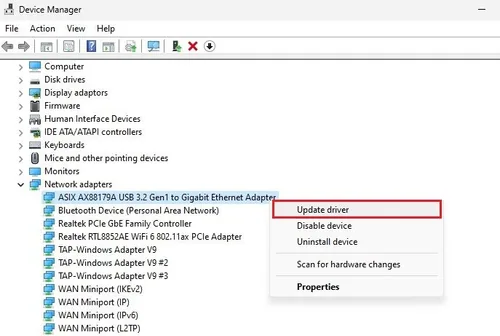
If the problem persists, ensure your network adapter driver is up to date. Open up your Device Manager application. On this window, expand your Network Adapters, right-click the one you are using and select Update Driver. On this window, select Search automatically for drivers. If unsure which network adapter you are using, repeat this step with each in this list of devices.
Change DNS Server Adresses
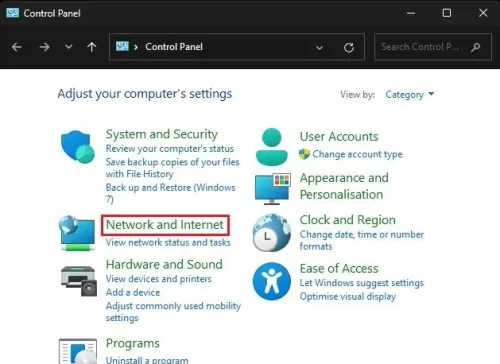
Lastly, you might have to change your DNS server address to fix slow download issues with your connection. Open up your Control Panel by searching for it in your start menu search. Make sure to View by: Category, and click on Network and Internet.
Next, click on Network and Sharing Centre, and here select your connection
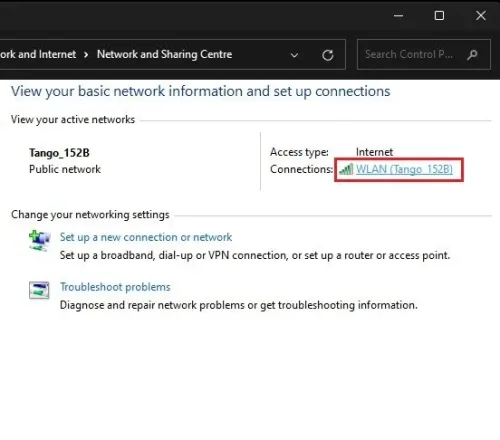
Next, click on Network and Sharing Centre, and here select your connection.
This will open up this window, containing some general information about your con…
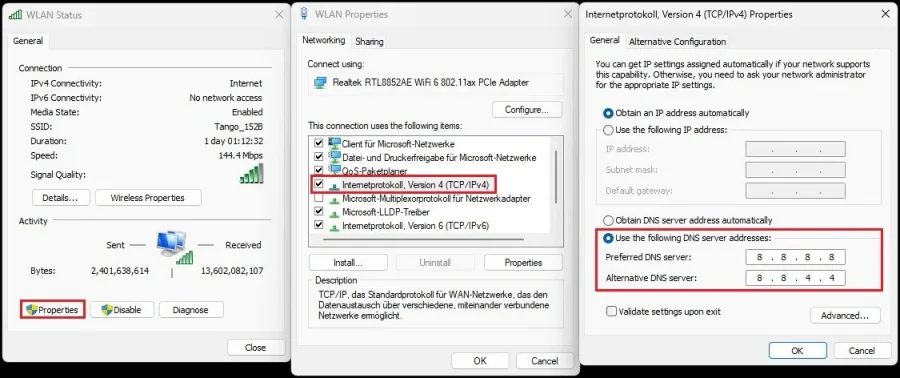
This will open up this window, containing some general information about your connection. Navigate to Properties, and lastly, double-click the Internet Protocol Version 4. Select Use the following DNS server addresses option, and as your Preferred DNS server, use: 8.8.8.8, and as your Alternate DNS server, use: 8.8.4.4. This should fix a slow download speed for a lot of users.
Video walkthrough
If it does not work
- Why is my Valorant download slow?. There can be multiple reasons for a slow Valorant download, including a slow internet connection, network congestion, server issues, and more.
- How can I change my Valorant download server?. You can change your Valorant download server by going to the game's settings, selecting the "Download Region," and selecting a different server from the available options.
- How can I clear my cache to fix Valorant slow download?. You can clear your cache by going to your device's storage settings, selecting the "Cache" option, and clearing the cache data for Valorant.