
iOS · iPhone & iPad
Improve a slow iPhone safely
Source-checked About 10 minutes
Answer
Check free storage, network conditions, Low Power Mode, temperature, battery health, and any unresponsive app. Avoid RAM-cleaner and forced-close routines.
Check the starting state
Before changing a slow iPhone, record free storage, battery health, temperature, Low Power Mode, network conditions, affected apps, and whether slowness follows a specific update or task. Keep the current state, exact message, and any recent change available so each result can be compared.
Choose the supported path
Treat storage pressure, thermal limits, battery performance management, a slow network, and one misbehaving app separately; force-closing every app or using RAM cleaners does not improve iOS performance.
Check the current bottleneck
Decide whether the delay affects one app, network activity, or the whole device.
Keep free storage
Open Settings > General > iPhone Storage and maintain at least 1 GB free. Offload or delete only content you recognize.
Check power and temperature
Turn off Low Power Mode when full performance is needed and let an unusually hot or cold iPhone return to a moderate temperature.
Review battery health
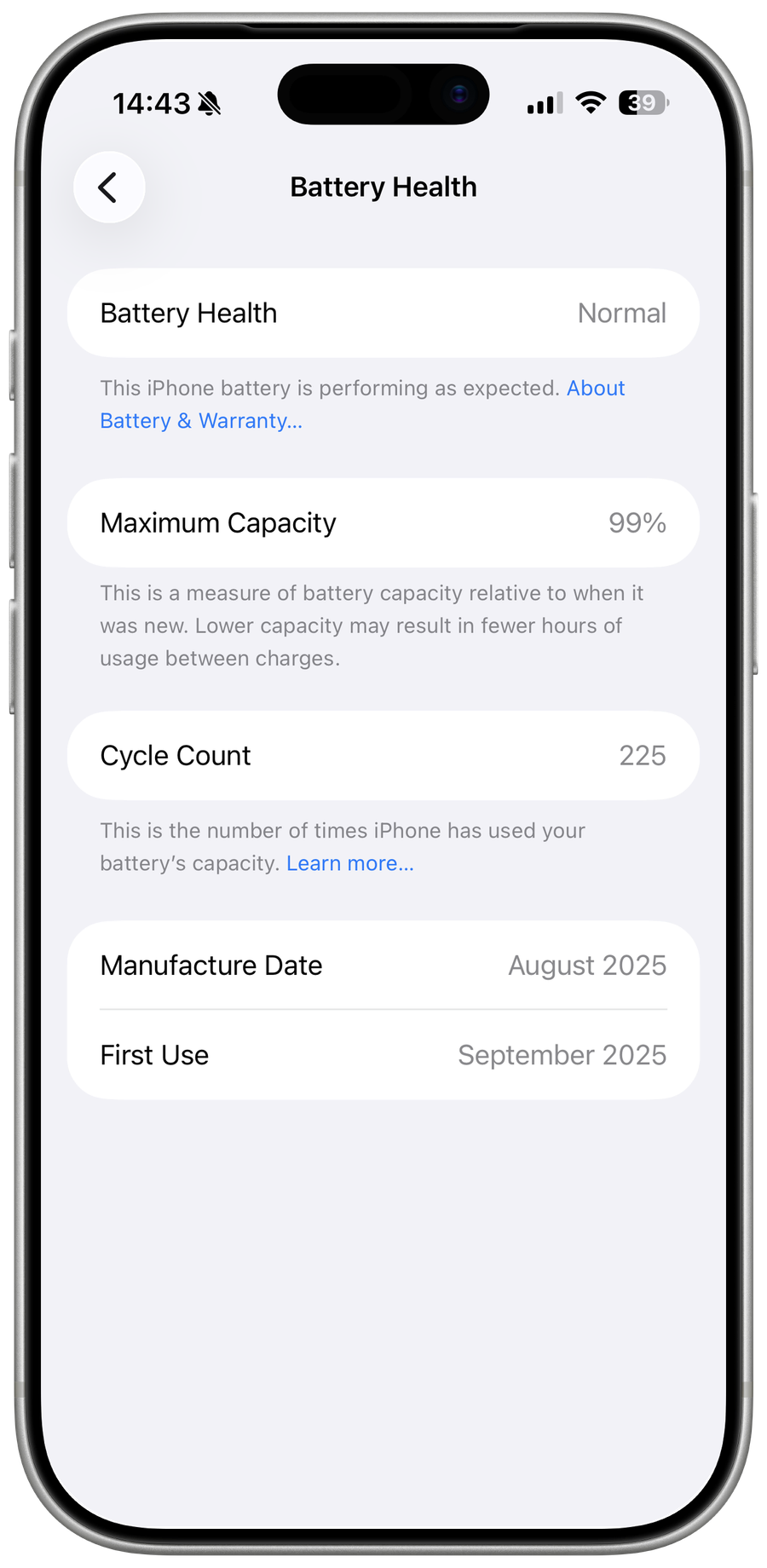
Open Settings > Battery > Battery Health. If iOS recommends service, arrange service rather than using performance-tuning apps.
Optional affiliate link
Affiliate disclosure: this preserved source link may earn Techy How a commission at no additional cost to you. A VPN is not an iPhone performance fix and can affect network speed.
Verify the result
the representative task completes normally twice without overheating, unexpected shutdown, or loss of needed app data. Repeat the original task once more after reopening the relevant app, connection, or Windows session so a temporary result is not mistaken for a fix.
Troubleshoot a slow iPhone
If battery health indicates service, storage cannot be freed safely, one app remains slow after update, or the phone repeatedly overheats or restarts, stop broad resets and return to the last known state. Preserve the exact error, versions, device or account scope, and failed step before using the linked official support channel.
Optional sponsored tool
The supported procedure above does not require this third-party product. This optional link is retained from the original tutorial; Tech How may earn a commission at no extra cost to you.
Video walkthrough
Sources and verification
Checked against official documentation on . Scope: iPhone & iPad.
Follow the linked first-party guidance if labels differ after a platform or app update.