
Gaming · Platform not recorded
Unable To Join Roblox Games - Quick Fix
Original source date
Answer
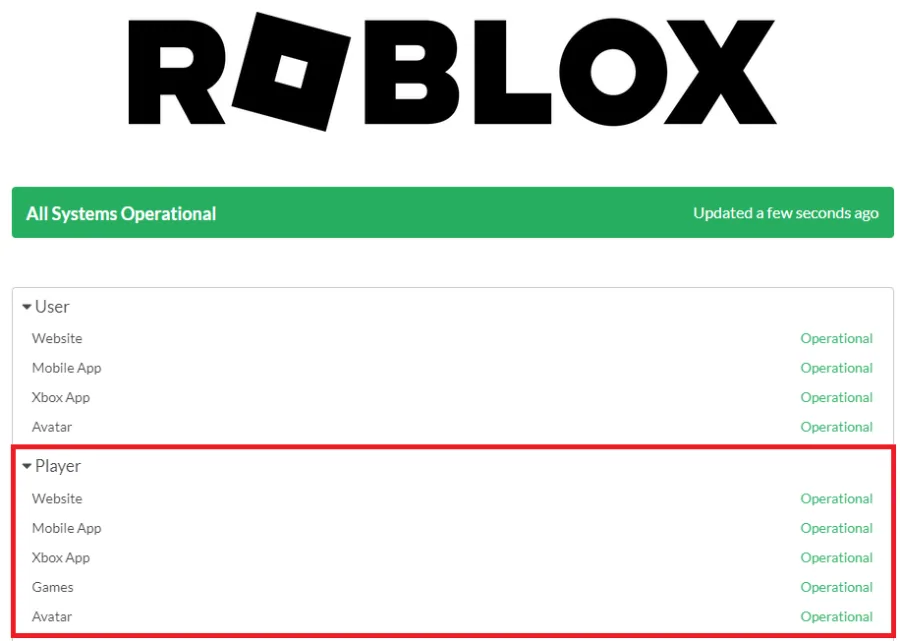
Often, the issue of being unable to join Roblox games is linked to the game's servers. To confirm the status of Roblox servers, visit status.roblox.com, where you can see if there are any ongoing service disruptions or server maintenance. Should you encounter any issues with the game servers, you may need to be patient and wait for a few minutes or even hours until the problem is addressed and resolved.
Check Roblox Server Status
Often, the issue of being unable to join Roblox games is linked to the game's servers. To confirm the status of Roblox servers, visit status.roblox.com, where you can see if there are any ongoing service disruptions or server maintenance. Should you encounter any issues with the game servers, you may need to be patient and wait for a few minutes or even hours until the problem is addressed and resolved.
Check Your Network Connection
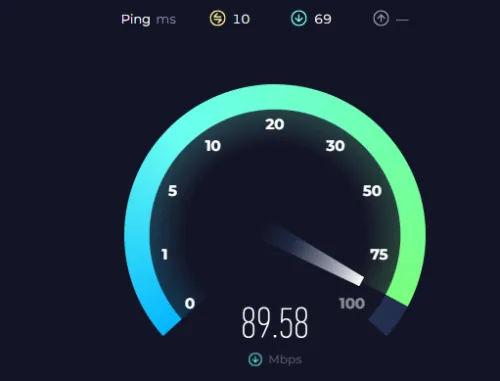
In case the Roblox servers are functioning correctly, the issue might be with your own network connection. Turn off your VPN or proxy connection if you're playing Roblox on your PC or mobile device. Additionally, consider using a speed testing website or app, such as Speedtest, to assess your average upload and download speeds to the nearest server. If you find any problems with your connection, try restarting your router if it hasn't been done recently and minimize the number of devices connected to the same network. This may help improve your connection and resolve the issue with joining Roblox games.
Reset the Roblox App
If you've tried the previous steps and still cannot join Roblox servers, consider resetting the Roblox app on your PC or reinstalling the application on your mobile device. For Windows users, open your settings and navigate to the "Apps" section. From there, go to "Installed Apps" and search for Roblox.
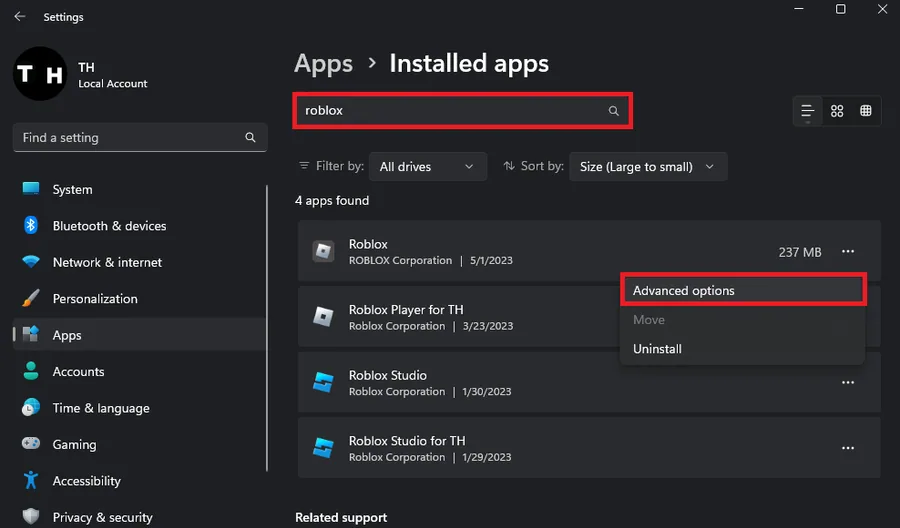
Click on "Advanced Options" for Roblox, and then select "Reset." This action will…
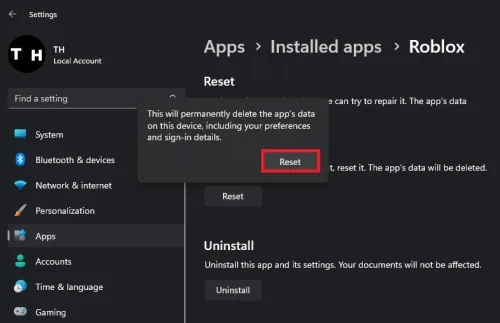
Click on "Advanced Options" for Roblox, and then select "Reset." This action will clear the app cache and restore the application to its original state. Upon relaunching Roblox, ensure that you're using the correct account and that no other devices are simultaneously logged into a Roblox server with your account. This could help resolve the issue with joining games on Roblox.
Check Your Roblox Account Settings
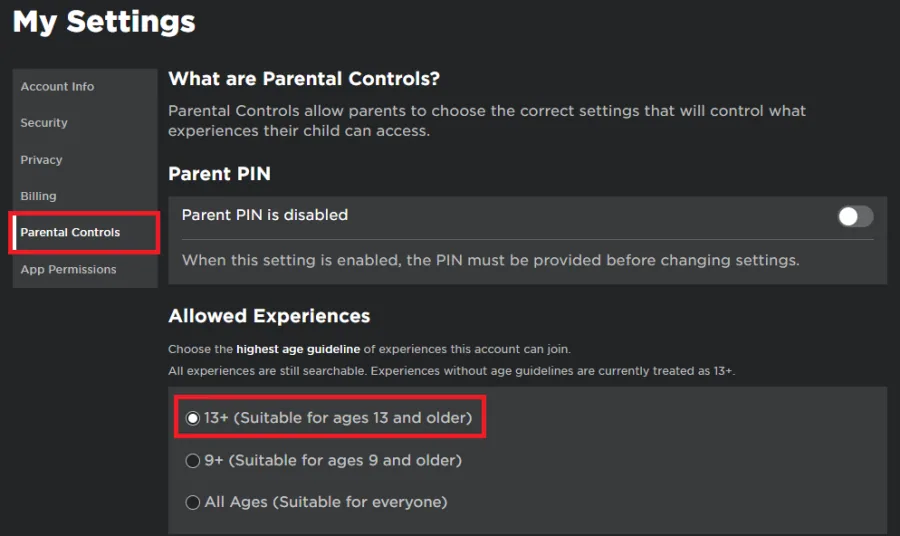
Visit the Roblox homepage and sign in to your account to make sure that your Parental Controls settings aren't restricting you from joining Roblox games. To guarantee that you can access any Roblox experience without limitations, set this option to "Appropriate for ages 13 and older" and remember to save your changes. This step will help optimize your account settings for a smoother gaming experience and allow you to join any Roblox experience with your account.
Video walkthrough
If it does not work
- Why am I unable to join Roblox games on my PC?. The issue might be related to Roblox server status, your network connection, or your account settings. Check the server status, verify your network connection, reset the Roblox app, and adjust your account settings to resolve the problem.
- How do I check the Roblox server status?. Visit status.Roblox.com to check the Roblox server status. This page will show you if there are any service disruptions or server maintenance that may be affecting your ability to join games.
- What should I do if my network connection is causing issues with joining Roblox games?. Disable any VPN or proxy connections, use a speed testing site like Speedtest to check your connection, restart your router, and reduce the number of devices connected to the same network to improve your connection.
- How do I reset the Roblox app on my Windows PC?. Open your Windows settings, navigate to "Apps," then "Installed Apps," and look up Roblox. Click on "Advanced Options" for Roblox and then select "Reset." This will clear the app cache and reset the application.
- How do I adjust my Roblox account settings to ensure I can join any game?. Access your Roblox account settings on the Roblox homepage and check your Parental Controls settings. To join any Roblox experience without restrictions, set the option to "Appropriate for ages 13 and older" and save your changes.