
Gaming · Platform not recorded
Roblox - Fix Scroll Wheel Glitch
Original source date
Answer
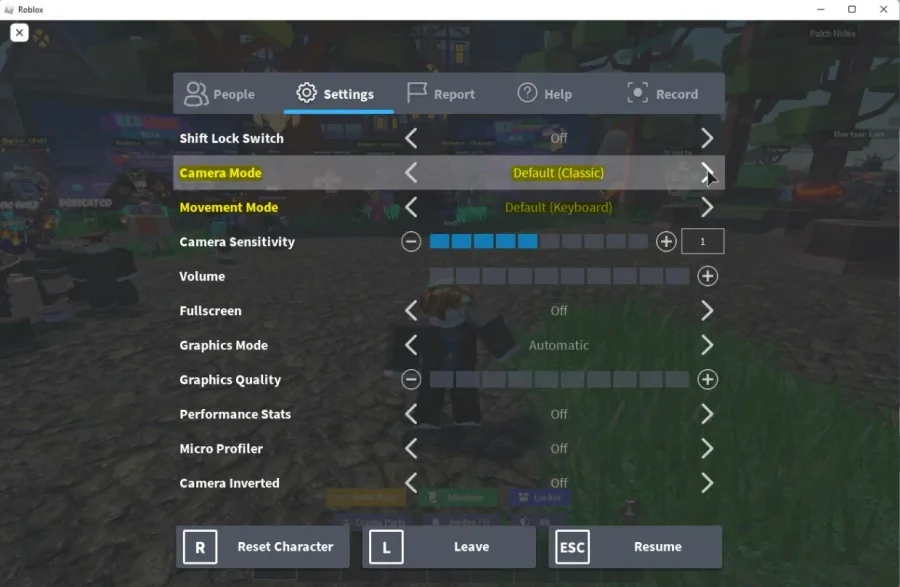
This issue often occurs with the Apple Magic Mouse and other two-dimensional scrolling features like trackpads. Roblox is registering the camera pan and not the camera zoom, which can cause the scroll wheel glitch. We suggest using the default Roblox controls when playing the game to fix this. Navigate to your Roblox settings and set your Camera Mode to Default (Classic). Below, set the Movement Mode option to Default (Keyboard). The other settings can be left as you wish.
Change the Roblox Controls Option
This issue often occurs with the Apple Magic Mouse and other two-dimensional scrolling features like trackpads. Roblox is registering the camera pan and not the camera zoom, which can cause the scroll wheel glitch. We suggest using the default Roblox controls when playing the game to fix this. Navigate to your Roblox settings and set your Camera Mode to Default (Classic). Below, set the Movement Mode option to Default (Keyboard). The other settings can be left as you wish.
Rejoin the Roblox Experience
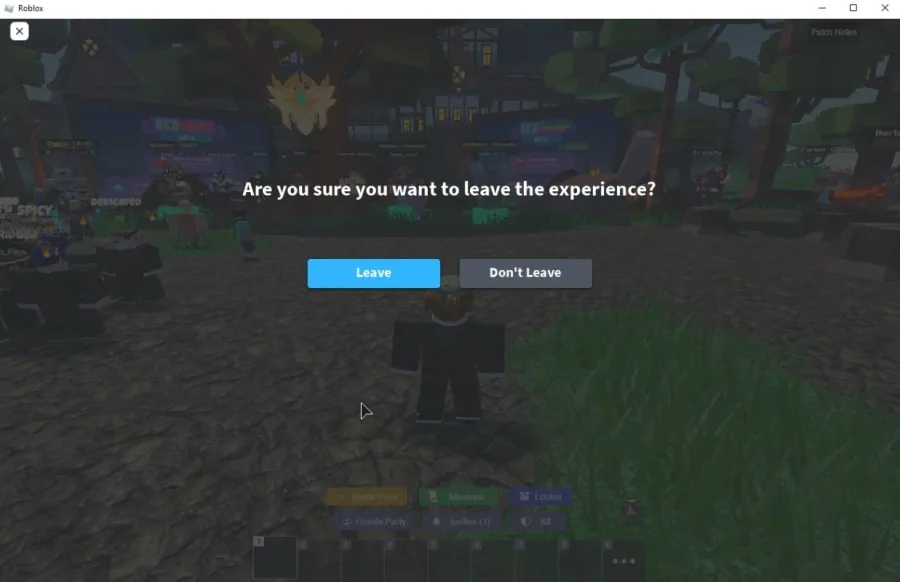
If changing the controls did not fix your scroll wheel problem, then rejoin the game. This will in most cases fix your issue. Unfortunately, this issue can also happen in certain game modes, where the setting in Roblox Studio is set so that scrolling will make the camera angle up and down. In this case, there is not much you can do to prevent the scroll wheel issue.
Video walkthrough
If it does not work
- If the current interface differs, compare it with the recorded video walkthrough.