
Gaming · PC & mobile
Fix Roblox Mobile Login Bug - Unable to Login
Original source date
Answer
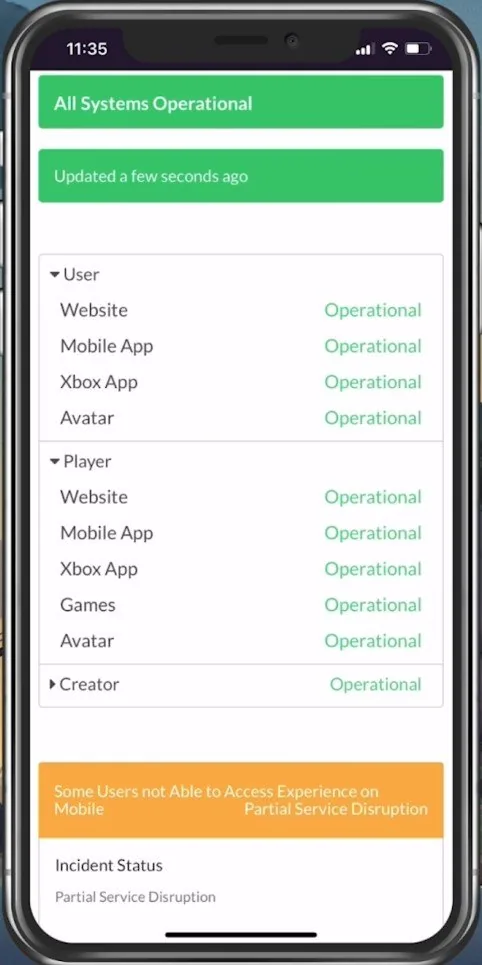
Login issues are often caused by the server you’re playing on or your network connection. If you can launch Roblox, log out of your account completely. Ensure your Roblox servers are operational by visiting the official Roblox server status page. Expand User, and ensure the Website and Mobile App servers are running fine. If there are current server issues, there might be some server maintenance or other issues, and you will have to wait or try to switch your server location by using a VPN service, for instance.
Verify the Roblox Server Status
Login issues are often caused by the server you’re playing on or your network connection. If you can launch Roblox, log out of your account completely. Ensure your Roblox servers are operational by visiting the official Roblox server status page. Expand User, and ensure the Website and Mobile App servers are running fine. If there are current server issues, there might be some server maintenance or other issues, and you will have to wait or try to switch your server location by using a VPN service, for instance.
Test Network Connection
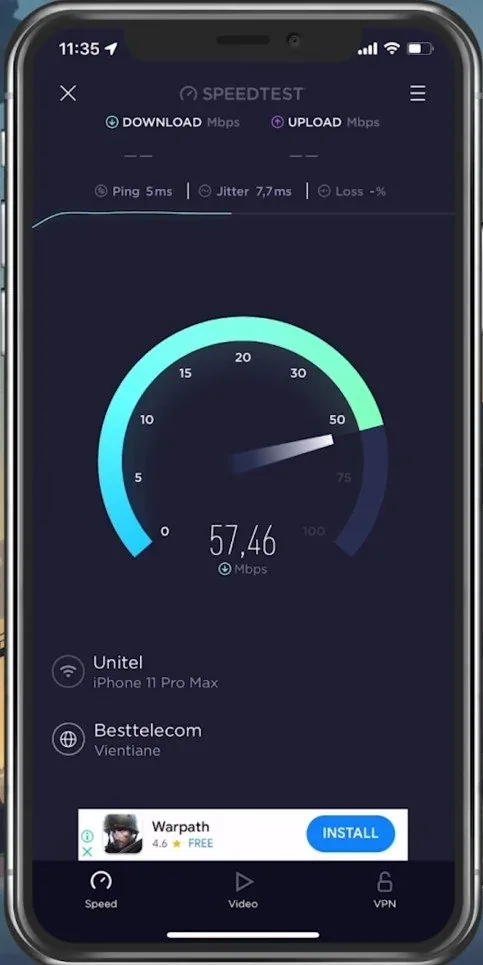
If the servers are all operational, the issue is most likely linked to your network connection. Test your network connection using a speed testing site or application, such as Speed Test. This will give you an average latency, upload and download speed for your connection. If your ping is higher than 100ms, or you have an unstable download speed, then you should consider using a different network connection to play Roblox on your mobile device.
Switch Network Connection & Restart Router
To further improve your network connection, restart your router or modem if you haven’t done this in a while.
Allow Roblox to use Mobile Data
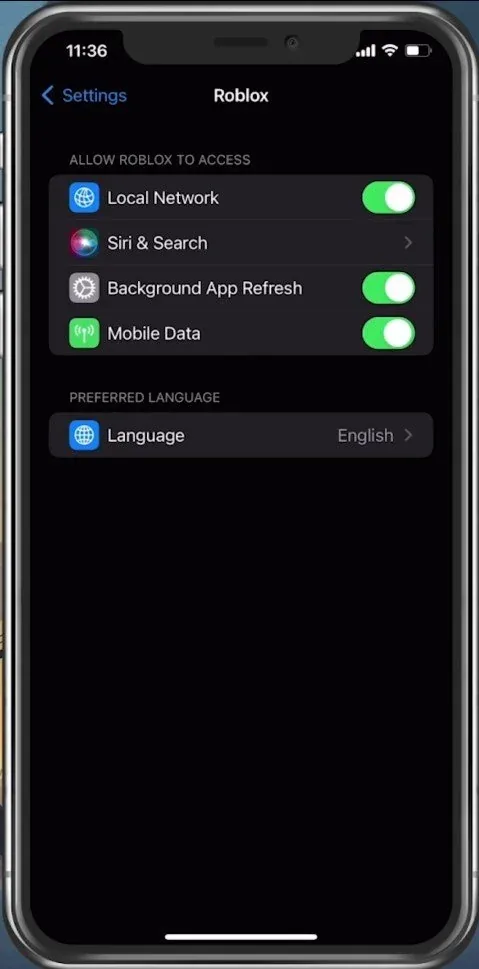
In your device settings, scroll down and tap on Roblox. Here, make sure that the Mobile Data option is enabled so that your Roblox app can use your network connection while in-game.
Update Roblox Application
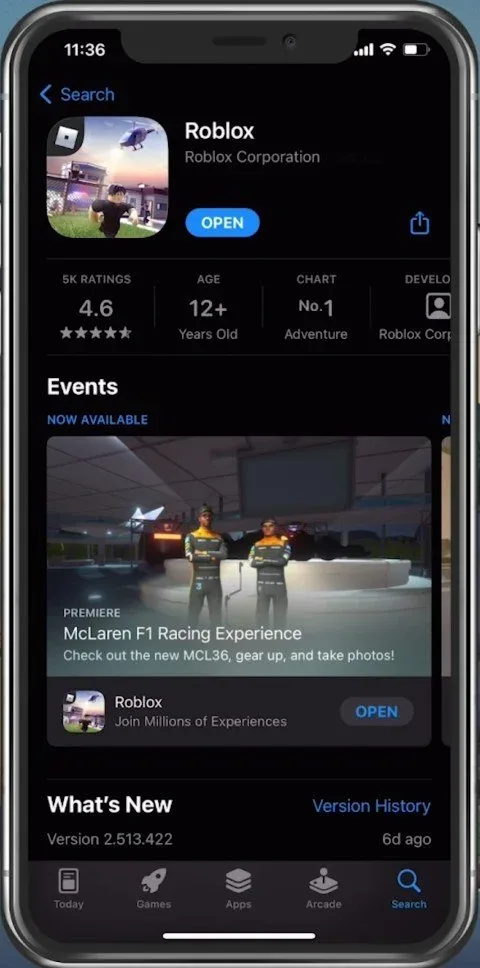
In your AppStore or Google PlayStore, look up Roblox. This will show you if the application is up to date, which could otherwise also cause login problems for Roblox mobile.
Restart Device
If nothing helps you out, then restart your mobile device in case you haven’t done this in a while. This will restart some services and processes and in a lot of cases fix the login problem for Roblox.
Video walkthrough
If it does not work
- If the current interface differs, compare it with the recorded video walkthrough.