
Gaming · Windows
How To Fix Roblox Executor Fatal Error on Windows
Original source date
Answer
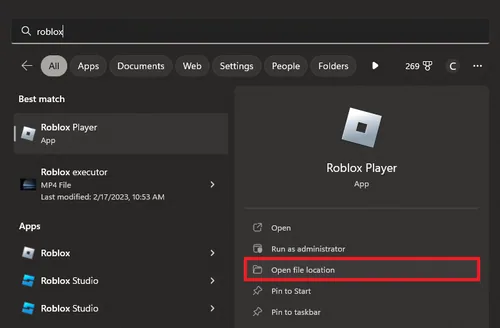
To prevent compatibility issues, access your Roblox shortcut by searching for it in your start menu search. Select Open File Location. Your file explorer will open up. Right-click the shortcut and select Open File Location again. This will show you your Roblox game files.
Change the Roblox Compatibility Options
To prevent compatibility issues, access your Roblox shortcut by searching for it in your start menu search. Select Open File Location. Your file explorer will open up. Right-click the shortcut and select Open File Location again. This will show you your Roblox game files.
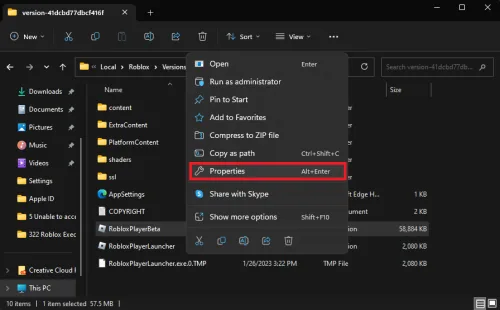
Right-click the RobloxPlayerBeta.exe application and select Properties
Right-click the RobloxPlayerBeta.exe application and select Properties.
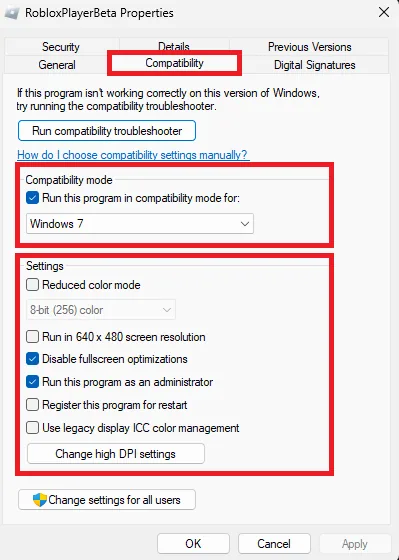
On the properties window, navigate to the Compatibility section and run the progr…
On the properties window, navigate to the Compatibility section and run the program in compatibility mode for Windows 7. Below, tick the Disable fullscreen optimizations box and the Run this program as an administrator checkbox if you have admin permissions on your PC. You can then try to launch Roblox to see if this fixed the fatal executor error.
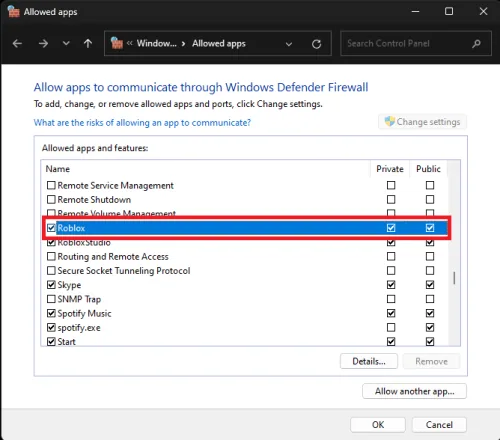
Allow Roblox Through Windows Firewall
If the problem persists, search for “Firewall” in your start menu to open the Firewall & Network Protection system settings window. Select Allow an app through firewall. On the Allowed apps window, click Change settings to ensure both boxes are checked for the Roblox app.
Reset the Roblox Application
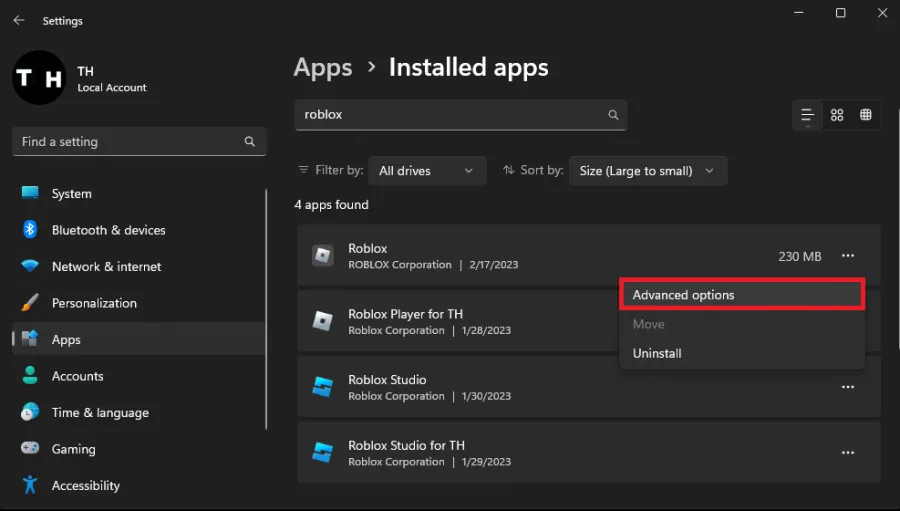
As a last resort, you must reset the Roblox app, which will reinstate the application as if it was reinstalled in your system. Open up your Windows settings. Navigate to Apps > Installed apps and look up Roblox. Click on the burger menu icon for the Roblox program and select Advanced options.
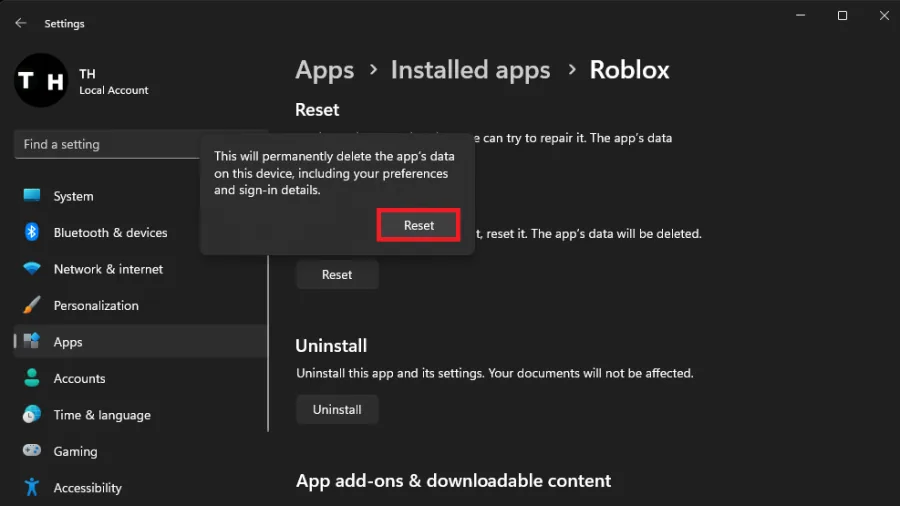
Scroll down and click on Reset
Scroll down and click on Reset. You will not lose any game progress, as all the important files are stored on the Roblox servers. After repairing the app, some of your settings might be reset to default, so keep that in mind.
Video walkthrough
If it does not work
- What is a Roblox executor fatal error?. A Roblox executor fatal error occurs when a user tries to run a game on Roblox and the game crashes, displaying an error message. This can be caused by a number of issues, such as outdated drivers, corrupted game files, or low system resources.
- Can the Roblox executor fatal error cause any harm to my computer?. The Roblox executor fatal error is unlikely to cause any harm to your computer, as it is simply an error message that is displayed when a game crashes. However, it's always a good idea to keep your system up to date and regularly scan for viruses and malware.
- Can the Roblox executor fatal error occur on other operating systems besides Windows?. The Roblox executor fatal error can occur on any operating system that supports Roblox, including macOS and Linux. However, the troubleshooting steps may differ depending on the operating system.