
Gaming · Platform not recorded
Roblox - Fix “Error Occurred During Purchase” - Can’t Buy Robux Fix
Original source date
Answer
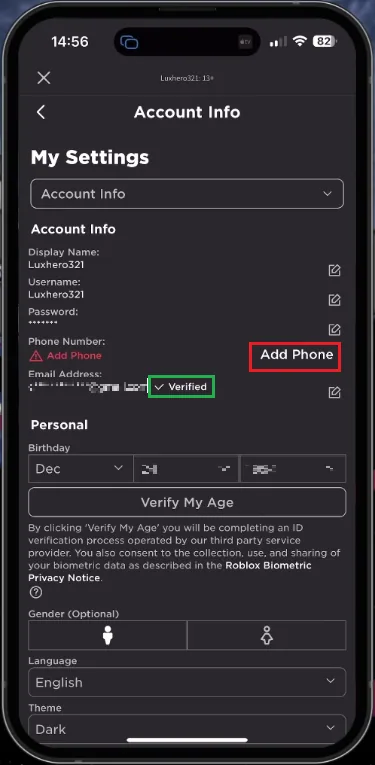
Encountering a Robux purchase error on your mobile device can be frustrating, but one simple solution is to confirm that your email address or phone number is verified on your account. Launch the Roblox app and access your account settings by tapping the menu icon located at the bottom right of the screen. Within your settings, choose "Account Information." At this point, double-check that your email address or phone number is added and verified. Completing this verification process is essential for successfully purchasing Robux on your account.
Verify your Email Address or Phone Number
Encountering a Robux purchase error on your mobile device can be frustrating, but one simple solution is to confirm that your email address or phone number is verified on your account. Launch the Roblox app and access your account settings by tapping the menu icon located at the bottom right of the screen. Within your settings, choose "Account Information." At this point, double-check that your email address or phone number is added and verified. Completing this verification process is essential for successfully purchasing Robux on your account.
Verify your Payment Method
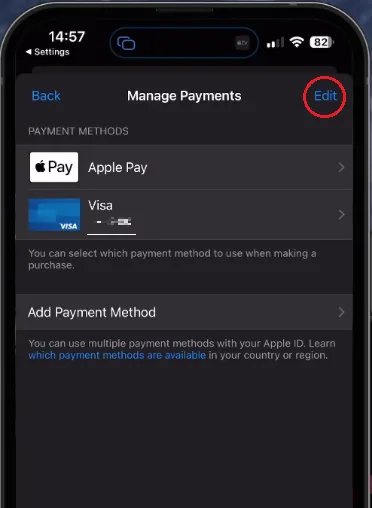
Should the purchase error persist, take a moment to double-check your payment method on your mobile device. Keep in mind that using the desktop version of Roblox might be a better option for purchasing Robux, as it provides a wider variety of payment options and price tiers. For iPhone and iPad users, navigate to your device settings. Tap on your Apple ID name and select "Payment and Shipping." This step grants you access to manage your payment methods. Remove your existing payment method and re-add it to guarantee its proper functionality.
Verify the Roblox Server Status
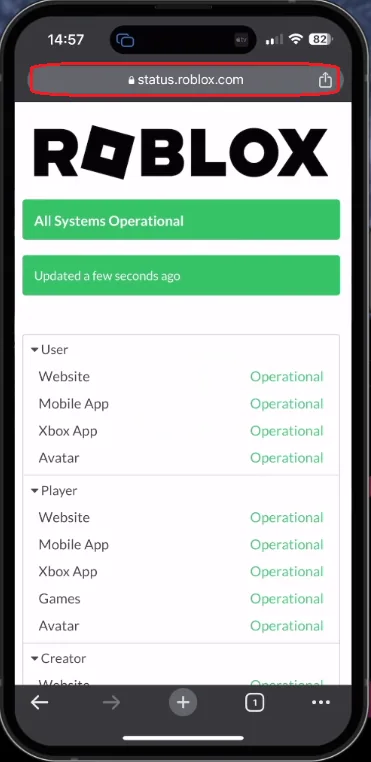
In case the issue continues, it could be due to a connection problem with the Roblox server. Open your favorite browser and head to status.roblox.com to verify the Roblox server status. On this page, confirm that all servers are functioning correctly. You can also review both current and previous incidents related to the Roblox servers.
If the servers appear operational, double-check that your network connection is s…
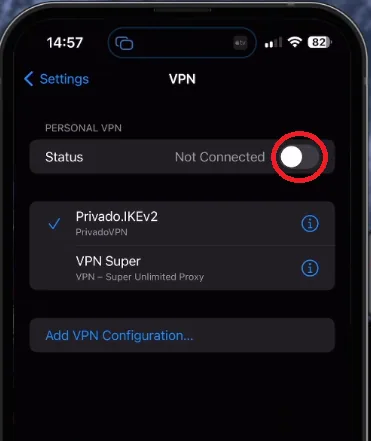
If the servers appear operational, double-check that your network connection is stable and turn off your VPN if you have one enabled.
Ensure Device Time is Set Automatically
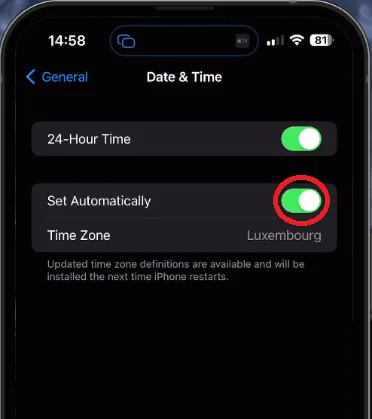
It's crucial to verify that your device's time and date settings are accurate. Navigate to your device's "General" settings and select "Date and Time." Turn on the "Set Automatically" feature, which helps prevent purchase errors resulting from incorrect date and time settings.
Redeem Robux with a Roblox Card
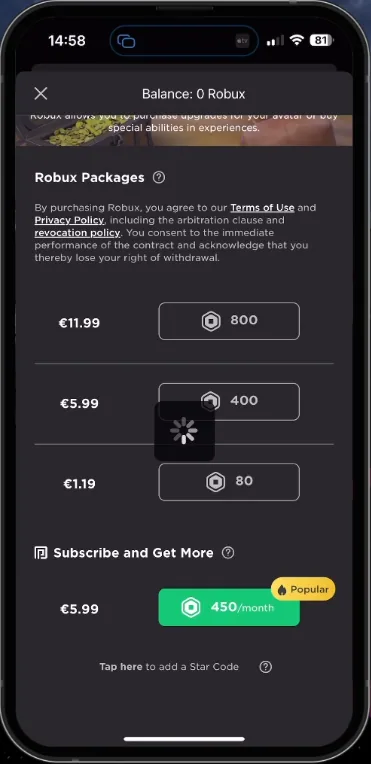
Finally, double-check that your chosen payment method has sufficient funds. As an alternative solution, consider purchasing a Roblox card from a nearby store or online platform. This enables you to acquire Robux without linking a payment method to your account. However, you may still need to verify your email address or phone number associated with your account.
Video walkthrough
If it does not work
- Why am I encountering the "Error Occurred During Purchase" message while trying to buy Robux on my iPhone or Android device?. This issue could stem from an unverified email address or phone number, an issue with your payment method, Roblox server status, incorrect device time settings, or insufficient funds in your payment method.
- How can I verify my email address or phone number on the Roblox app?. Open the Roblox app, navigate to your account settings by tapping the menu icon, select "Account Information", and add your email address or phone number. Make sure to complete the verification process before buying Robux.
- What should I do if my payment method is causing the purchase error?. For iPhone and iPad users, go to your device settings, select your AppleID name, and tap "Payment and Shipping". Manage your payment methods by removing the current one and re-adding it to ensure it works correctly.
- How can I check the Roblox server status?. Visit status.roblox.com using your preferred browser to verify if all Roblox servers are operational. You can also view current and past incidents related to Roblox servers on this page.
- What is an alternative way to purchase Robux if I still encounter the purchase error?. You can buy a Roblox card from a local store or an online platform and redeem it for Robux. This method allows you to acquire Robux without connecting a payment method to your account, but you may still need to verify your email address or phone number.