
Gaming · Windows
RLCraft - How To Boost FPS & Increase Performance On PC!
Original source date
Answer
Open up RLCraft and navigate to your options to access your resource packs. Select to open the resource pack folder. Next, close RLCraft and proceed to download the OptiFine Minecraft mod, which will be added to your resource packs. Click here to get to the OptiFine mod.; When the download is completed, go back to the folder and select RLCraft; Drag and drop the OptiFine mod into the mods folder
Install OptiFine for RLCraft
Open up RLCraft and navigate to your options to access your resource packs. Select to open the resource pack folder. Next, close RLCraft and proceed to download the OptiFine Minecraft mod, which will be added to your resource packs. Click here to get to the OptiFine mod.; When the download is completed, go back to the folder and select RLCraft; Drag and drop the OptiFine mod into the mods folder
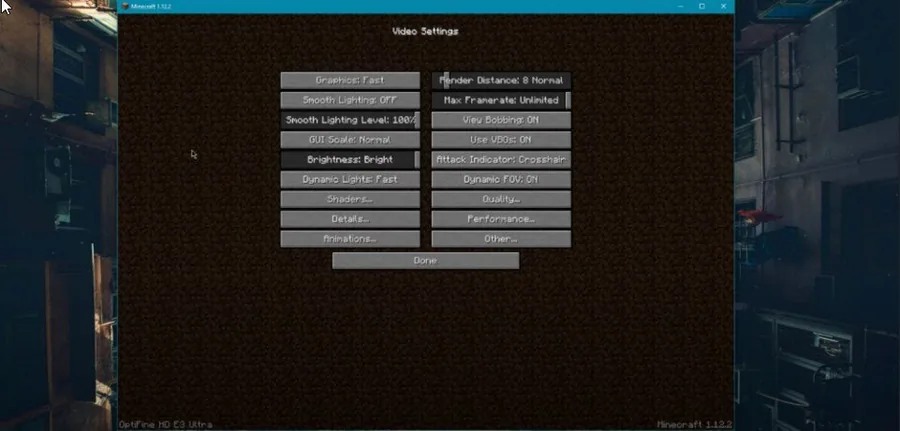
Optimized RLCraft Game Settings
Open up RLCraft and navigate to to Options, Video Settings.Set Graphics to FastSet Smooth Lighting to OFFReduce the renter distance, depending on how much performance you are lacking; Set Graphics to Fast; Set Smooth Lighting to OFF; Reduce the renter distance, depending on how much performance you are lacking
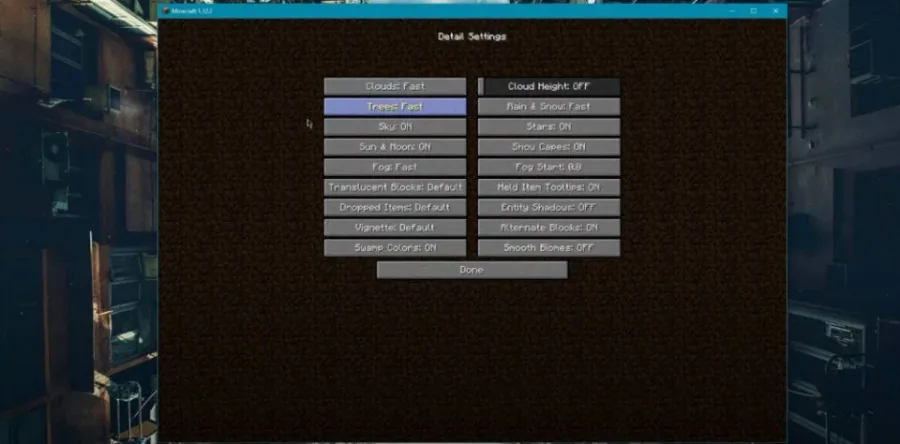
Open up the Detail Settings Make sure to reduce most of the details settings, suc…
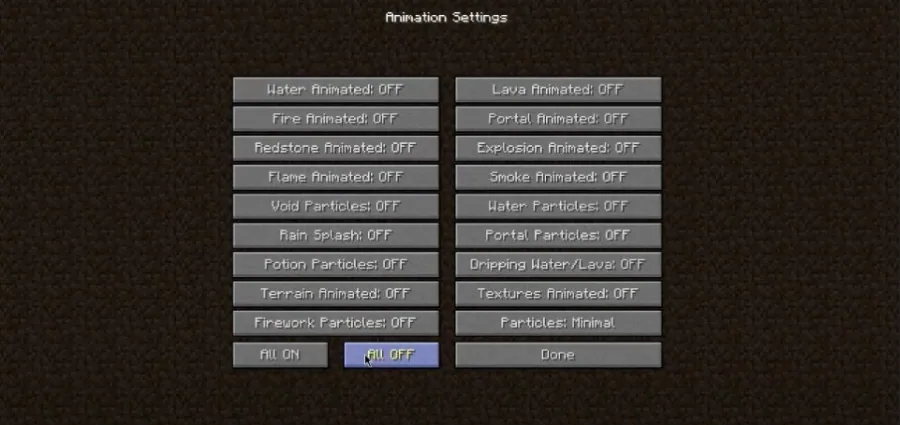
Open up the Detail Settings Make sure to reduce most of the details settings, such asClouds to FastTrees to FastFog to FastEntity Shadows to OFFSmooth Biomes to OFF; Clouds to Fast; Trees to Fast; Fog to Fast; Entity Shadows to OFF; Smooth Biomes to OFF; Next, open up the animation settings to turn off all animations.
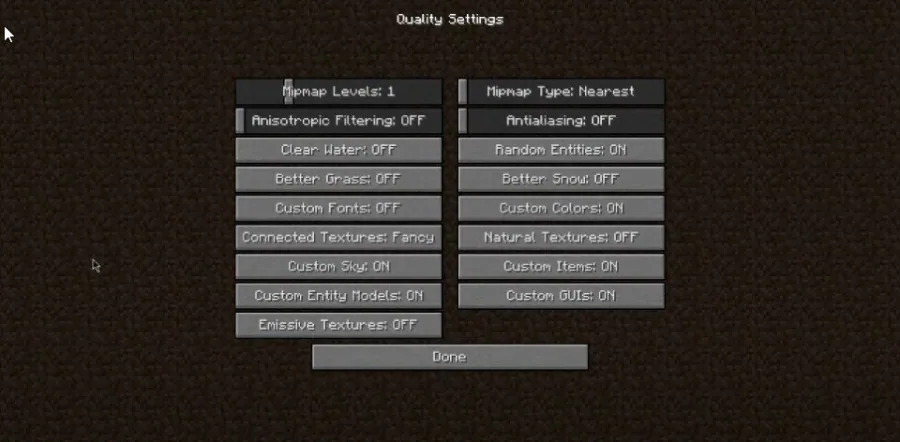
Quality Settings
Turn OFF Antialiasing; Turn OFF Anisotropic Filtering; Turn OFF Clear Water, Better Grass and Custom Fonts
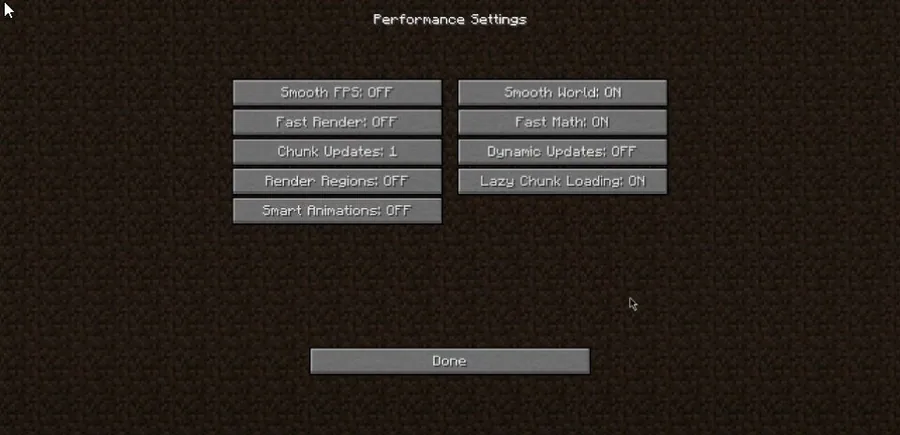
Performance Settings
Turn ON Fast Math; Turn ON Lazy Chunk Loading
Video walkthrough
If it does not work
- If the current interface differs, compare it with the recorded video walkthrough.