
iOS · iPhone & iPad & Android
How To Fix Texture Rendering Problem in PUBG Mobile (iOS & Android)
Original source date
Answer
If your PUBG mobile textures are not loading in or rendering then reduce your in-game graphics settings. Open up PUBG mobile and navigate to your Graphics settings tab, which will greatly impact the performance and quality of your gameplay. We will set these for a low to mid-end device, as it will in turn also reduce distractions generated by the game and will help you run PUBG mobile smoothly on any mobile device you wish to use. The overall Graphics setting should be set to Smooth or Balanced. Balanced will allow the game to change your Graphics setting according to your device’s available resources,. Below, change the Frame Rate option to High. Ultra and Extreme are not necessary, especially on low refresh rate devices. If you can use more than 90 FPS, set this option to Ultra.
Adjust the PUBG Mobile Graphics Settings
If your PUBG mobile textures are not loading in or rendering then reduce your in-game graphics settings. Open up PUBG mobile and navigate to your Graphics settings tab, which will greatly impact the performance and quality of your gameplay.
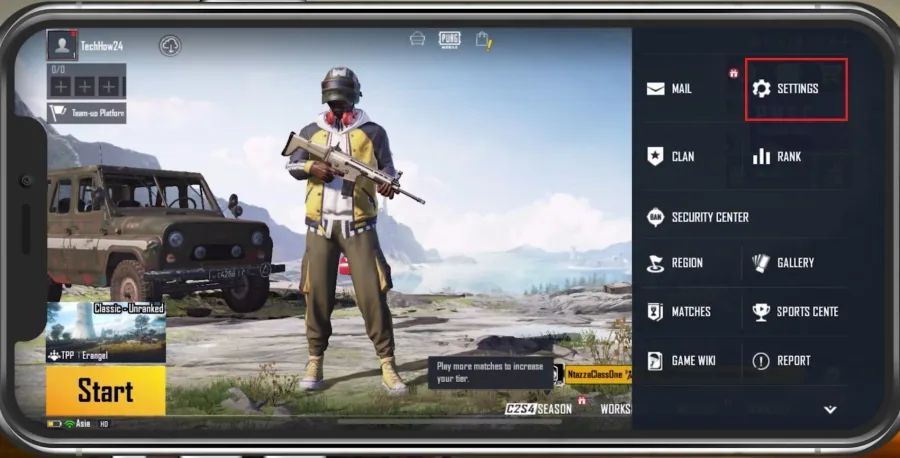
We will set these for a low to mid-end device, as it will in turn also reduce dis…
We will set these for a low to mid-end device, as it will in turn also reduce distractions generated by the game and will help you run PUBG mobile smoothly on any mobile device you wish to use. The overall Graphics setting should be set to Smooth or Balanced. Balanced will allow the game to change your Graphics setting according to your device’s available resources,. Below, change the Frame Rate option to High. Ultra and Extreme are not necessary, especially on low refresh rate devices. If you can use more than 90 FPS, set this option to Ultra.
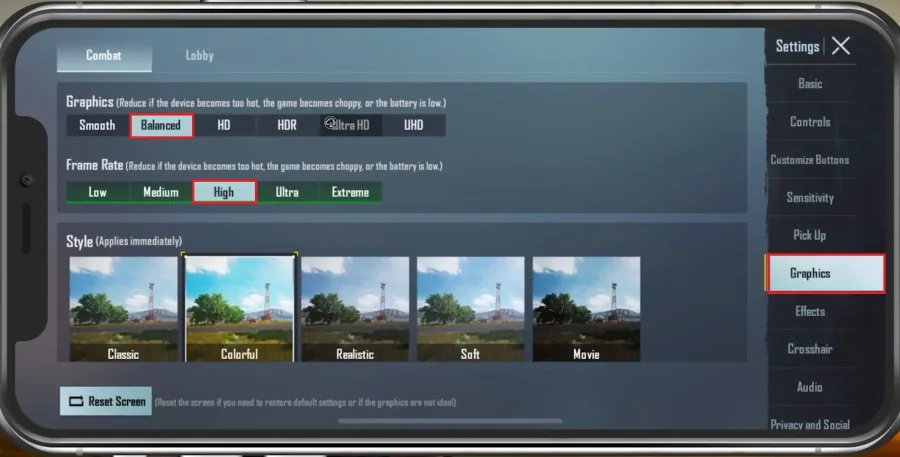
The Style setting will not reduce your performance but should make enemies and it…
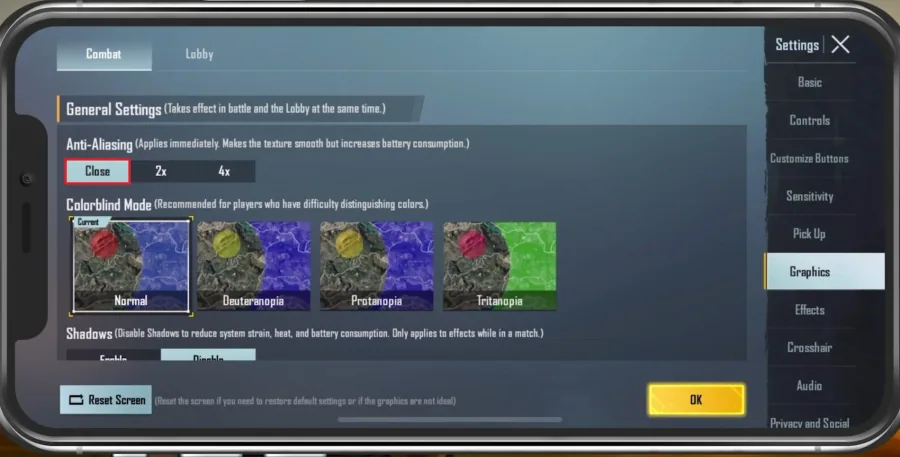
The Style setting will not reduce your performance but should make enemies and items more or less visible while playing the game. I like to set this to Colourful, but again, this particular setting will come down to personal preference. Disable Anti-Aliasing if you want to decrease the battery consumption of the game. Disable Shadows, as they may distract some users and drain your battery and mobile gaming performance.
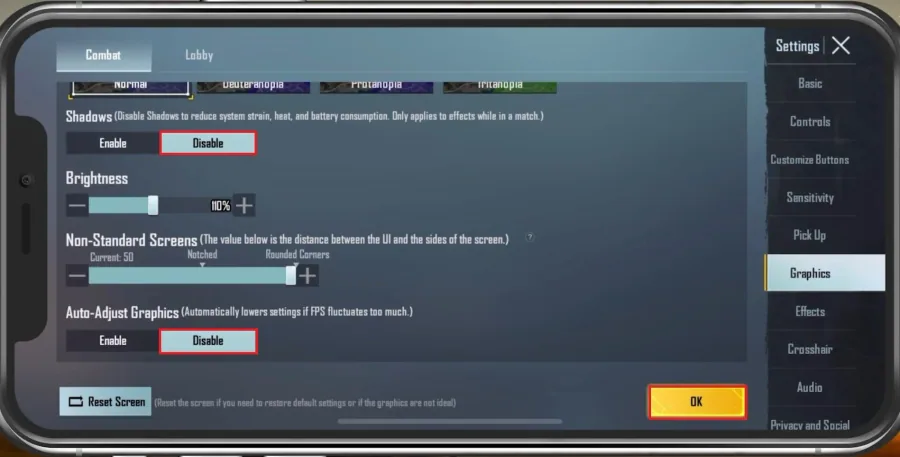
Slightly increase your Brightness option to help spot enemies in dark areas; belo…
Slightly increase your Brightness option to help spot enemies in dark areas; below, you can change the distance between the user interface and the side of the screen. This is useful for devices with a notch, such as iPhones. After tapping on Ok, your Graphics settings will be applied immediately.
Ensure Enough Device Storage for PUBG Mobile
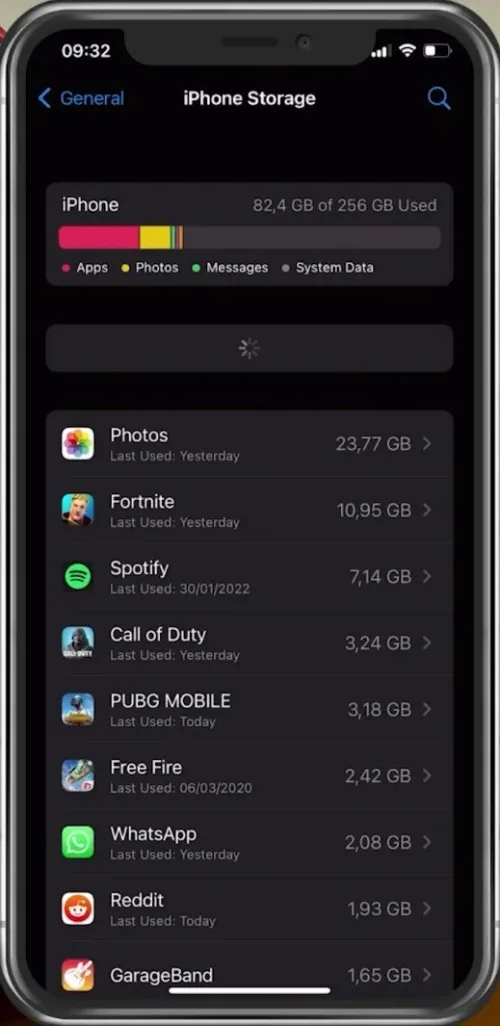
Close PUBG mobile and open up your native settings application. Scroll down and tap on General. In your iPhone or iPad storage settings, you can preview how much storage you have left and how much each application uses up on your device.
Disable Background App Refresh
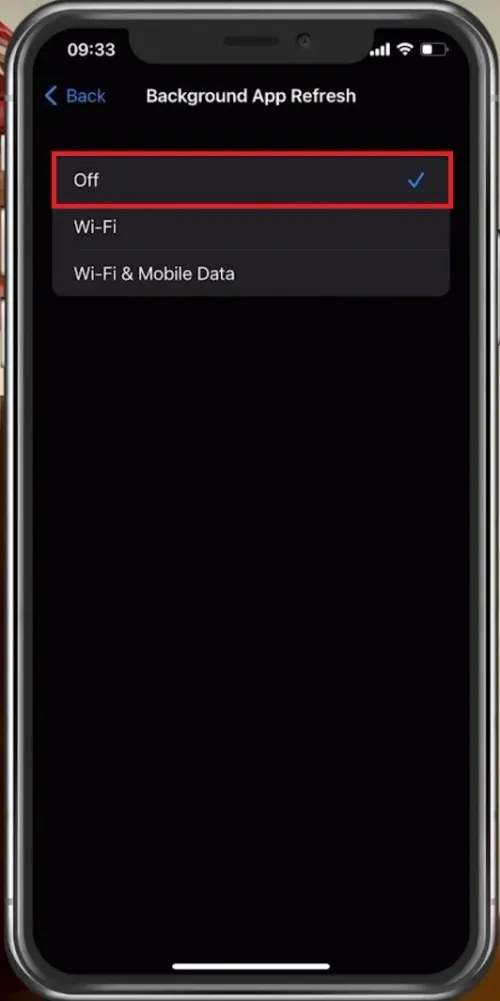
Next, back in your General settings, tab on Background App Refresh. Turn the setting off while in-game to prevent your device from updating other applications while in-game. The battery-saver mode can also reduce your performance and induce texture rendering problems. Ensure your device is charged, and the battery-saver mode is disabled while playing PUBG mobile.
Restart Device
Restart your mobile device if you haven’t done this in a while. This will restart some services and processes and will increase your performance when playing PUBG mobile.
Video walkthrough
If it does not work
- If the current interface differs, compare it with the recorded video walkthrough.