
Gaming · Windows & macOS
How To Play Sword Art Online VS on PC & Mac: A Comprehensive Guide
Original source date
Answer
Before we dive into the steps to play the game, let's first look at the system requirements for playing Sword Art Online VS on both PC and Mac. Operating System: Windows 7/8/10 (64-bit); Processor: Intel Core i3 or equivalent; Memory: 4 GB RAM; Graphics: NVIDIA GeForce GTX 660 or equivalent; DirectX: Version 11; Storage: 5 GB available space
System Requirements for PC & Mac
Before we dive into the steps to play the game, let's first look at the system requirements for playing Sword Art Online VS on both PC and Mac.
PC System Requirements
Operating System: Windows 7/8/10 (64-bit); Processor: Intel Core i3 or equivalent; Memory: 4 GB RAM; Graphics: NVIDIA GeForce GTX 660 or equivalent; DirectX: Version 11; Storage: 5 GB available space
Mac System Requirements
Operating System: Mac OS X 10.9 Mavericks or higher; Processor: Intel Core i3 or equivalent; Memory: 4 GB RAM; Graphics: NVIDIA GeForce GTX 660 or equivalent; Storage: 5 GB available space It is important to ensure that your PC or Mac meets the minimum system requirements to ensure a smooth gaming experience.
Download & Install BlueStacks
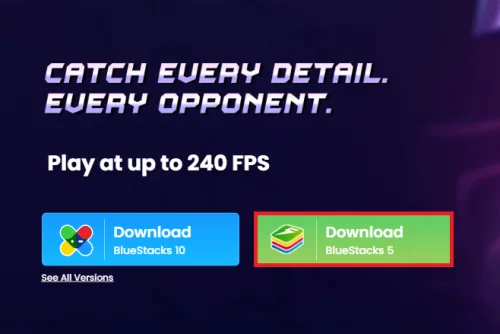
To play Sword Art Online VS on your PC, you must use an Android emulator, such as Bluestacks. Bluestacks is a popular choice to play mobile games on your PC, as it’s optimized for playing mobile games. This should take a second to complete, and you can follow the install wizard to install the application to your system.
Download Sword Art Online VS
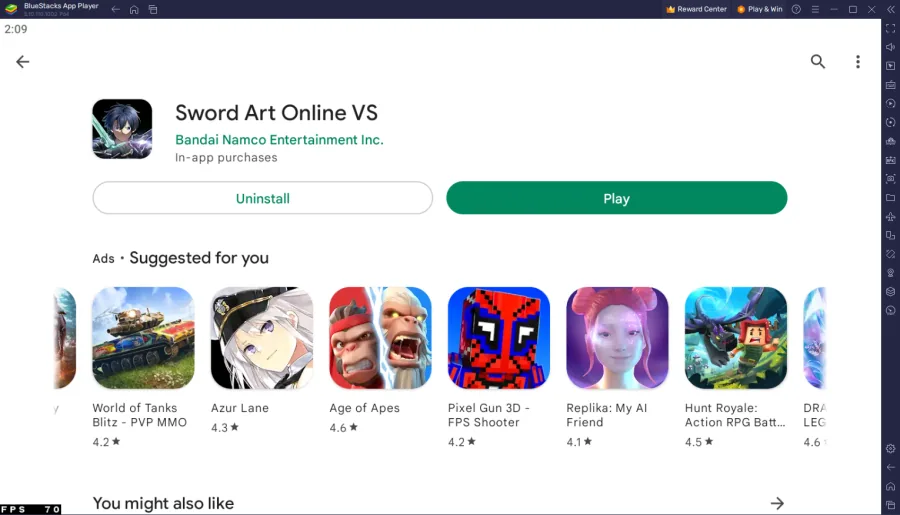
Open your Play Store and log in with your Google account. Search for Sword Art Online VS and download the game to your BlueStacks emulator. This might take a few minutes to complete depending on your network connection.
BlueStacks Performance Settings
While downloading the game, you should look at your emulator settings. Click on this gear icon to access these settings. In the Performance tab, you should set these according to your PC’s performance. Allocate a High amount of CPU cores if you don’t have a lot of other applications running in the background. The same goes for your Memory allocation. For users with 4GB or less RAM, set this option to Low.
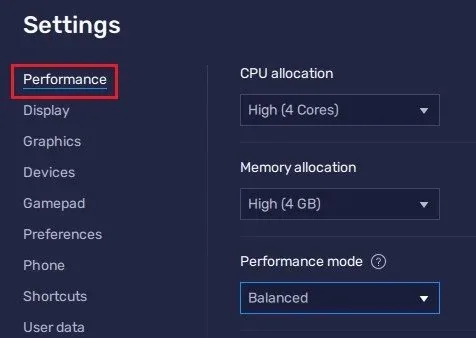
Under Performance Mode, make sure to set this option to Balanced
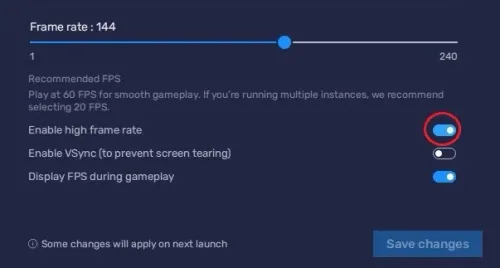
Under Performance Mode, make sure to set this option to Balanced. This will reduce the memory and CPU usage if your PC lags or you otherwise encounter low performance. I prefer to enable the high FPS option and set the frame rate of the emulator according to my screen refresh rate.
BlueStacks Display Settings
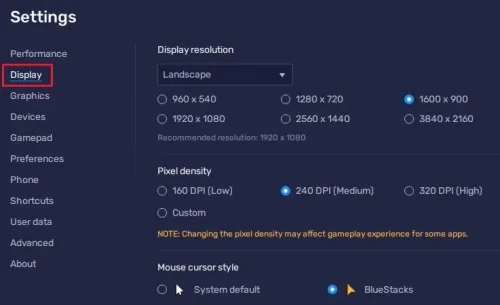
In your Display settings, set the display orientation to landscape, and choose a proper resolution to play Sword Art Online VS on your monitor. You can also adjust the size of this window by dragging its corners.
Sword Art Online VS Controls
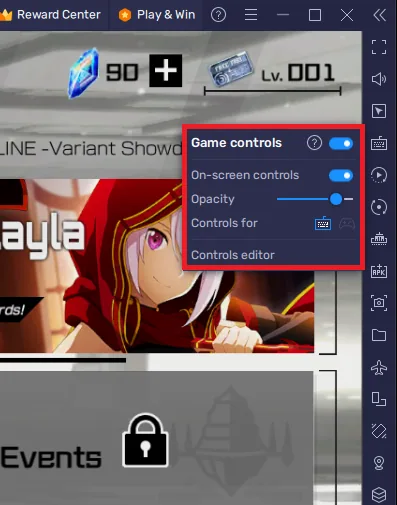
The initial patch can take a couple of minutes to download, and you can then log into your account. This will allow you to continue playing where you left off on your mobile device. To change your keymapping, click on Controls Editor. You can then drag and change the location of individual controls, change the key and apply other settings to help improve your gaming experience.
Sword Art Online VS In-Game Settings
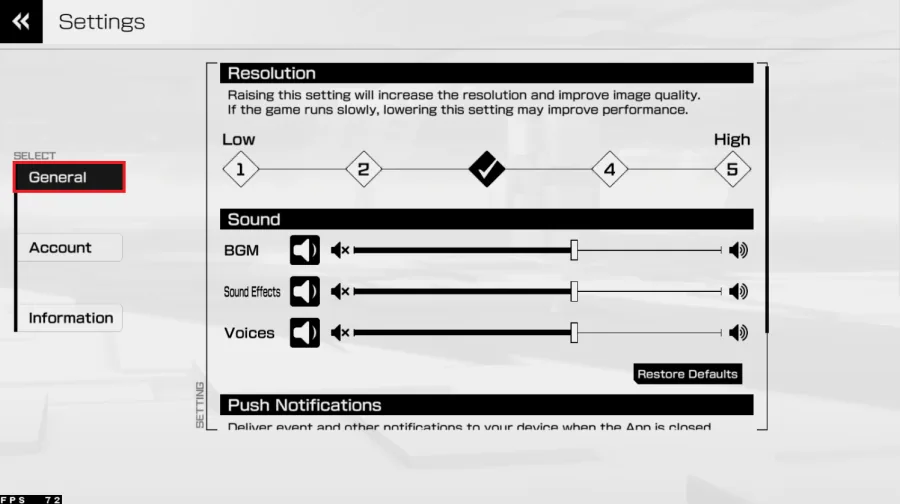
Head over to your in-game settings. You can adjust the in-game resolution to your PC’s performance in the General section. This will also depend on the amount of memory you allocated for this BlueStacks instance. This option will be set to medium by default, and most people with a dedicated graphics card can set this option to 4 or 5. Below, adjust the music, effects, and voices volume
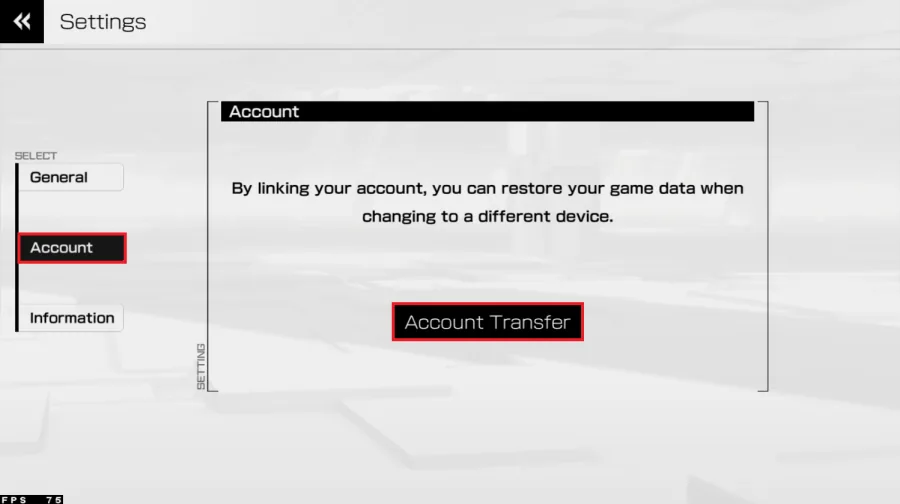
You can link your account or transfer your game data when changing to a different…
You can link your account or transfer your game data when changing to a different device in the Account section of your settings.
Video walkthrough
If it does not work
- Can I play Sword Art Online VS on my PC or Mac without BlueStacks?. No, Sword Art Online VS is only available on mobile devices. However, with BlueStacks, you can run the game on your computer.
- Do I need a high-end computer to run Sword Art Online VS on PC & Mac with BlueStacks?. BlueStacks is designed to run on a wide range of computers, including older and lower-end models. However, for the best performance, it is recommended to have a computer with at least 4GB of RAM and a graphics card.
- Can I play Sword Art Online VS with friends on PC & Mac with BlueStacks?. Yes, Sword Art Online VS is a multiplayer game and allows you to play with friends. You can connect with friends by inviting them to join your game or by joining a game together.
- Can I save my progress in Sword Art Online VS on PC & Mac with BlueStacks?. Yes, Sword Art Online VS allows you to save your progress and resume your game later. The game is saved to your BlueStacks account, so you can access your saved game from any computer where you have BlueStacks installed.