
Gaming · Windows
Modern Warfare 2 - Best Settings for Low-End PC
Original source date
Answer
While in-game, navigate to your graphics settings. Under Display, make sure to set the Display Mode to Fullscreen. This will help keep a better frame rate while in-game.
Modern Warfare 2 Display Settings
While in-game, navigate to your graphics settings.
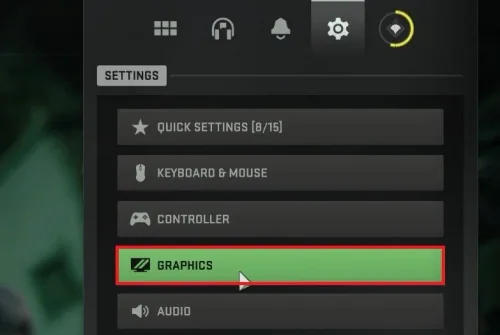
Under Display, make sure to set the Display Mode to Fullscreen
Under Display, make sure to set the Display Mode to Fullscreen. This will help keep a better frame rate while in-game.
Preview VRAM Usage
This will also use up less VRAM, which you can preview at the bottom of your screen under Estimated VRAM Usage. If you're unsure, you can change your graphics setting according to this estimation.

Resolution & Framerate Settings
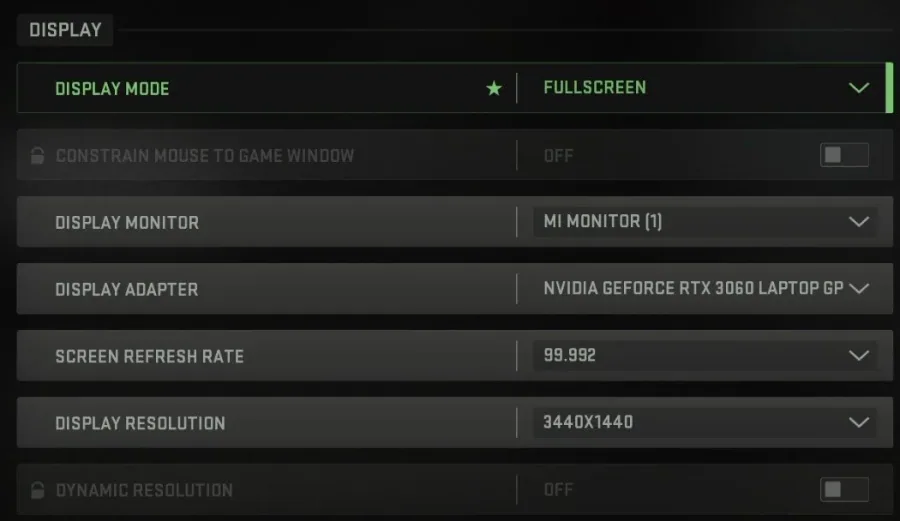
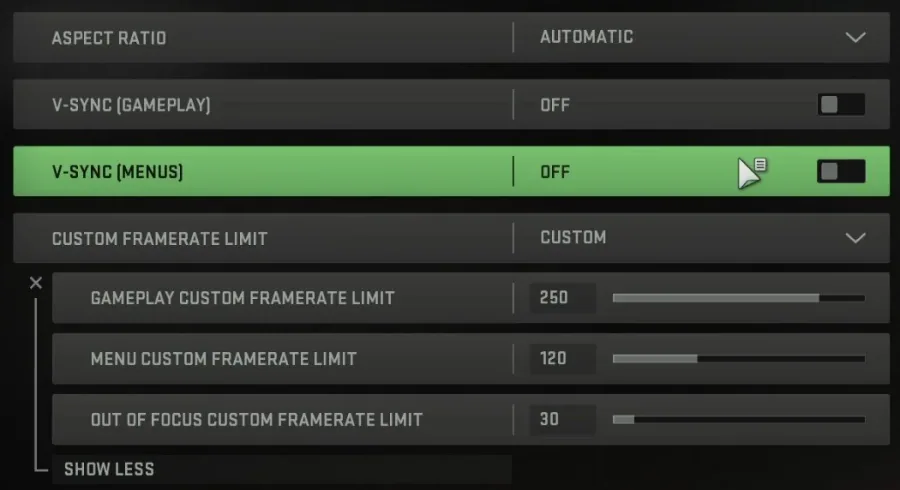
Set the Display Monitor option to the monitor on which you want to play. The Display Adapter option should be set to your primary graphics card. Next, use the highest Screen Refresh Rate available to you. In my case, this would be 100. Set the Display Resolution to your native monitor resolution. To reduce stress on your processor and graphics card, you can use the Dynamic Resolution option, which will adjust the game’s Render Resolution according to your frame rate target. Please don’t set your FPS target too high, as it would otherwise quickly trigger a drop in render resolution. The Automatic Aspec Ratio should be best for your monitor. I prefer to disable V-Sync for gameplay and in menus, as it reduces your frame rate when playing the game. This option might be attractive for you when using a high refresh rate, but most people prefer to keep this disabled. Set your Custom Framerate Limit higher than your screen’s refresh rate but below the maximum FPS you can get. This will allow your system to save some resources.
Additional Modern Warfare Graphics Settings
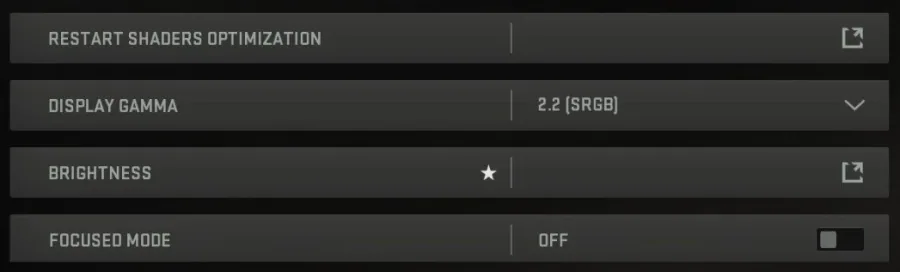
Lastly, you have a couple of options that you can customize to your liking. I appreciate the Focused Mode option, which will reduce the opacity of other monitors while the game is being played.
Make use of Telemetry Settings
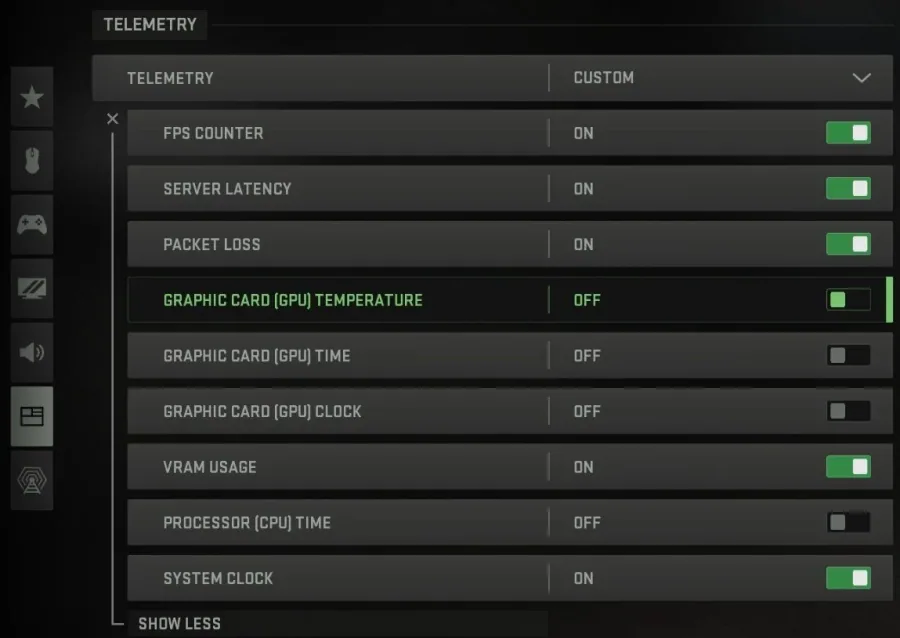
When this is done, you can go ahead and apply your changes. Next, navigate to your Interface settings. Here, scroll down and under Telemetry, you have the option to enable some options which will help you troubleshoot performance issues, such as an FPS counter, VRAM usage or simply your system clock.
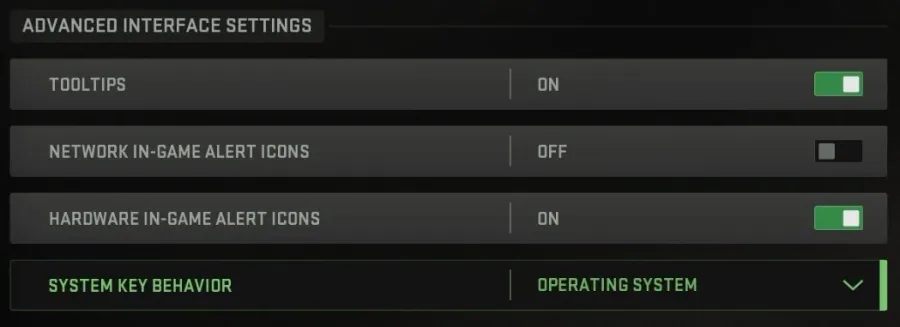
Advanced Interface Settings
In your Advanced Interface Settings, you can also enable network and hardware in-game alert icons to notify you if the game encounters any issues.
Video walkthrough
If it does not work
- Can I run Modern Warfare 2 on a low-end PC?. Yes, you can run Modern Warfare 2 on a low-end PC with some optimizations and adjustments to the graphics settings.
- What are the recommended graphics settings for Modern Warfare 2 on a low-end PC?. The recommended graphics settings for Modern Warfare 2 on a low-end PC are a resolution of 720p, low graphics quality, and textures set to medium.
- How do I fix the lag issue in Modern Warfare 2 on a low-end PC?. The lag issue in Modern Warfare 2 on a low-end PC can be fixed by lowering the graphics settings, closing other background programs, and updating your drivers.