
Gaming · Windows & macOS
How To Download And Install The RLCraft Minecraft Modpack On Windows 10 And macOS
Original source date
Answer
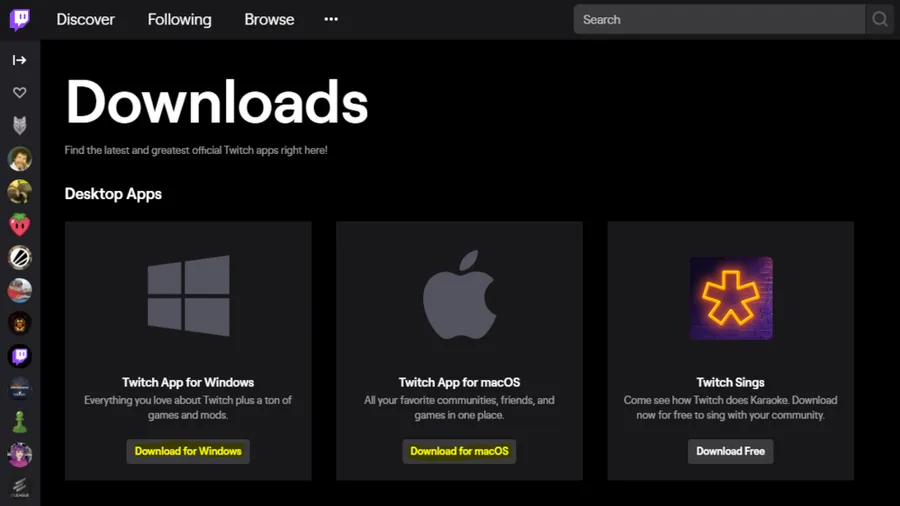
Click here to get to the Twitch downloads page, and select to download the Twitch app for Windows or macOS. After a few seconds, the application will be downloaded. Install the app to your system and open it up. Double-click the installer and install the Twitch software using the install wizard. You will be asked to log in with your Twitch account. If you don’t have an account, create a free account through the software.
Download the RLCraft Modpack
Click here to get to the Twitch downloads page, and select to download the Twitch app for Windows or macOS. After a few seconds, the application will be downloaded. Install the app to your system and open it up. Double-click the installer and install the Twitch software using the install wizard. You will be asked to log in with your Twitch account. If you don’t have an account, create a free account through the software.
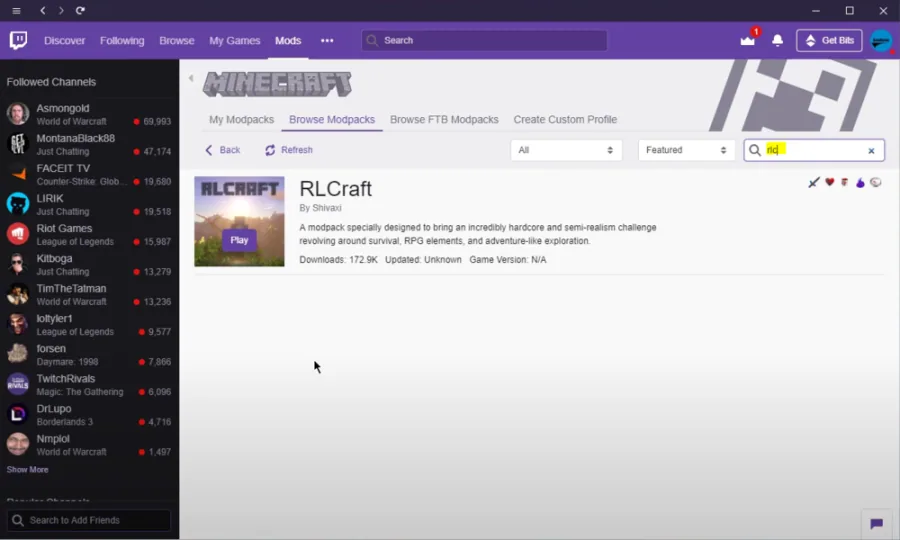
In the Mods tab, select Minecraft
In the Mods tab, select Minecraft. Select to Browse Modpacks and search for “RLCraft.” While hovering over the RLCRAFT icon, you will see a Download button. Select to download the modpack, and after the download is completed, you can launch the new Minecraft launcher from the Twitch application. After the download is completed, you will be able to play the RLCraft modpack.
Video walkthrough
If it does not work
- If the current interface differs, compare it with the recorded video walkthrough.