
Gaming · Platform not recorded
Fix Minecraft Launcher Installation Error - Make Sure You’re Connected
Original source date
Answer
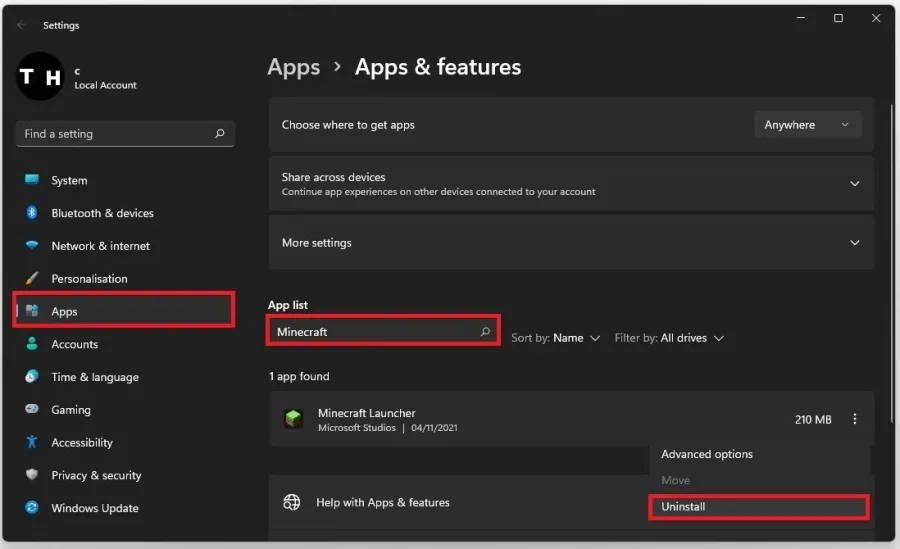
This error is usually caused by having more than one Minecraft launcher installed on your PC or your sign-in credentials are incorrect. Search for Apps in your start menu search to open your Apps & Features system settings window. Filter your search by all drives and then search for Minecraft. Make sure to uninstall any old Minecraft launcher installed on your PC.
Uninstall Old Minecraft Launcher
This error is usually caused by having more than one Minecraft launcher installed on your PC or your sign-in credentials are incorrect. Search for Apps in your start menu search to open your Apps & Features system settings window. Filter your search by all drives and then search for Minecraft. Make sure to uninstall any old Minecraft launcher installed on your PC.
Install New Minecraft Launcher
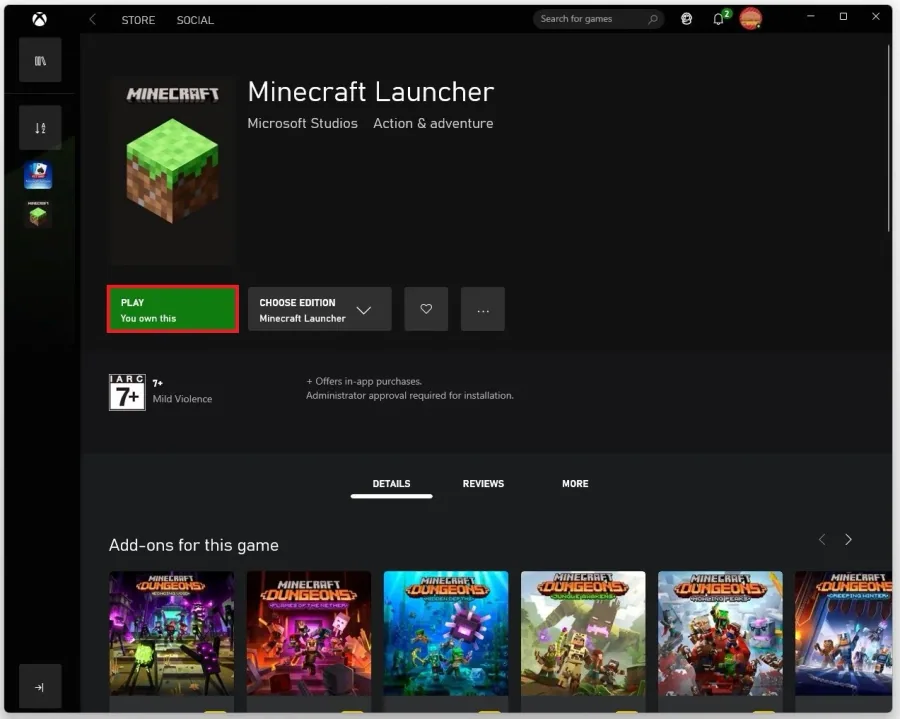
Open up your Xbox app. Ensure you are logged in with your Microsoft account. Alternatively, you can use the Microsoft Store app on Windows 10 or 11. After logging in with your account, search for Minecraft. This will allow you to download and install Minecraft from.
Update Windows Operating System
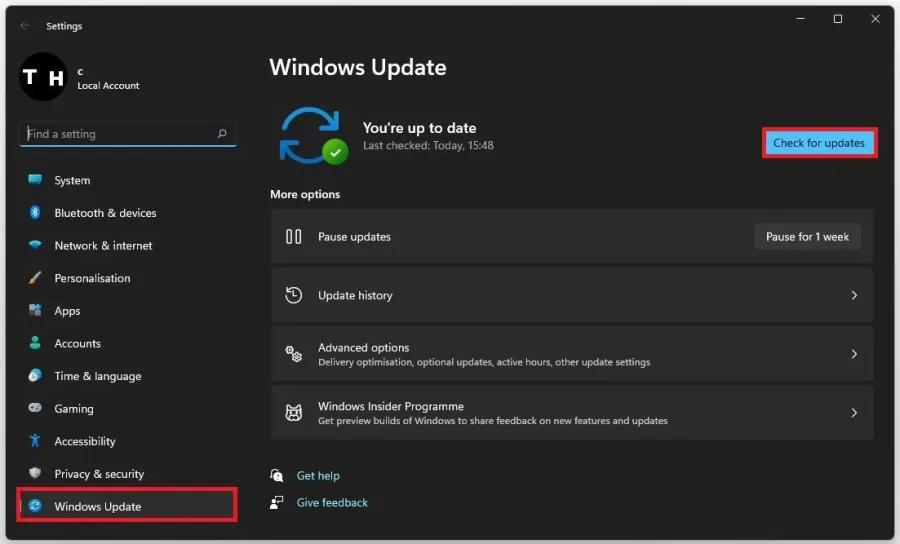
Ensure your Windows version is up to date. Search for Update in your start menu search to open your Check for Updates system settings window. Click on Check for Updates, Download, or Install now. After downloading the latest update restart your PC.
Adjust Date & Time Settings
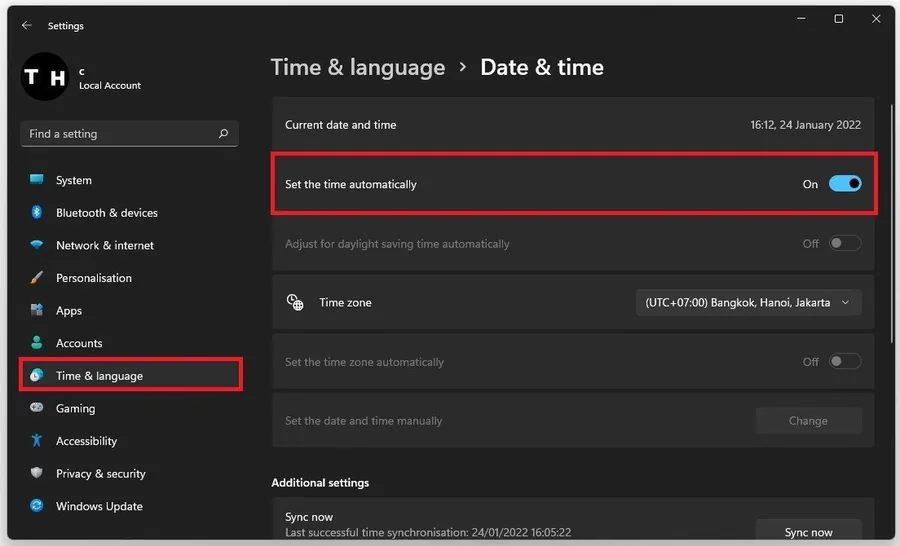
Navigate to the Time & Language tab in your settings and click Date & Time. Ensure the Set the time automatically option is enabled. If this is already the case, then uncheck and recheck this option.
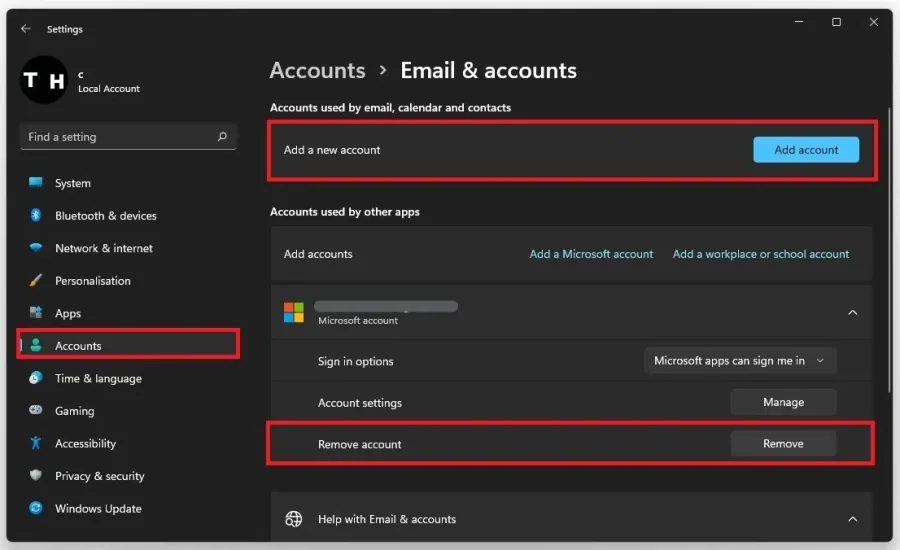
Add & Remove your Microsoft Account
If the previous step did not fix your issue, navigate to the Accounts tab in your settings. Under Email & Accounts, remove your current Microsoft account and add it again as a new one on this window.
Restart your PC
Ensure you use a reliable network connection to install Minecraft on your system. Restart your PC to restart some services and processes from running to fix the Minecraft launcher installation error on your PC.
Video walkthrough
If it does not work
- If the current interface differs, compare it with the recorded video walkthrough.