
Mac OS · macOS
Fix apps that will not download or update from the Mac App Store
Source-checked About 10 minutes
Answer
Check Apple's System Status, verify the internet connection and payment method, update macOS, restart the Mac, and retry on another trusted network.
Identify the exact symptom and scope
Before changing Mac App Store downloads, record the app, exact message, Apple service status, macOS version, storage, account, purchase history, and whether another app downloads. Write down the exact error, affected device or app, and when it occurs; retest that same symptom after each change. Keep the model, version, and last successful state available for official support.
Match the repair to the symptom
Separate service outage, unsupported app, account or billing issue, storage shortage, network trouble, and a stuck individual download.
Check Apple services
Open Apple's System Status page and confirm Mac App Store is available.
Check the account and payment method
Open App Store account settings and resolve any verification, billing or unpaid-balance prompt.
Update and restart
Install available macOS updates, restart the Mac, reopen App Store and retry the download.
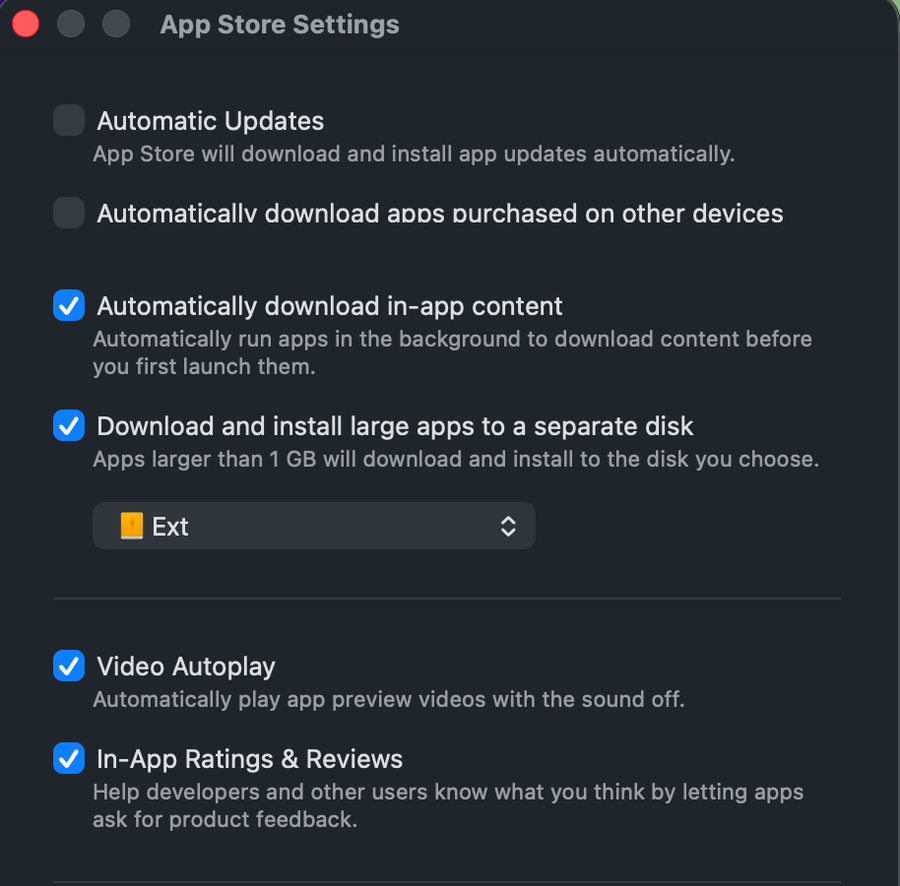
Check the network
Confirm websites load, disable VPN software temporarily, and try another trusted network if available.
Contact Apple
If one purchase or the account remains blocked, contact Apple Support with the exact message.
Retest the original symptom
The intended app downloads, installs, and opens under the correct Apple Account after a normal restart.
Troubleshoot Mac App Store downloads
If only one app is unavailable, the purchase belongs to another account, download restarts repeatedly, or the Mac lacks the required OS, stop broad resets and return to the last known state. Capture the exact error, versions, device or account scope, and failed step before using the linked official support channel.
Video walkthrough
Sources and verification
Checked against official documentation on . Scope: macOS.
Follow the linked first-party guidance if labels differ after a platform or app update.