
Gaming · Platform not recorded
How to Fix “Unexpected Login Error” - League of Legends
Original source date
Answer
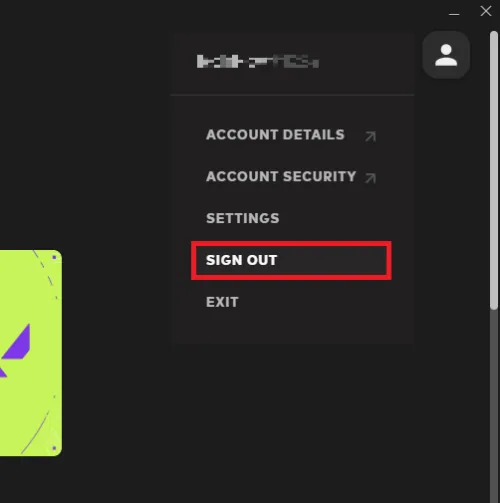
To begin with, attempt logging out and back into your Riot account to resolve any temporary login issues in League of Legends. In the Riot Client, locate the profile icon situated in the upper right corner, click on it, and select "Sign Out." Afterward, log back in using your account credentials. This simple step can often resolve minor login glitches, allowing you to get back to the game quickly.
Log Out & Log In to Your Riot Games Account
To begin with, attempt logging out and back into your Riot account to resolve any temporary login issues in League of Legends. In the Riot Client, locate the profile icon situated in the upper right corner, click on it, and select "Sign Out." Afterward, log back in using your account credentials. This simple step can often resolve minor login glitches, allowing you to get back to the game quickly.
Terminate All Riot Games & LoL Processes
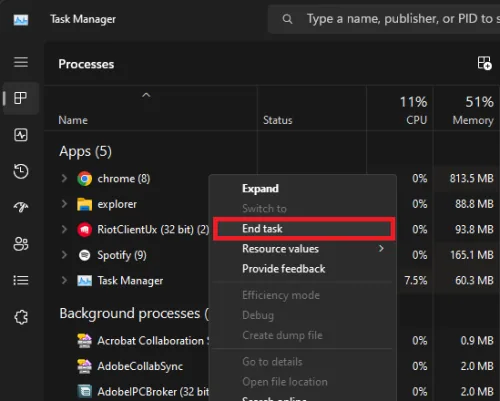
Once you've completed the previous step, consider ending all active Riot Games and League of Legends processes. Launch the Task Manager, and within the "Processes" tab, search for and terminate all Riot-associated processes, including "RiotClientServices.exe" and the League of Legends process. Taking this step can potentially rectify any ongoing issues that may be causing the "Unexpected Login Error."
Check the League of Legends Server Status
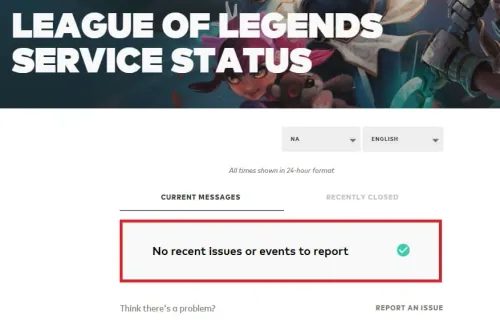
After restarting the Riot Client, attempt to log in again. Sometimes, the error may arise from server-related problems. To verify the server status, navigate to the League of Legends server status page at: status.riotgames.com. Choose League of Legends from the list of games, adjust your server region and language, and then review server reports and outages. If any maintenance is scheduled or a server outage is in progress, you will need to wait patiently before successfully logging back into your Riot Games account.
Adjust VPN Settings
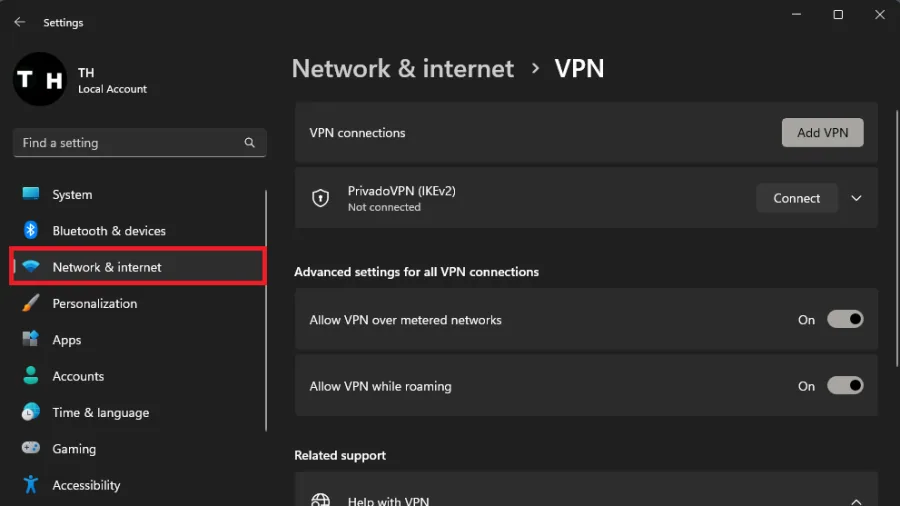
Another potential cause for the error could be your network or IP. If you're currently using a VPN, consider disabling it to see if the issue resolves. On the other hand, if you're not utilizing a VPN and suspect that your network or IP might be contributing to the problem, try using a free VPN to check if it alleviates the issue. We recommend PrivadoVPN.
Modify DNS Server Addresses
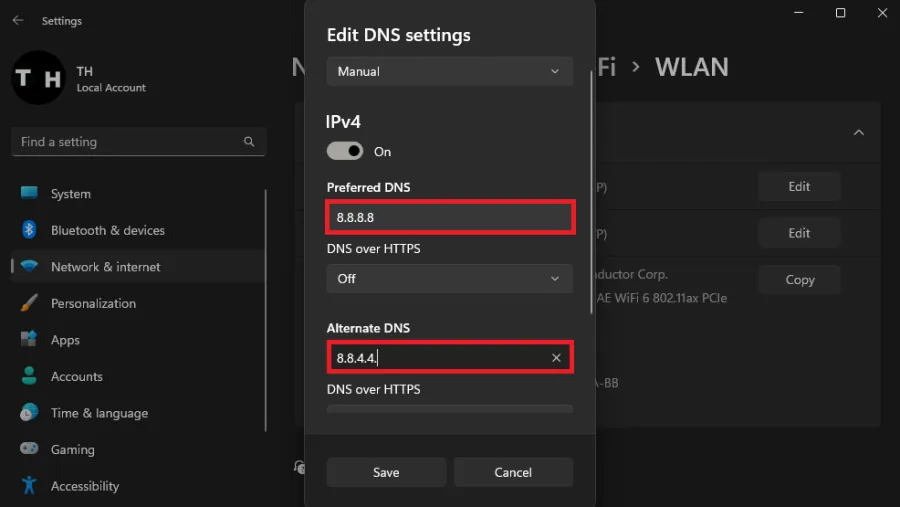
Finally, if none of the previous solutions have worked, you may need to change your DNS server addresses. In Windows 11, open your settings and navigate to the Network & internet section. Select your connection and click on "Hardware Properties." Change your DNS server assignment from Automatic to Manual, enable IPv4, and set the Preferred DNS server address to 8.8.8.8 and the Alternate DNS server address to 8.8.4.4. These addresses are the official DNS servers provided by Google, which often help resolve login errors in numerous cases.
Disclaimer: This article contains affiliate links to PrivadoVPN, which means we m…
Disclaimer: This article contains affiliate links to PrivadoVPN, which means we may receive a commission for purchases made through these links. However, this does not impact our reviews and recommendations.
Video walkthrough
If it does not work
- Can the "Unexpected Login Error" in League of Legends be caused by server issues?. Yes, sometimes server issues or maintenance can cause this error. To check for server problems, visit the League of Legends server status page at status.riotgames.com and select your game region and language.
- How can I fix the "Unexpected Login Error" by changing my DNS server addresses?. In Windows 11, open settings, navigate to Network & internet, select your connection, click on "Hardware Properties," change your DNS server assignment to Manual, enable IPv4, and set the Preferred DNS server address to 8.8.8.8 and the Alternate DNS server address to 8.8.4.4. These are Google's official DNS servers, which often help resolve login errors.
- Can using a VPN cause or fix the "Unexpected Login Error" in League of Legends?. If you're using a VPN, it might be causing the issue. Try disabling it to see if the problem resolves. Conversely, if you're not using a VPN and suspect network or IP issues, try using a free VPN to see if it resolves the problem.
- How do I close all Riot Games and League of Legends processes to fix the "Unexpected Login Error"?. Open the Task Manager, and under the "Processes" tab, find and close all Riot-related processes, such as "RiotClientServices.exe" and the League of Legends process.
- Can signing out and back into my Riot account help fix the "Unexpected Login Error"?. Yes, this method can sometimes fix temporary login problems with League of Legends. In the Riot Client, click on the profile icon in the top right corner, click "Sign Out," and then sign back in with your account credentials.