iOS · iPhone & iPad

How To Prevent Voice Memos from Taking Too Much Space on iPhone

Original source date

Answer

In most cases, the voice memo storage problem is caused by your deleted voice memos, which are still saved in your iPhone’s storage. Open the Voice Memos app, tap on Edit on the top right and select the voice memos you wish to delete. After deleting your selection, close this app and open your iPhone settings. Here, scroll down and tap on Voice Memos.

Delete unwanted voice memos

In most cases, the voice memo storage problem is caused by your deleted voice memos, which are still saved in your iPhone’s storage. Open the Voice Memos app, tap on Edit on the top right and select the voice memos you wish to delete.

Select Voice Memos
Select Voice Memos

Voice Memos Settings

After deleting your selection, close this app and open your iPhone settings. Here, scroll down and tap on Voice Memos.

iPhone Settings > Voice Memos

In your Voice Memos Settings, change your Clear Deleted option if you want to

In your Voice Memos Settings, change your Clear Deleted option if you want to. This will make sure that all of your deleted voice memos will be erased after a certain amount of days.

iPhone Settings > Voice Memos > Clear Deleted

Under Audio Quality, you may want to use Compressed instead of Lossless

Under Audio Quality, you may want to use Compressed instead of Lossless. This will significantly reduce the future voice recording storage requirement, but the quality will worsen. If you are recording your voice for a YouTube video, you should leave this option at Lossless.

Voice Memos > Audio Quality

Reinstate Voice Memos App

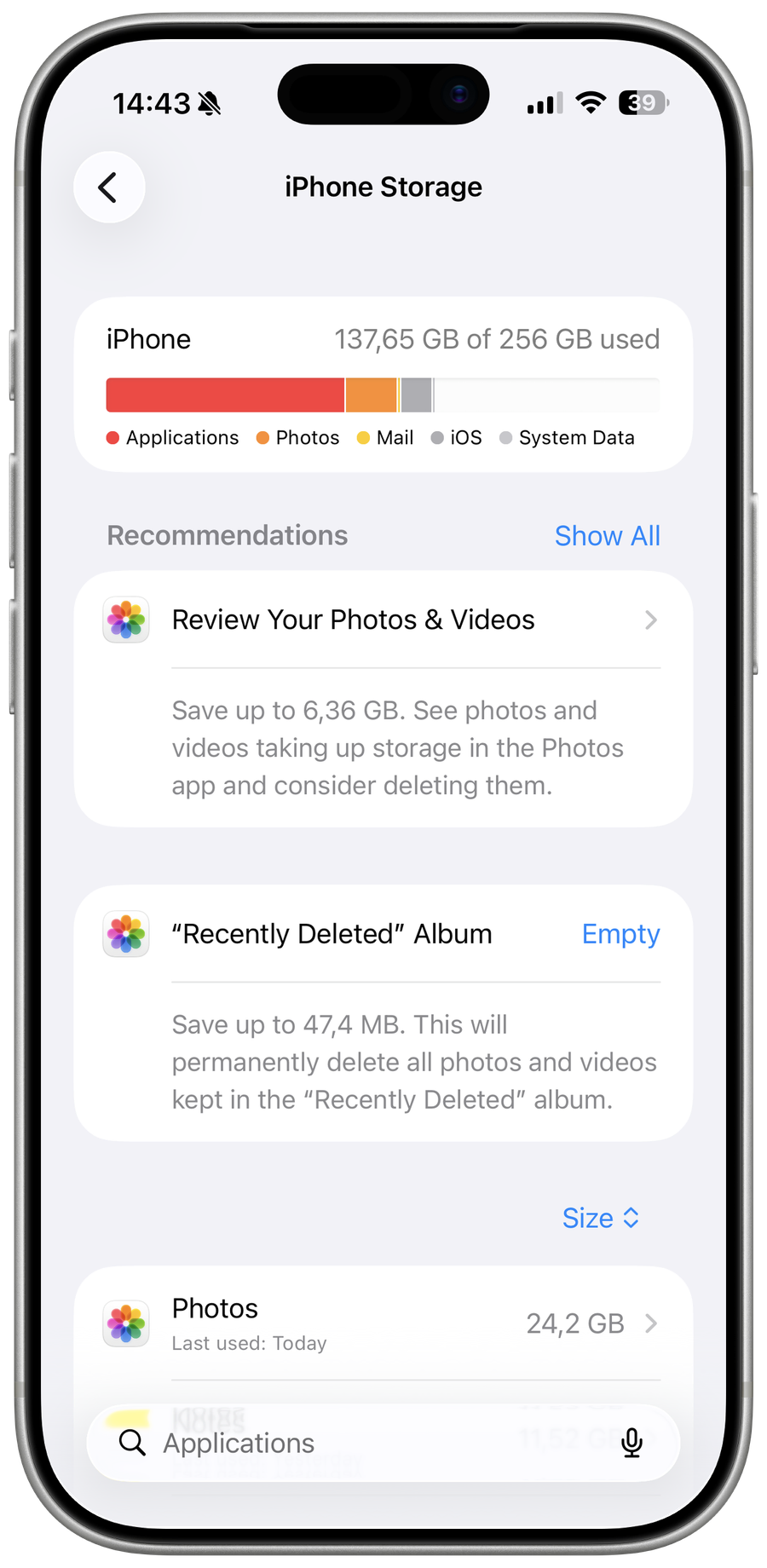
When this is done, head back to your main settings and navigate to the General section. From here, tap on iPhone Storage.

iPhone Settings > General > iPhone Storage

Depending on your current storage utilization, it may take a couple of seconds to…

Depending on your current storage utilization, it may take a couple of seconds to load your storage information. You can then look up Voice Memos to preview the App Size on your iPhone. You should be able to see how much storage your voice memos are taking up and how much other documents and data are taking up, which can be removed. Tap on Offload App. This will clear the Voice Memos app cache and reinstate the application on your device.

Storage Settings > Voice Memos > Offload App

iPhone Software Update

Lastly, you should ensure that you’re running the latest iOS version to ensure that this problem is not related to your OS. Back in your General settings, tap on Software Update.

iPhone Settings > General > Software Update

Here make sure to download and install the latest update to fix potential bugs wi…

Here make sure to download and install the latest update to fix potential bugs with your Voice Memos app.

Update iPhone Software

After the download is complete, proceed to restart your iPhone

After the download is complete, proceed to restart your iPhone. This will fix the problem when your voice memos take up too much space on your iPhone.

Restart iPhone
Restart iPhone

Video walkthrough

If it does not work

  • Why do voice memos take up so much space on my iPhone?. Voice memos can take up a lot of space on your iPhone because they're typically recorded in high-quality audio formats, such as WAV or AIFF. This means that each memo can be tens to hundreds of megabytes in size, which can quickly add up and use up all your storage space.
  • Can I store my voice memos in the cloud?. Yes, you can store your voice memos in the cloud using a service like iCloud or Google Drive. This can help free up storage space on your iPhone, and it also makes it easy to access your memos from other devices.
  • Can I compress voice memos to reduce their size?. Yes, you can use a third-party app to compress your voice memos and reduce their size. However, this will typically result in a lower-quality audio recording, so it's important to weigh the trade-off between file size and audio quality.
  • What happens if I run out of storage space on my iPhone?. If you run out of storage space on your iPhone, you may not be able to record new voice memos or take photos and videos. You may also experience slower performance and other issues. To prevent this from happening, it's important to regularly delete old voice memos and other files that you no longer need.