
iOS · iPhone & iPad
Set Up or Turn Off Parental Controls on iPhone With Screen Time
Source-checked About 10 minutes
Answer
Use Screen Time and Content & Privacy Restrictions for the child's device, set a separate passcode, and change only the restrictions you understand.
Check prerequisites and the intended result
Before changing iPhone parental controls, identify the child's Apple Account and device, the family organizer, existing Screen Time passcode, and the narrow restriction being changed. Write down the current value before changing it so you can restore only that setting if the intended result does not appear. Keep the relevant account, app, or system version available if official support is needed. Confirm the saved choice after closing and reopening the relevant settings panel.
Use the supported method
Prefer changing one Content & Privacy, purchase, app, communication, or web restriction over disabling all Screen Time protections.
Open the correct Screen Time profile
On the child's iPhone open Settings > Screen Time, or use Family settings from the organizer's device.
Set a Screen Time passcode
Choose a code the child does not know and add recovery details; do not reuse the device passcode.
Configure restrictions
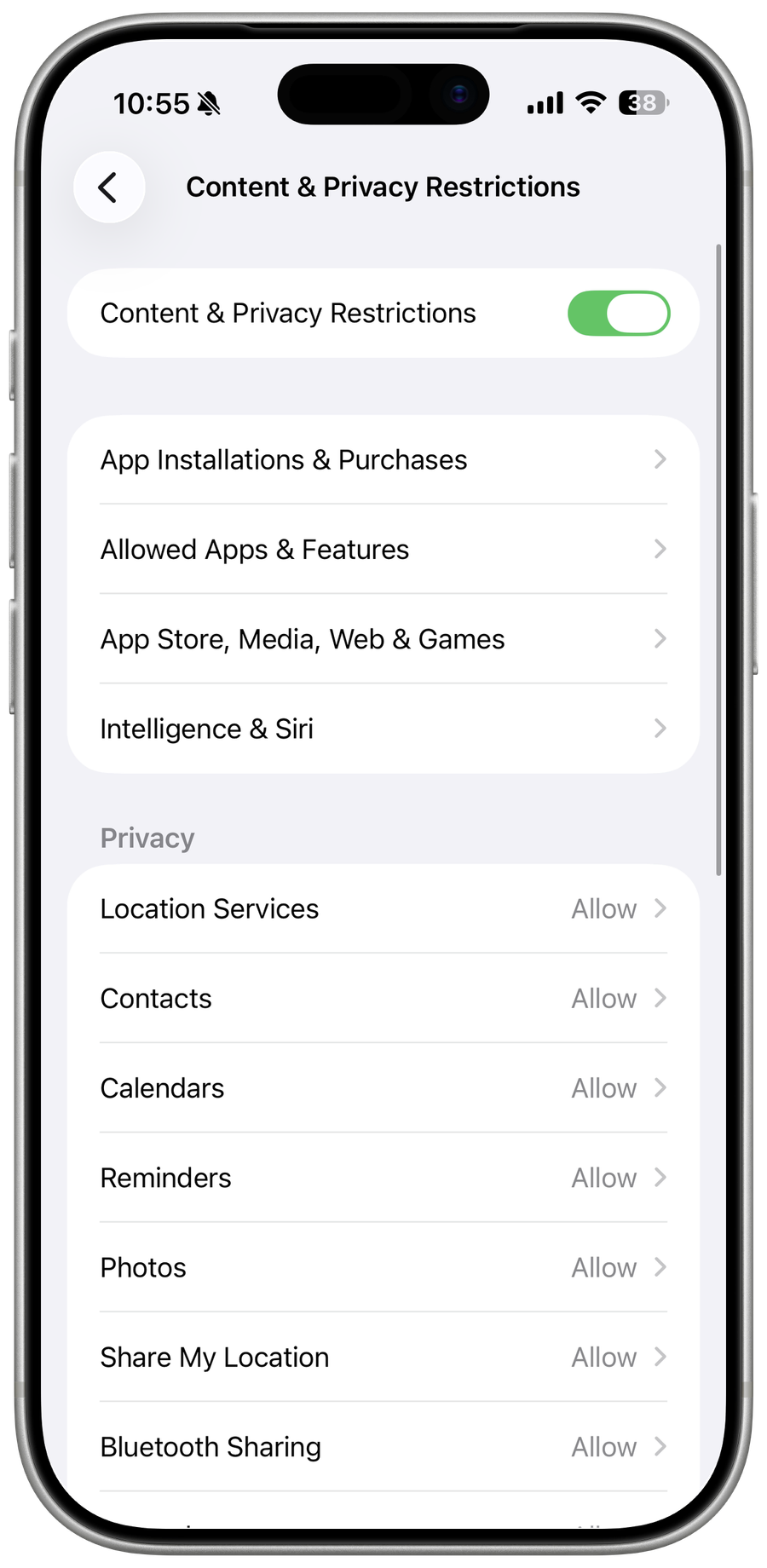
Open Content & Privacy Restrictions and set purchases, apps, web content, privacy, communication, and allowed changes deliberately.
Turn off only when intended
Disable an individual restriction for a narrow exception, or turn off Screen Time only when removing the whole control set is appropriate.
Check that the change worked
The child's device reflects the intended rule after synchronization while unrelated apps, privacy settings, and purchase authentication remain protected.
Troubleshoot iPhone parental controls
If the passcode is forgotten, Family settings do not sync, a school-managed limit applies, or an app has its own separate parental control, stop broad resets and return to the last known state. Capture the exact error, versions, account or device scope, and the failed step before using the official support channel.
Video walkthrough
Sources and verification
Checked against official documentation on . Scope: iPhone & iPad.
Follow the linked first-party guidance if labels differ after a platform or app update.