
iOS · iPhone & iPad
Fix an iPhone Battery Percentage Dropping Suddenly
Source-checked About 10 minutes
Answer
Review Battery usage and health, allow updates and indexing to finish, remove abnormal background activity, and seek service for degraded or unexpected shutdown behavior.
Review recent usage
Open Settings > Battery and compare screen activity, background activity, signal conditions, and app usage for the last day and ten days.
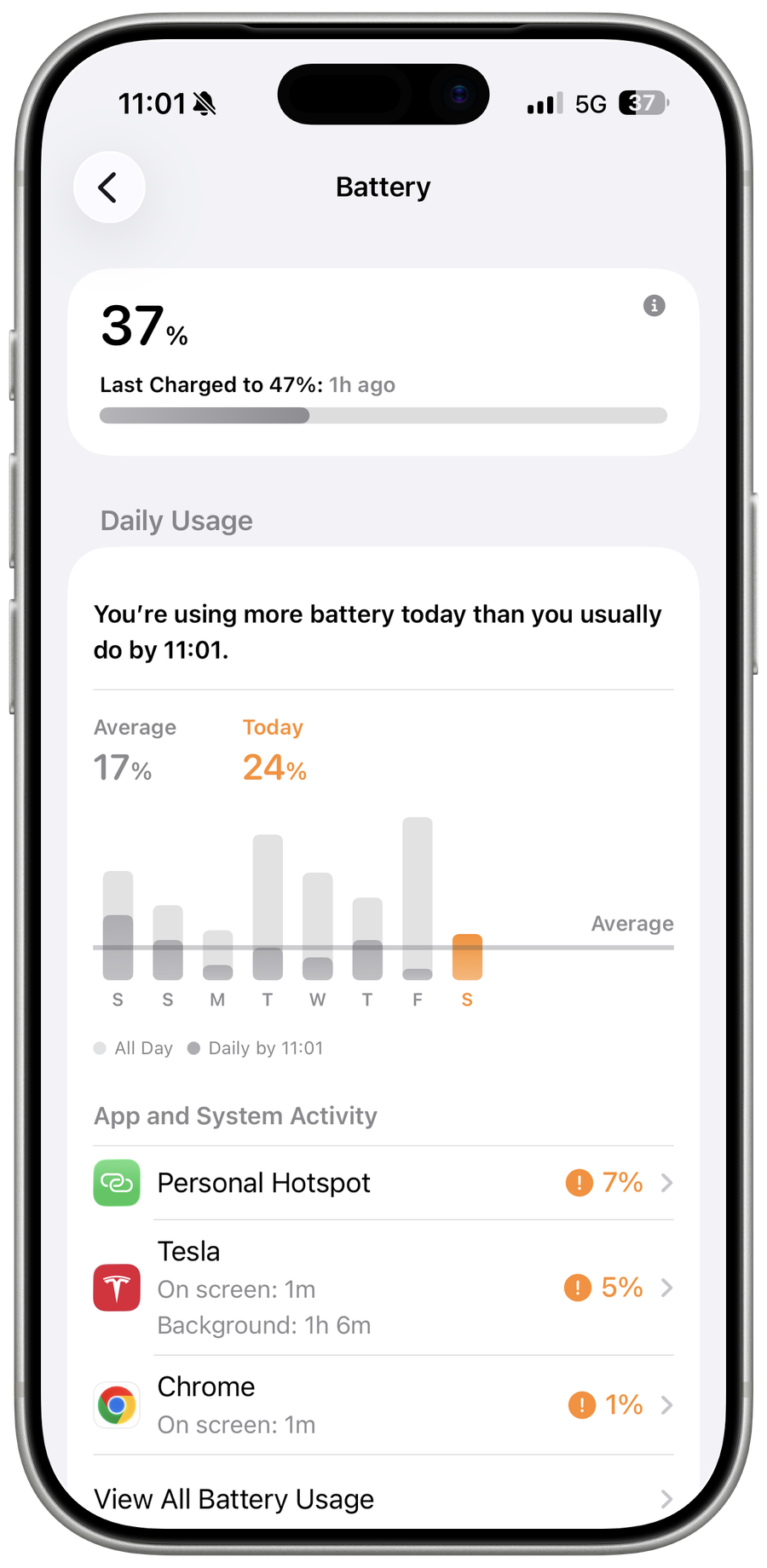
Check battery health
Open Battery Health & Charging and review maximum capacity, service messages, and charging behavior.
Allow temporary work to finish
After an update or restore, indexing and downloads can increase drain temporarily; keep power and Wi-Fi available.
Escalate abnormal behavior
Update apps and iOS, remove a confirmed runaway app, and contact Apple for sudden shutdowns, swelling, heat, or a service warning.
Video walkthrough
If it does not work
- If “Fix an iPhone Battery Percentage Dropping Suddenly” remains unresolved, identify which numbered step first produces a different result and preserve that screen or message. Recheck the account, permission, storage, connection, or device prerequisite described above, then follow only the matching Apple Support recovery path; do not combine unrelated resets, bypasses, or third-party repair tools.
Sources and verification
Checked against official documentation on . Scope: iPhone & iPad.
Follow the linked first-party guidance if labels differ after a platform or app update.