
iOS · iPhone & iPad
Fix Camera Permission Missing for an iPhone App
Source-checked About 10 minutes
Answer
Open Privacy & Security > Camera or the app's settings and allow access. If the app is absent, trigger its camera feature and check Screen Time or device management.
Open camera privacy
Go to Settings > Privacy & Security > Camera and look for the affected app.
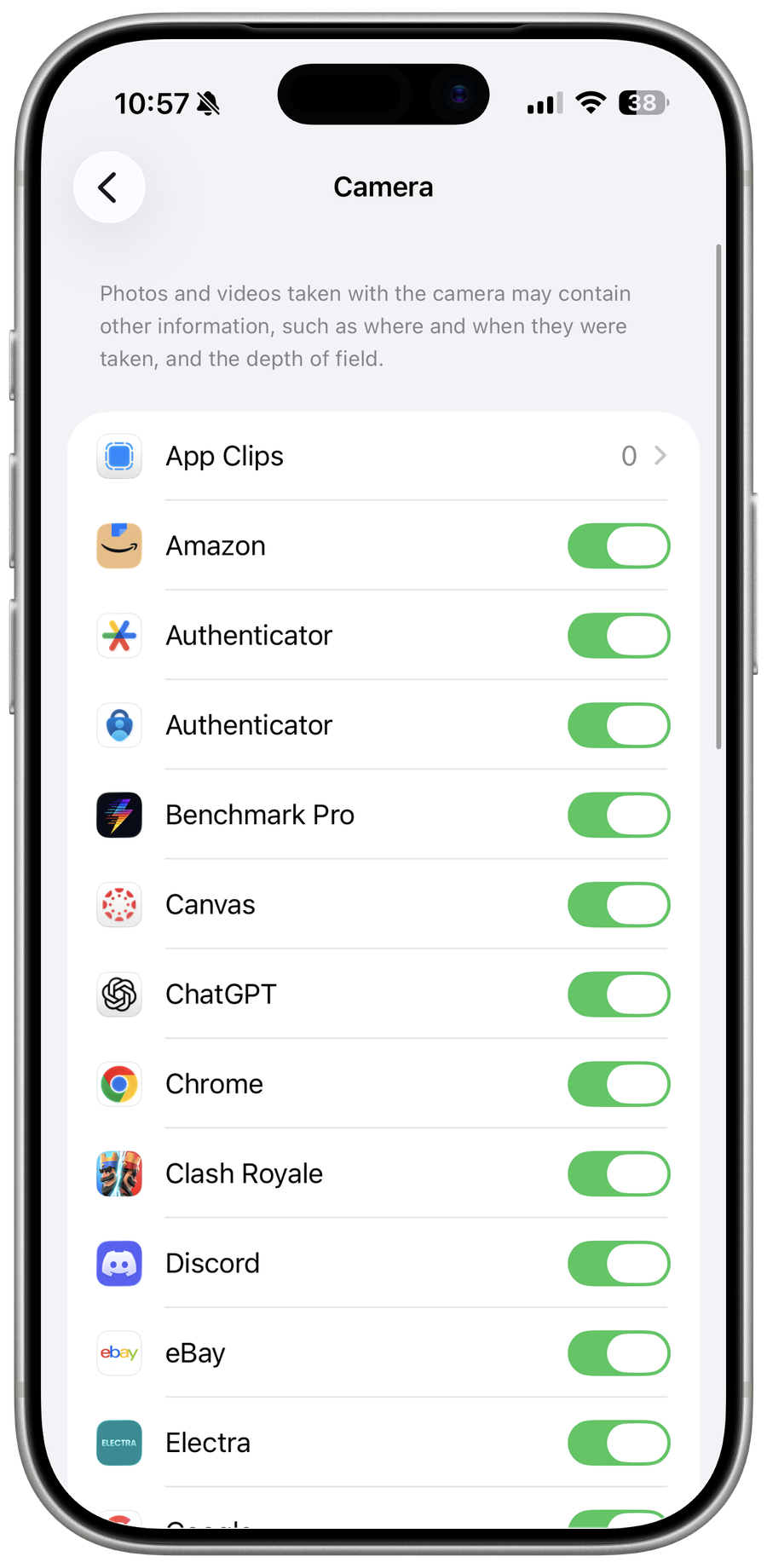
Trigger the first request
If the app is missing, open its camera or scanning feature so iOS can present the permission prompt.
Check restrictions
Review Screen Time Content & Privacy Restrictions and work or school device management that can prohibit camera access.
Reset only the affected app first
Update or reinstall after protecting local data; Reset Location & Privacy resets every app's permissions and should be a later step.
Video walkthrough
If it does not work
- If “Fix Camera Permission Missing for an iPhone App” remains unresolved, identify which numbered step first produces a different result and preserve that screen or message. Recheck the account, permission, storage, connection, or device prerequisite described above, then follow only the matching Apple Support recovery path; do not combine unrelated resets, bypasses, or third-party repair tools.
Sources and verification
Checked against official documentation on . Scope: iPhone & iPad.
Follow the linked first-party guidance if labels differ after a platform or app update.