
Gaming · PC & mobile
Genshin Impact Mobile – How to Fix “Failed To Connect To Server” Error
Original source date
Answer
This error is caused by the servers you’re trying to connect to or your network connection. Try to change the server location and restart the Genshin Impact application. If you can join a different server, then there is a server outage or maintenance planned on the one you’re trying to join.
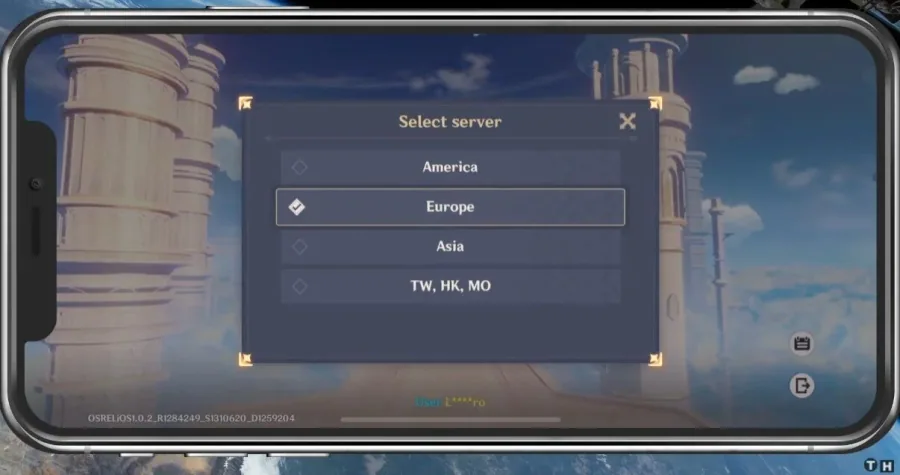
Change the Genshin Impact Server Location
This error is caused by the servers you’re trying to connect to or your network connection. Try to change the server location and restart the Genshin Impact application.
Verify the Server for Outages
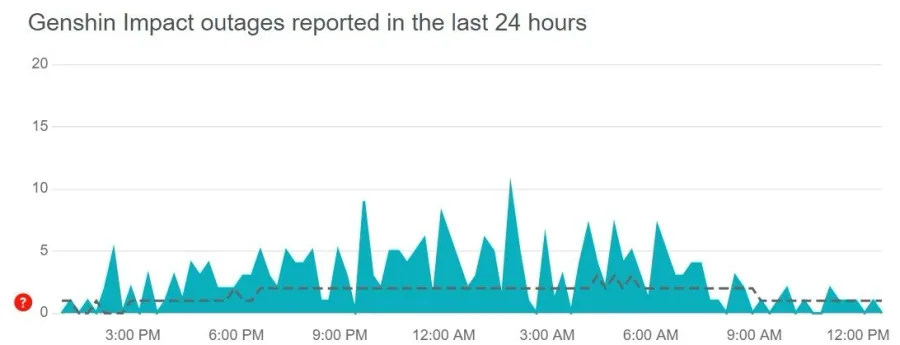
If you can join a different server, then there is a server outage or maintenance planned on the one you’re trying to join.
Enable Background App Refresh for Genshin Impact
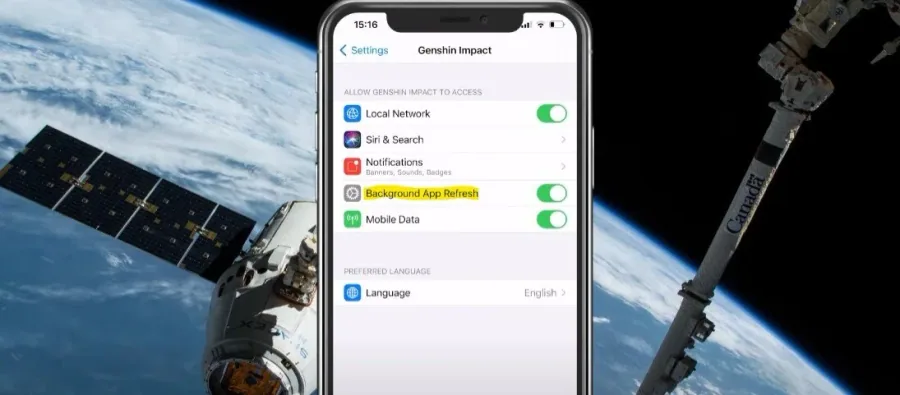
Open up your native settings application and scroll down until you find Genshin Impact. Ensure the Background App Refresh option is enabled.
Reset Network Settings
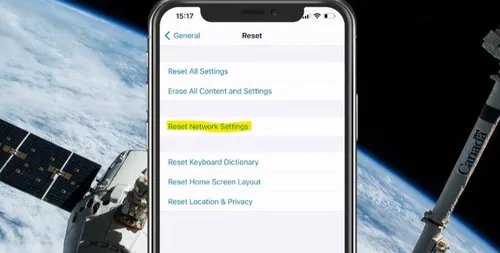
When this is done, you should also disable any VPN apps from running and change your connection to the server, as these can also worsen your connection. Lastly, if nothing helps, you will have to reset your network settings. Enter your General settings and tap on Reset. Make sure to reset your network settings.
Video walkthrough
If it does not work
- If the current interface differs, compare it with the recorded video walkthrough.