
AI · Platform not recorded
How To Generate AI Music with MusicGen - Text To Music Tutorial
Original source date
Answer
Experience the joy of creating your own tunes with MusicGen on Hugging Face, a tool designed to generate music with AI technology. As a music aficionado seeking the perfect tune for your project that's both copyright-free and customized to your taste, this is the place for you. Get started by heading to Hugging Face's official website on your preferred web browser. Once there, find and click on "Spaces" to explore an array of AI tools available. Out of these, select "MusicGen".
Access Hugging Face and Create your First Song
Experience the joy of creating your own tunes with MusicGen on Hugging Face, a tool designed to generate music with AI technology. As a music aficionado seeking the perfect tune for your project that's both copyright-free and customized to your taste, this is the place for you. Get started by heading to Hugging Face's official website on your preferred web browser. Once there, find and click on "Spaces" to explore an array of AI tools available. Out of these, select "MusicGen".
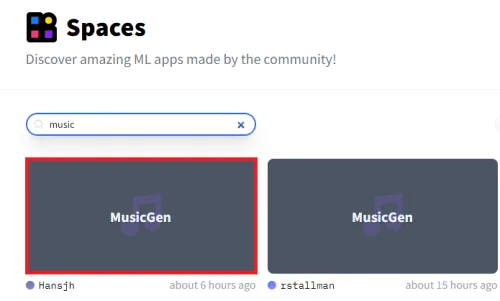
Upon selection, you'll find a simple text box on the next page
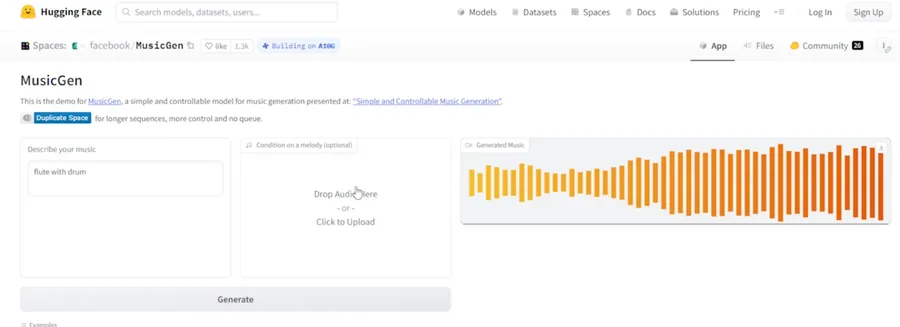
Upon selection, you'll find a simple text box on the next page. Here's where you input the kind of music you wish to generate. Let's say, for instance, you want a fusion of "Flute with Drums". Type in your choice, and hit "generate". Then, simply wait for the AI magic to happen! After a short while, MusicGen will produce the tune you've described. Simply click to listen to the soundtrack freshly brewed by AI. And voila! You're on your way to creating your very own AI-generated music.
Generate Songs from Existing Music
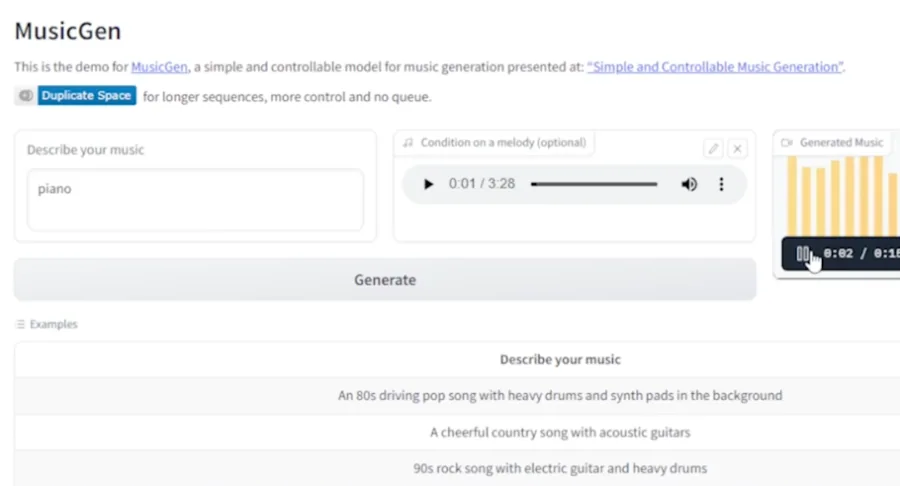
The magic of MusicGen doesn't stop at creating music from scratch; it can also enhance existing music tracks. Let's say you have a melody that's quite appealing but needs a little extra oomph. That's where MusicGen's file upload feature comes in handy. Simply drag and drop your existing music file or upload it through the provided option. Imagine having a piece of soothing flute music and you're thinking about adding some piano tunes. Just type "piano music" into the text box and click "Generate." The AI then takes its time to weave the piano music into your existing melody seamlessly, creating a unique blend that caters to your taste. Listening to the newly created track will leave you amazed at how the AI has skillfully enhanced your original tune with the addition of piano music. And the best part? You're free to download and share these AI-enhanced tunes as long as you provide appropriate credit. Full licensing details will be available through the website to ensure complete transparency. With MusicGen, crafting AI-generated music has never been easier.
Video walkthrough
If it does not work
- Can I generate any type of music with MusicGen?. Yes, MusicGen uses advanced AI algorithms to generate a wide array of music styles based on your description. You can generate anything from "jazz piano" to "heavy metal guitar solo" by typing it into the text box.
- How can I add an existing music file to MusicGen for enhancement?. You can upload your existing music file through the provided option on MusicGen. You can also simply drag and drop your file onto the designated area.
- What happens when I add a description like "piano music" to my existing music file in MusicGen?. When you add a description to your existing music file, MusicGen's AI uses it as a guide to enhance your original music. For instance, typing "piano music" will prompt the AI to add piano tunes to your track.
- Can I download and share the music I create with MusicGen?. Absolutely! You're free to download and share the AI-generated music as long as you provide appropriate credit. Full licensing details can be found on the website.
- What is the cost of using MusicGen to create AI-generated music?. The tool is free to use. However, always check the current terms and conditions on the website to verify current policies and potential changes.