
Gaming · Platform not recorded
How To Enable Instant Reload In Fortnite Creative!
Original source date
Answer
Launch the Fortnite creative island. Open up your Inventory, and in the Devices section, place the Team Settings & Inventory item. You can then interact with the item to change your team and inventory settings. Set the Instant Reload option to ON; Set the Infinite Ammo option to ON
Change Fortnite Creative Team Settings
Launch the Fortnite creative island. Open up your Inventory, and in the Devices section, place the Team Settings & Inventory item.
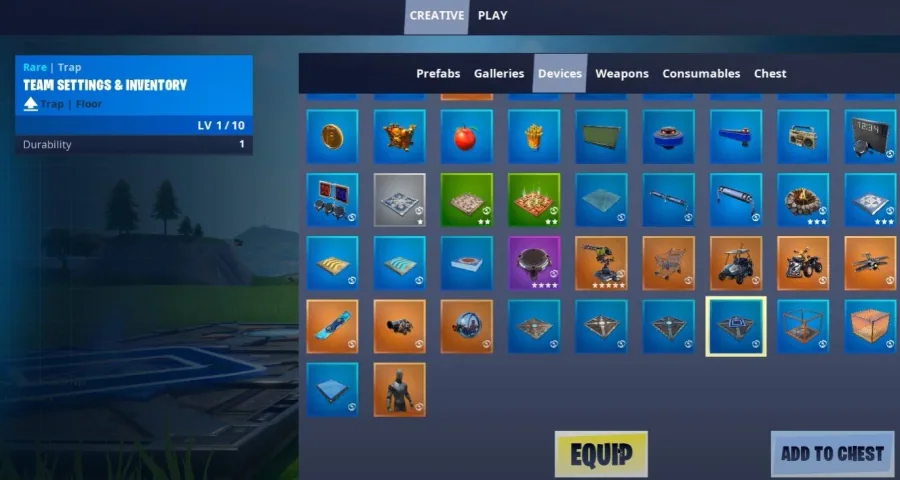
You can then interact with the item to change your team and inventory settings
You can then interact with the item to change your team and inventory settings. Set the Instant Reload option to ON; Set the Infinite Ammo option to ON
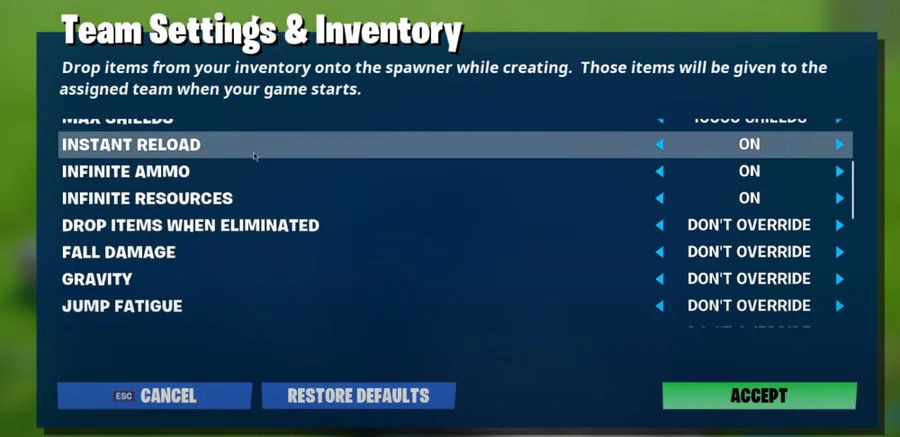
After selecting Accept, your island changes will apply, and you can then spawn in…
After selecting Accept, your island changes will apply, and you can then spawn in a weapon. Lastly, start the game and enjoy instant reloading weapons in your Fortnite creative island! These settings apply to your whole creative island. If specified, in the team settings and inventory options.
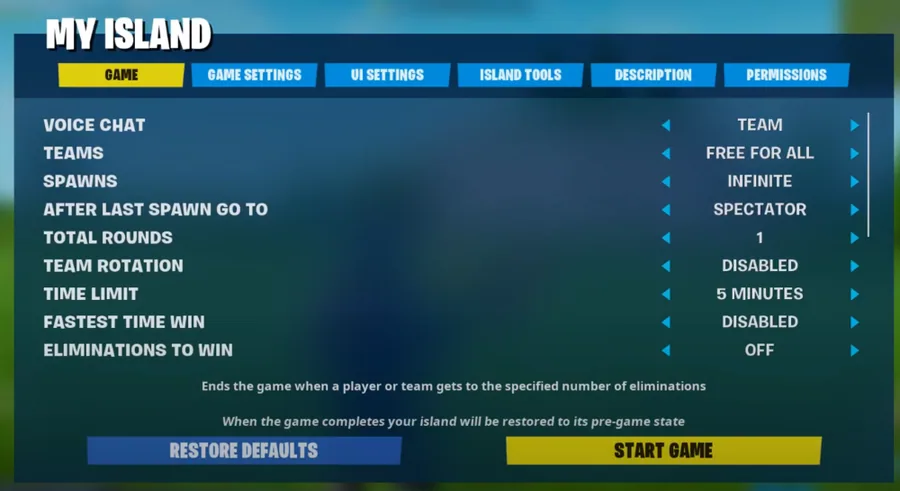
Video walkthrough
If it does not work
- If the current interface differs, compare it with the recorded video walkthrough.