iOS · iPhone & iPad

Fix iPhone Notification Sound But No Notification on iPhone Home Screen

Original source date

Answer

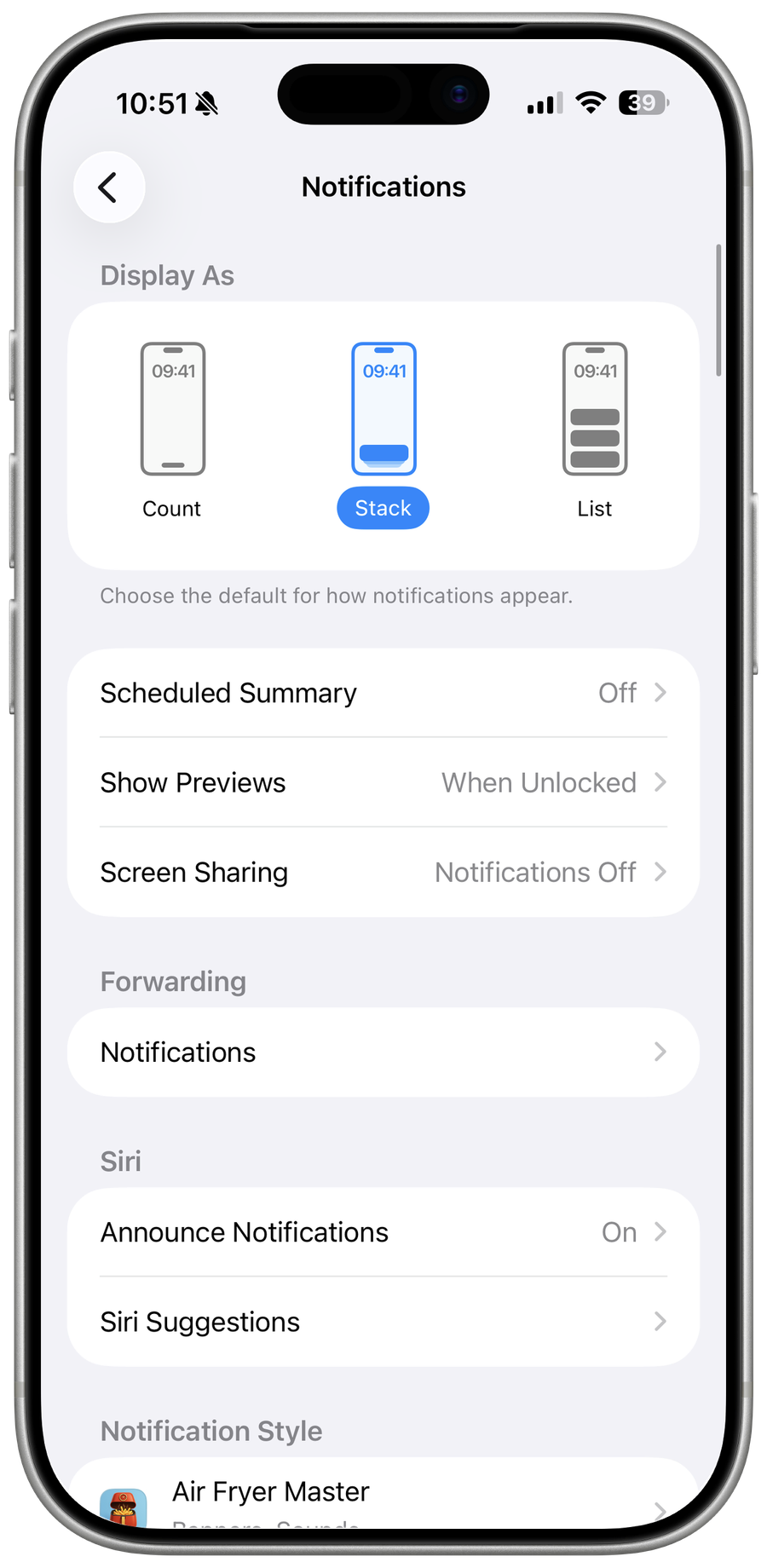
In most cases, this problem is caused by your notification settings for that specific app, a bug within the application, or because content & privacy restrictions prevent the app from sending you notifications. First of all, open up your iPhone settings. Scroll down and tap on Notifications.

App Notification Settings

In most cases, this problem is caused by your notification settings for that specific app, a bug within the application, or because content & privacy restrictions prevent the app from sending you notifications. First of all, open up your iPhone settings. Scroll down and tap on Notifications.

iPhone Settings > Notifications

In your notifications settings, scroll down until you can find the app which is n…

In your notifications settings, scroll down until you can find the app which is not properly showing notifications.

In your notifications settings, scroll down until you can find the app which is n…

Enable the Allow Notifications option

Enable the Allow Notifications option. Below, you can enable or disable notifications from this app in your Lock Screen, Notification Centre, and as Banners while using your iPhone. I will enable all three of these to ensure the app can send notifications. Below, enable Sounds if you wish to hear a notification sound for this app.

App Notification Settings

App-Specific Notification Settings

For some apps, you can open the Notification Settings for that specific app from here. This example allows me to change which kind of notifications I want to receive from this app.

App-Specific Notification Settings

Change iPhone Notifications Volume

After looking at your notification settings, head over to your Sounds & Haptics settings section.

iPhone Settings > Sounds & Haptics

The Ringer and Alerts volume slider allow you to change the volume for notifications

The Ringer and Alerts volume slider allow you to change the volume for notifications.

Sounds & Haptics > Ringer and Alerts

Disable Focus Modes

Next, go back to your main settings and tap on Focus to ensure your iPhone is not currently in a Focus Mode, such as Do Not Disturb.

Settings > Focus > Do Not Disturb

Tap on Do Not Disturb and make sure that this option is disabled

Tap on Do Not Disturb and make sure that this option is disabled. The same goes for your Sleep and Work Focus Mode.

Tap on Do Not Disturb and make sure that this option is disabled

Update or Reinstall the Application

If the problem persists, this issue is most likely related to a bug within the application. Close your settings and open up your AppStore application. From here, look up the app and ensure it’s up to date. If you’re already using the latest version, uninstall and reinstall the application on your iPhone. This should fix any notification problems you are facing.

Update Application
Update Application

Update & Restart iPhone

As a last resort, you should ensure that you’re running the latest iOS version. Back in your Settings, scroll down, and tap on General. From here, select Software Update.

iPhone Settings > General > Software Update

Proceed to download the latest update before restarting your iPhone

Proceed to download the latest update before restarting your iPhone. This will ensure that the OS is not the culprit to your notification issues.

Restart iPhone
Restart iPhone

Video walkthrough

If it does not work

  • Why do I only hear the notification sound but not see the notification on my iPhone home screen?. This issue may occur if your iPhone is in Do Not Disturb mode, or if you have enabled the "Show Previews" setting to "Never." You may also have a software glitch that is causing the issue.
  • Can I still receive notifications if my iPhone is in Do Not Disturb mode?. Yes, you can still receive notifications while in Do Not Disturb mode, but they may not show up on the home screen or make a sound. You can customize the settings for Do Not Disturb to allow certain types of notifications to come through.