
Windows 11 · Windows
Fix Discord crashing in Windows 11
Source-checked About 10 minutes
Answer
Fully quit Discord, update it, clear its cache, and perform a clean reinstall from Discord if crashes continue.
Record when Discord closes
Before changing Discord crashes, record whether Discord closes at launch, during voice, while streaming, or after a particular update and note the displayed error. Record the current state and exact error so the result can be compared without guessing or repeating destructive changes.
Separate a client crash from a service problem
Check Discord status and note whether the desktop client closes at launch, during voice, or while streaming. Change one item at a time so the test identifies which Discord component failed.
Close every Discord process
Quit Discord from the system tray and end remaining Discord processes in Task Manager.
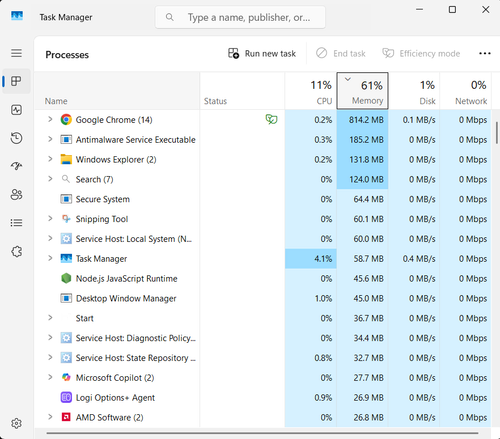
Restart and update
Restart Windows, reopen Discord, and allow the client to install its current update.
Clear the Discord cache
Close Discord and remove its Cache folders under %AppData%\discord, then test again.
Perform a clean reinstall
Uninstall Discord, remove its remaining AppData folders, and download a fresh installer from Discord. Report repeatable crashes to Discord Support.
Verify the result
Discord opens twice after a clean restart and completes a voice or stream test without closing or losing the selected devices. Reopen or repeat the original task once more to confirm the result persists rather than relying on a temporary process or cached state.
Troubleshoot Discord crashes
If the process exits immediately, only screen sharing crashes, an update loop returns, or Windows Reliability Monitor shows a broader fault, stop broad resets and return to the last known state. Capture the exact error, versions, hardware or account scope, and failed step before using the linked official support channel.
Video walkthrough
Sources and verification
Checked against official documentation on . Scope: Windows.
Follow the linked first-party guidance if labels differ after a platform or app update.