
iOS · iPhone & iPad
How to Turn Off Bring Devices Together and NameDrop on iPhone
Source-checked About 10 minutes
Answer
Turn off Bring Devices Together in Settings > General > AirDrop to disable NameDrop and the other proximity-triggered sharing features covered by that switch. Ordinary AirDrop controls remain separate.
Understand what the switch controls
Bring Devices Together is the proximity control used by NameDrop and related features when supported Apple devices are held close. Turning it off does not turn off every form of AirDrop.
Open General settings
Open the Settings app, tap General, then tap AirDrop. Do not look for the control in Contacts, Privacy & Security, or Bluetooth.
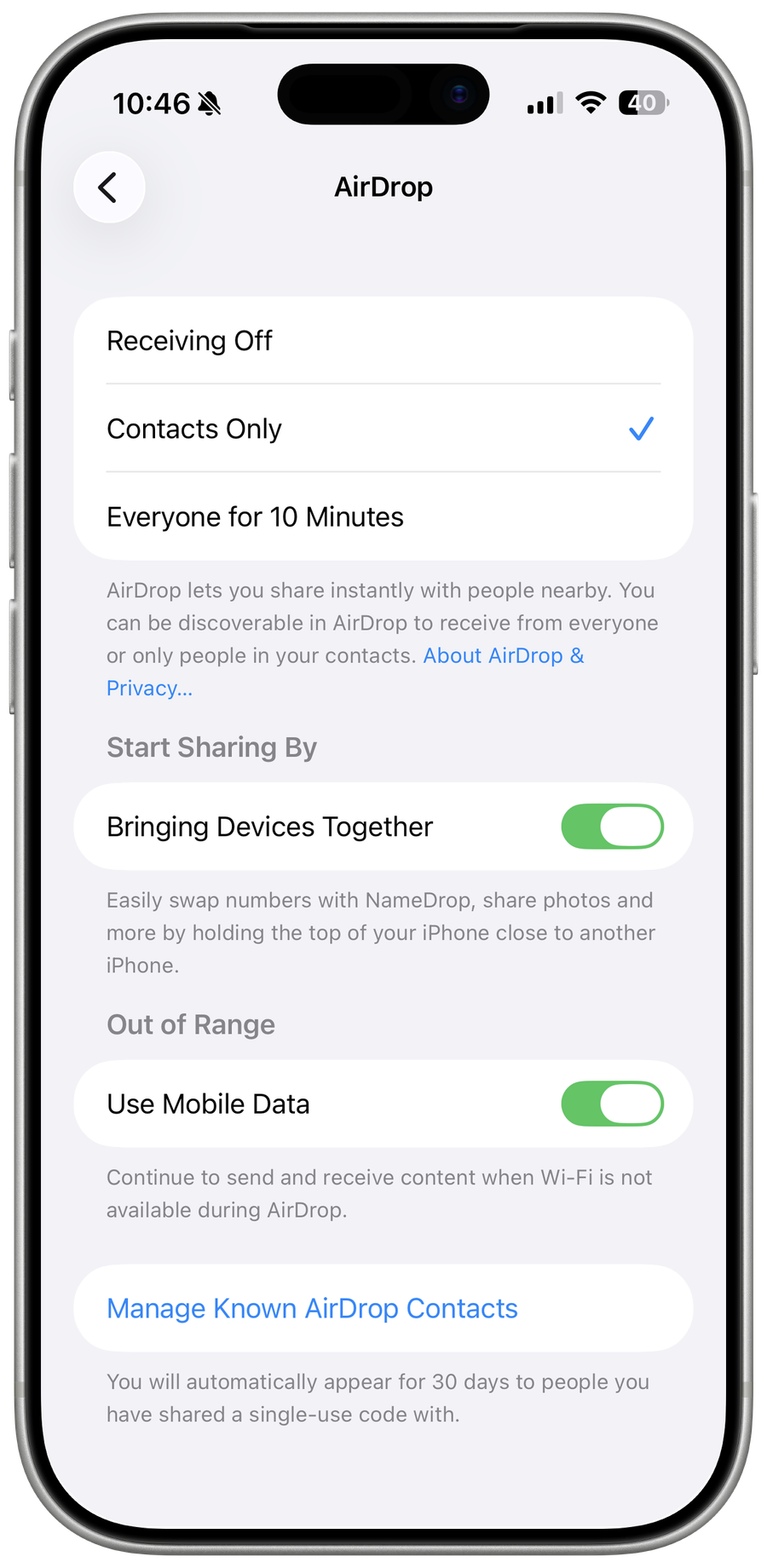
Turn off Bring Devices Together
Turn off Bring Devices Together. The change takes effect immediately and does not require restarting the iPhone.
Cancel an active transfer
If NameDrop is already on screen, move the devices apart or lock the iPhone before the transfer completes. Turning off the setting is for future proximity sessions.
Verify without sharing data
Bring the top of the iPhone near another supported device without confirming a share. NameDrop should no longer start; move the devices apart after the check.
Video walkthrough
If it does not work
- If Bring Devices Together is absent, update iOS and confirm the device supports the current NameDrop feature before following older screenshots.
- If ordinary AirDrop still works from a Share sheet, that is expected; use the separate Receiving Off control only when you also want to disable incoming AirDrop discovery.
Sources and verification
Checked against official documentation on . Scope: iPhone & iPad.
Follow the linked first-party guidance if labels differ after a platform or app update.