
Gaming · Platform not recorded
CSGO - Stuck in Map Loading Screen Fix
Original source date
Answer
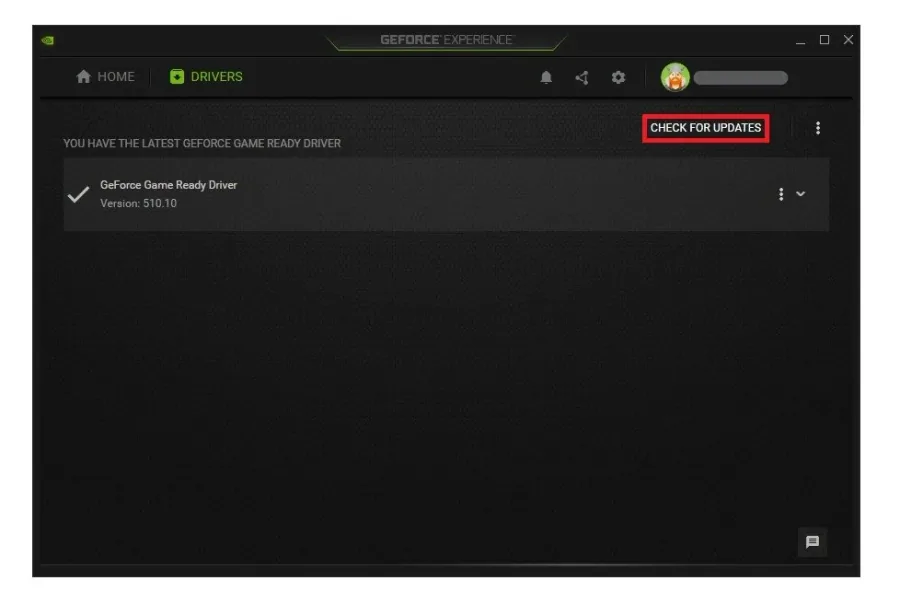
It’s suggested to update the GPU driver and operating system. If you’re using an NVIDIA graphics card, use the GeForce experience application. You can also use the AMD driver suite. In the Drivers tab, click on Download, and the application will automatically download and install the latest driver.
Graphics Card Driver Update
It’s suggested to update the GPU driver and operating system. If you’re using an NVIDIA graphics card, use the GeForce experience application. You can also use the AMD driver suite. In the Drivers tab, click on Download, and the application will automatically download and install the latest driver.
Update your Windows Operating System
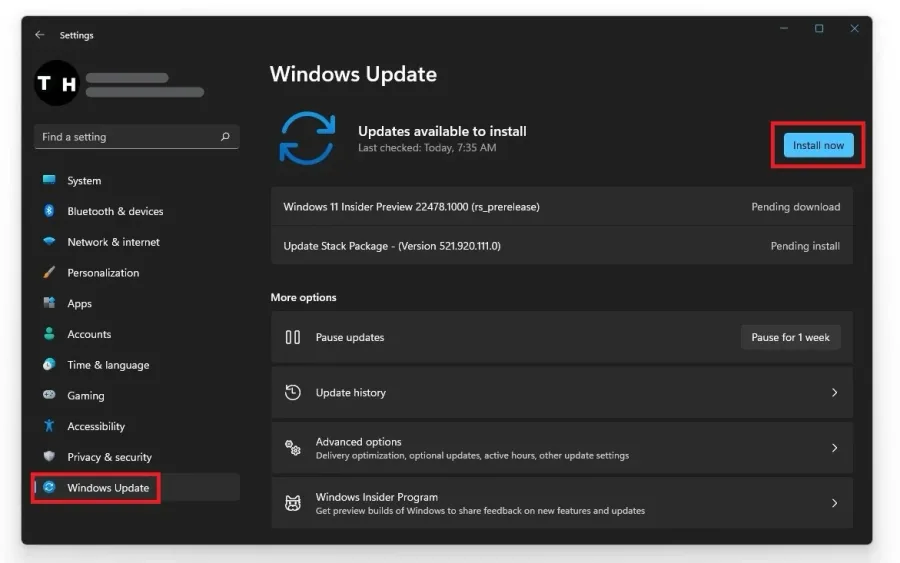
Search for Update, to open up your Check for updates system settings window. Select to download the latest OS update and restart your PC to install it.
Verify the Integrity of CSGO Game Files
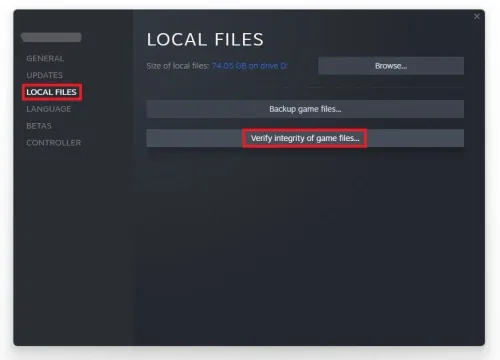
Open up your Steam library. Right-click CSGO and navigate to its properties. On the window, in the Local Files tab, select Verify the integrity of game files. Redownloading and replacing any missing or corrupted game files will take a minute.
Change the Game Compatibility Settings
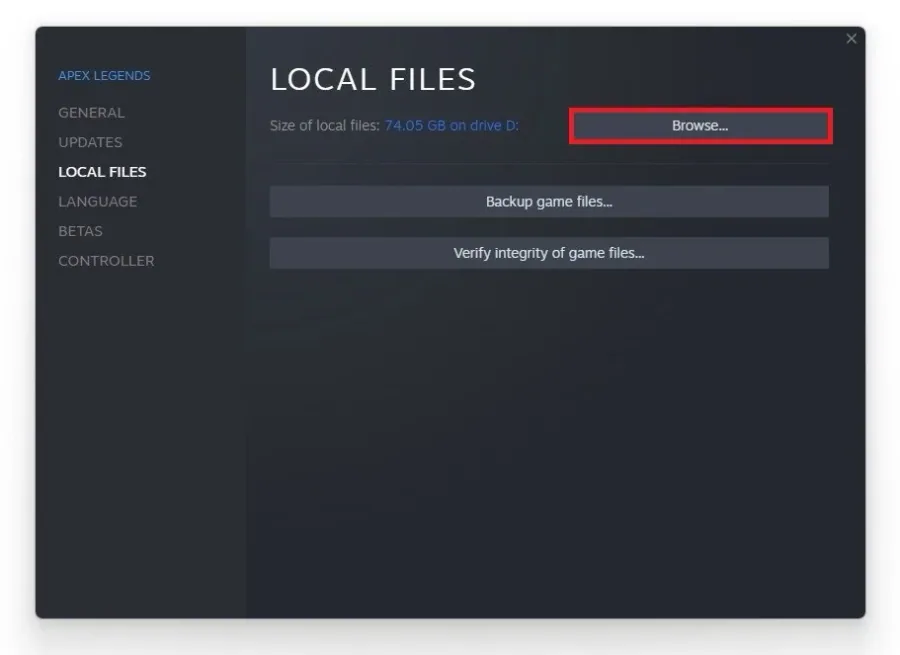
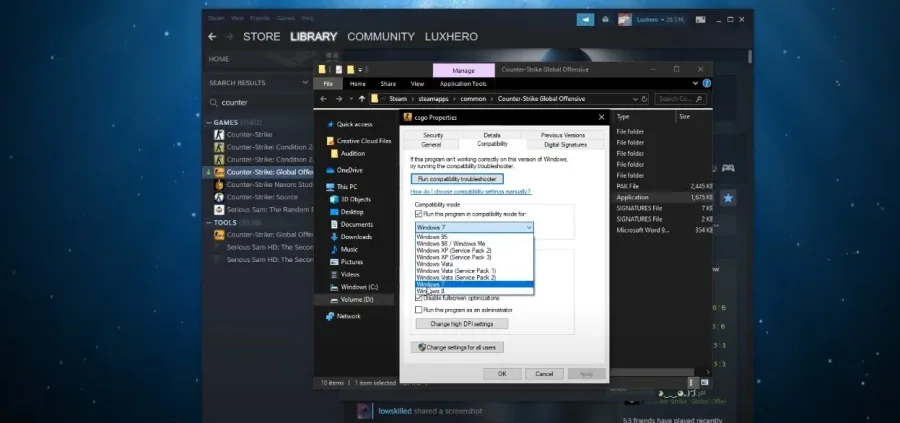
Head back to the Local Files tab and select Browse.
In your file explorer, right-click the CSGO application and navigate to its Prope…
In your file explorer, right-click the CSGO application and navigate to its Properties. In the Compatibility tab, run this program in compatibility mode for Windows 7 and Disable fullscreen optimizations. Don’t forget to apply your changes.
Use Launch Options
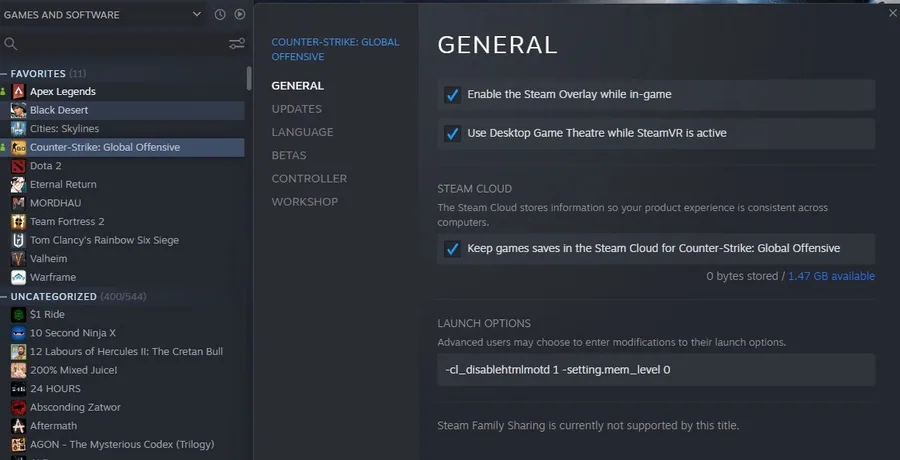
Lastly, navigate to the General tab on the window to add launch options for CSGO. In the dialogue box, make sure to copy these two commands below: -cl_disablehtmlmotd 1 -setting.mem_level 0 Launch Options we like using in Counter-Strike: Global Offensive. +fps_max 180 +cl_showfps 1 -high -novid -nojoy +r_dynamic 0 -fullscreen +cl_interp 0
Video walkthrough
If it does not work
- If the current interface differs, compare it with the recorded video walkthrough.