
Gaming · Platform not recorded
CSGO - How To Fix “Download Incomplete” Error
Original source date
Answer
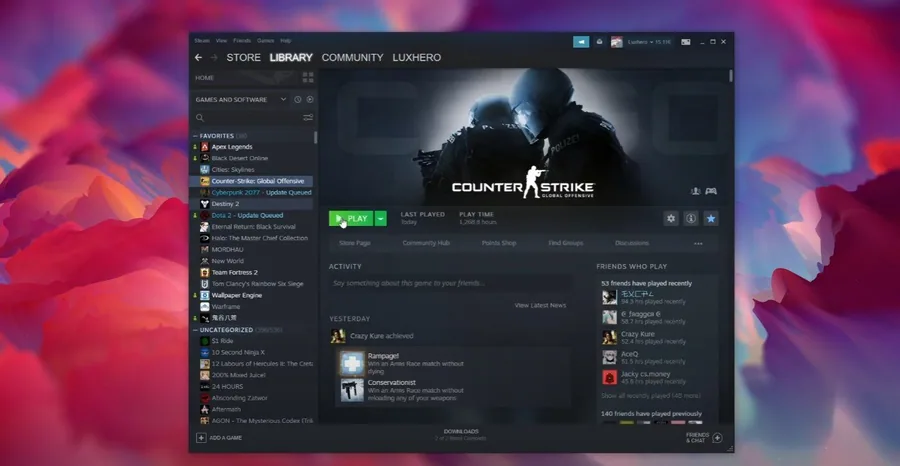
Open up your Steam library. Right-click Counter Strike Global Offensive and select Properties. On the window, under Local Files, select Browse. Your file explorer will open up, containing all of your CSGO files. Navigate to: csgo > replays, order these files by date, and then you should be able to locate the game you’re looking to watch.
Browse Local CSGO Files
Open up your Steam library. Right-click Counter Strike Global Offensive and select Properties. On the window, under Local Files, select Browse.
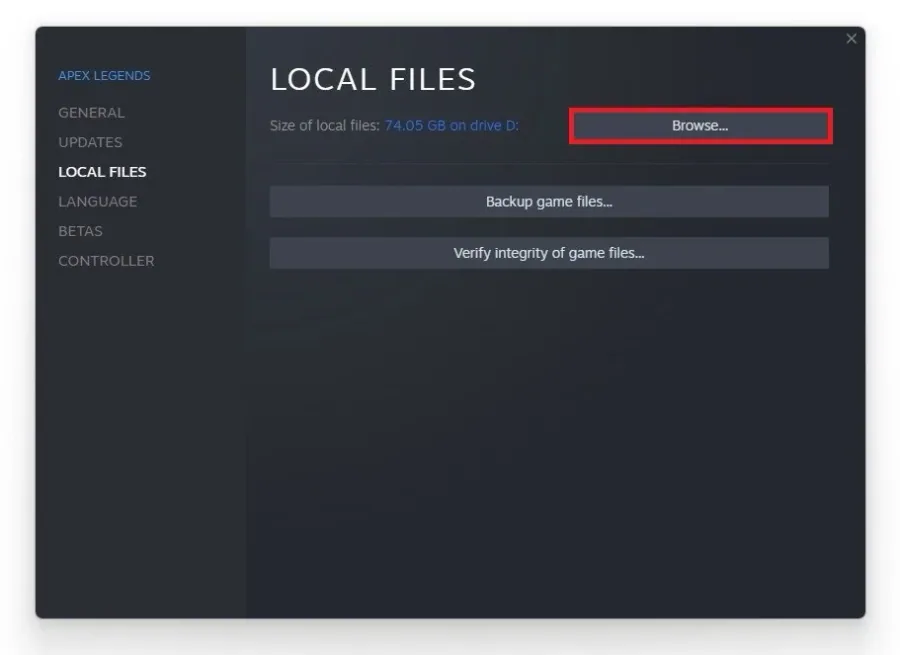
Locate the CSGO Replay You’re Unable to Download
Your file explorer will open up, containing all of your CSGO files. Navigate to: csgo > replays, order these files by date, and then you should be able to locate the game you’re looking to watch.
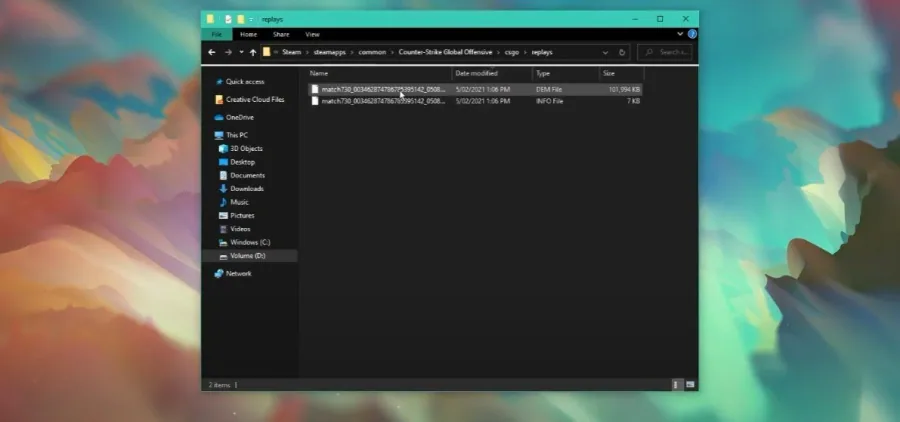
Redownload the CSGO Match
Delete the file. In most cases, we will have a smaller file size than other downloaded matches. After deleting the file, and re-launching CSGO, go back to your matches, and then you should be able to re-download the match.
Video walkthrough
If it does not work
- If the current interface differs, compare it with the recorded video walkthrough.