
Gaming · Platform not recorded
How To Try Any Knife in CS2 - Tutorial
Original source date
Answer
Open CS2: Launch Counter Strike 2 on your device.; Navigate to 'Play' Menu: In the game's main menu, click on 'Play'.; Choose 'Practice' Mode: This mode allows you to practice without other players.; Adjust Game Settings: Enable these specific settings:'Infinite Warmup'; 'Infinite Warmup' After these settings are enabled, start your practice game.
Starting Your CS2 Practice Game
Open CS2: Launch Counter Strike 2 on your device.; Navigate to 'Play' Menu: In the game's main menu, click on 'Play'.; Choose 'Practice' Mode: This mode allows you to practice without other players.; Adjust Game Settings: Enable these specific settings:'Infinite Warmup'; 'Infinite Warmup' After these settings are enabled, start your practice game.
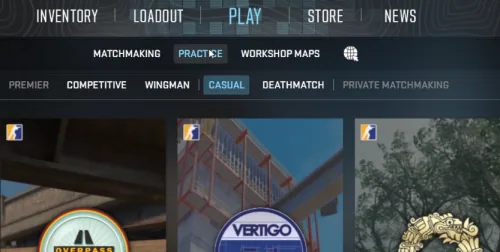
Accessing the Command Console
Once the game has loaded: Press the Tilde (~) key to open the command console. This key is usually located under the 'Esc' key on your keyboard.
Inputting CS2 Commands
In the command console, type the following commands to enable knife trials: sv_cheats 1: This command allows the use of cheats for testing purposes.; mp_drop_knife_enable 1: This enables you to drop and change knives.
Dropping Your Current Knife
Press the G key to drop your current knife. This key is also used to drop other items in the game, such as weapons. By following these steps, you can successfully set up a private CS2 game environment to try out different knives. Remember, these settings and commands are for practice and exploration purposes within the game.
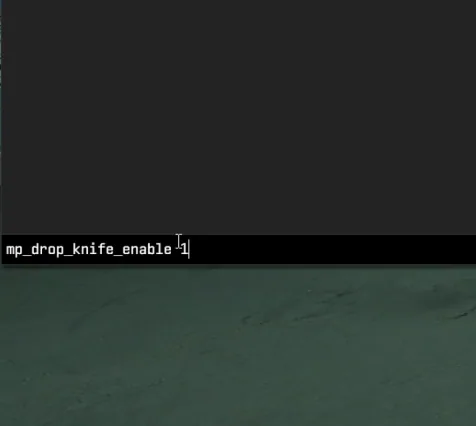
Dropping Your Current Knife
Drop the Knife: Press the G key, which is the standard key for dropping items in Counter Strike 2. This will drop your currently equipped knife onto the ground.
Changing Knife Model
Once your knife is on the ground: Look at the dropped knife.; Open the command console by pressing the Tilde (~) key.; Enter the command: subclass_change [number]. Replace [number] with the code corresponding to the knife model you wish to try. Each knife type in CS2 has a unique number. For example: subclass_change 500 changes the knife to a Bayonet.; Use 503 for the Classic Knife, 505 for the Flip Knife, 506 for the Gut Knife, and so on.
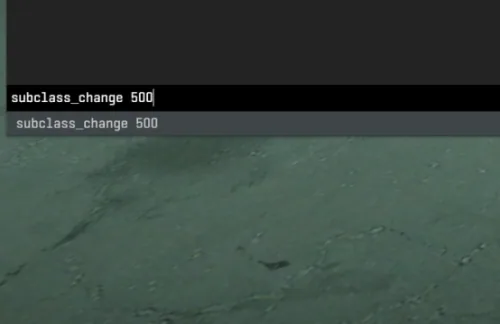
List of Knife Codes
Here are some examples of knife codes you can use: 500 – Bayonet; 503 – Classic Knife; 505 – Flip Knife; 506 – Gut Knife; 507 – Karambit; 508 – M9 Bayonet; 509 – Huntsman Knife; 512 – Falchion Knife; 514 – Bowie Knife; 515 – Butterfly Knife; 516 – Shadow Daggers; 517 – Paracord Knife; 518 – Survival Knife; 519 – Ursus Knife; 520 – Navaja Knife; 521 – Nomad Knife; 522 – Stiletto Knife; 523 – Talon Knife; 524 – Default Knife; 525 – Skeleton Knife By entering these codes, you can instantly change the type of knife on the ground, allowing you to try out different styles and find your favorite in Counter Strike 2. Remember to replace the number in the subclass_change command with the number of the knife you want to test.
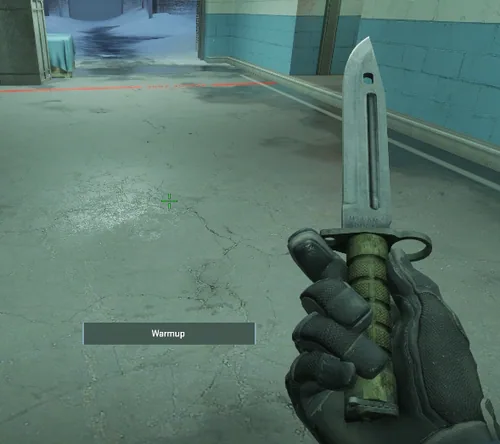
Wrapping Up Your Knife Exploration in CS2
You now have the knowledge and tools to experiment with various knife types in Counter-Strike 2, enhancing your gaming experience. Whether you're a seasoned player looking to spice up your gameplay or a newcomer curious about the different styles, this guide has paved the way for your exploration. Remember, the beauty of CS2 lies in its customization options, allowing you to personalize your gaming experience. Testing different knives can add a fresh dimension to your game, letting you discover new favorites and perhaps even inspire a new playing style. We hope this tutorial has been both informative and enjoyable. Don't hesitate to revisit these steps whenever you want to try out a new knife type. Keep practicing, keep exploring, and most importantly, keep enjoying your time in CS2. If you have any questions or need further assistance, feel free to leave a comment. We're always here to help. Happy gaming, and see you in the next tutorial!
Level Up Your CS2 Experience with PrivadoVPN
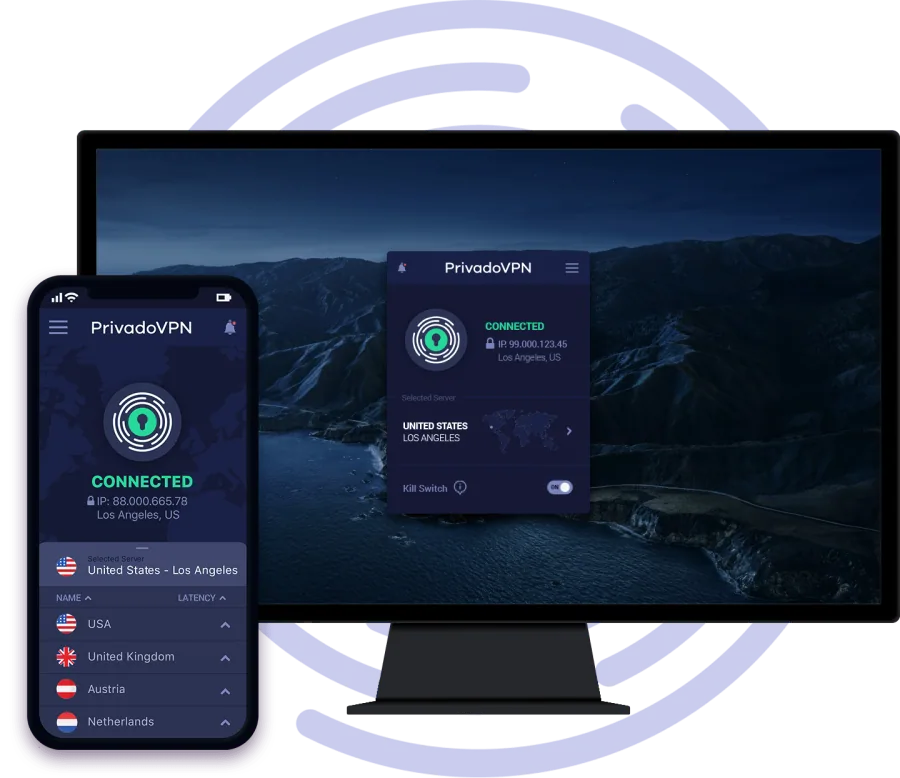
Exploring different knives in CS2 is a fun way to enhance your gameplay, but did you know that using a reliable VPN like PrivadoVPN can further elevate your gaming experience? PrivadoVPN, acclaimed as the best VPN for gaming, offers unlimited data and connections across multiple devices. It's designed to reduce ping and minimize lag, ensuring smoother gameplay. Plus, with the ability to change server regions, you can potentially access game features and match-ups that aren’t available in your area. Whether you're refining your skills in CS2 or venturing into other online arenas, PrivadoVPN provides the speed, security, and stability every gamer needs.
Affiliate Disclosure: Please note that this content includes affiliate links
Affiliate Disclosure: Please note that this content includes affiliate links. By choosing PrivadoVPN through our links, you not only optimize your gaming experience but also support our site at no additional cost to you.
Video walkthrough
If it does not work
- Do I need special permissions or mods to try different knives in CS2?. No special permissions or mods are required. You just need to use specific console commands, as detailed in the tutorial, to try different knives in CS2.
- Can I use these knife types in official CS2 matches?. The knife types you experiment with using these methods are for practice sessions only. They won't be available in official CS2 matches.
- Is it possible to permanently unlock these knives in my inventory?. The methods described in the tutorial are for trial purposes in practice sessions. They do not permanently unlock knives in your inventory.
- Are there any risks of using these console commands in CS2?. There are no risks associated with using these commands for trying out knives in practice mode. However, remember that cheat commands don't work in official online matches.
- Can I try out skins on these knives as well?. This tutorial focuses on changing knife types. Applying skins is a different process and isn't covered in this tutorial.