
Windows 11 · Windows
Fix ‘Can’t Connect to This Network’ in Windows 11
Source-checked About 10 minutes
Answer
Open Settings > Network & internet > Wi-Fi > Manage known networks, select the affected network, and choose Forget; then reconnect with its current password. If the error remains, run the Network and Internet troubleshooter, restart the network equipment, and repair the Wi-Fi adapter before using Network reset, which removes adapters and their settings.
Forget the saved network
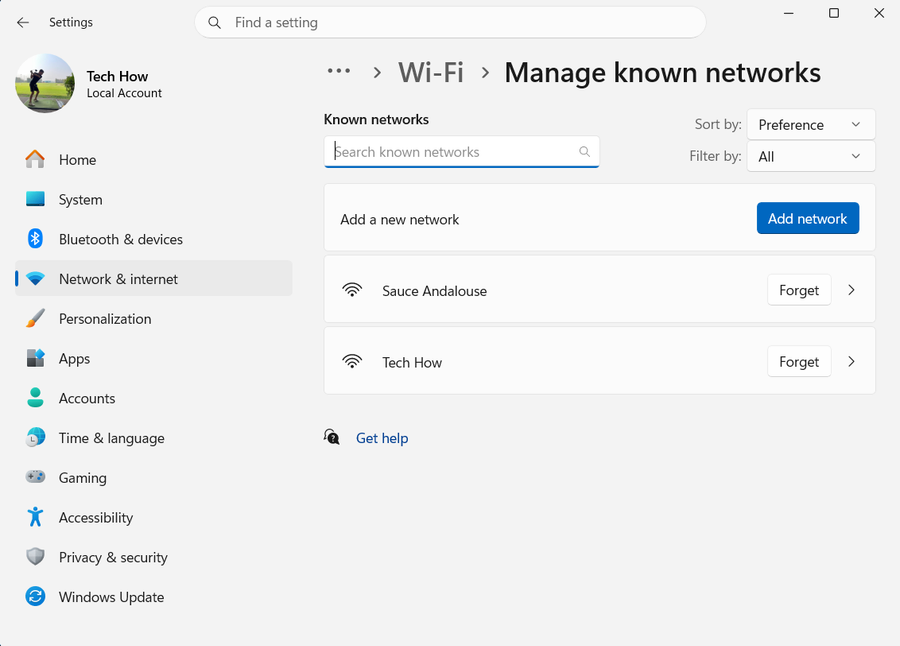
Make sure you know the current Wi-Fi password. Open Settings > Network & internet > Wi-Fi > Manage known networks, select the affected network, and choose Forget. Return to the available networks, select it, choose Connect, and enter the password.
Check the Wi-Fi controls
Select the Network, Sound, and Battery area on the taskbar. Turn Wi-Fi on, turn Airplane mode off, select the network, and choose Connect. Stop if Windows connects and two unrelated fresh webpages load.
Run Windows network diagnostics
Open Get Help, search for network problems, and run the Network and Internet troubleshooter. Apply only the recommendation that matches the result, then reconnect and test again.
Restart the modem and router
Warn other users that the connection will drop. Unplug the router and modem, wait at least 30 seconds, reconnect the modem and wait for its lights to settle, then reconnect the router. Restart the PC and try again.
Identify whether the PC or network is failing
Try the same Wi-Fi on another phone or PC. If every device fails, investigate the router or ISP. If only this PC fails, continue with the adapter. If the router has separate 2.4 GHz and 5 GHz names, test the other band.
Reinstall the Wi-Fi adapter
First download the PC manufacturer's current network driver on another device and copy it to USB. Then open Device Manager > Network adapters, right-click the Wi-Fi adapter, choose Uninstall device, select Attempt to remove the driver if offered, and choose Uninstall. Restart Windows and test; use the saved driver only if Windows does not restore a working adapter.
Use Network reset last
Open Settings > Network & internet > Advanced network settings > Network reset, select Reset now, then Yes. Windows removes and reinstalls network adapters; VPN clients or Hyper-V virtual switches may need setup again, and known networks may return as Public. After restart, reconnect and verify that two unrelated fresh sites load.
Video walkthrough
If it does not work
- If the Wi-Fi password changed, confirm the current password with the router owner before resetting Windows.
- If the network name is absent, confirm Wi-Fi is enabled and check the PC and router documentation for compatible frequency bands.
- If all devices fail, focus on the router or ISP; if only this PC fails after an update, use the PC maker's adapter driver.
- On a managed work or school network, contact IT instead of using Network reset.
Sources and verification
Checked against official documentation on . Scope: Windows.
Follow the linked first-party guidance if labels differ after a platform update.