
Gaming · PC & mobile
Apex Legends Mobile Voice Chat Not Working Fix
Original source date
Answer
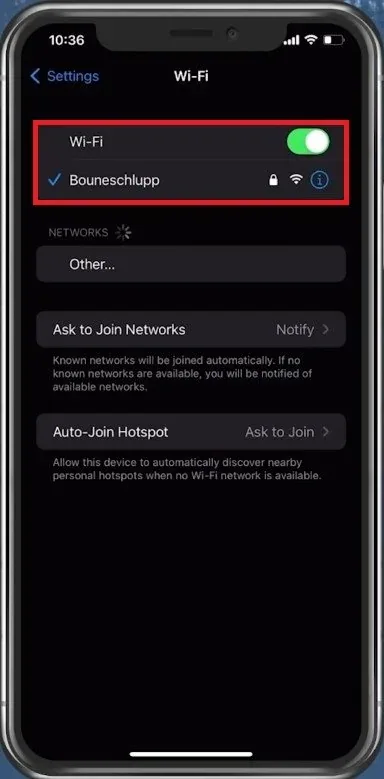
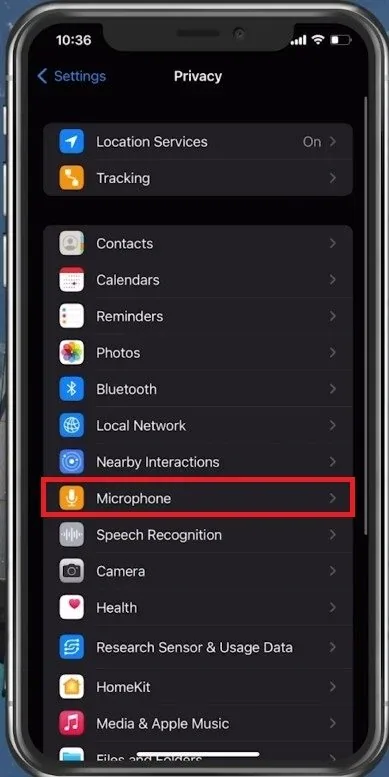
Use a WiFi connection to use Voice Chat in Apex Legends. This might not be the case in future updates or some specific devices, but depending on which device you are using, you will need to use a WiFi connection to use Voice Chat. After changing your connection in your WiFi settings, ensure that Apex Legends can access your Microphone. In your native settings, navigate to Privacy, Microphone, and here make sure that Apex Legends is enabled.
Use a WiFi Connection
Use a WiFi connection to use Voice Chat in Apex Legends. This might not be the case in future updates or some specific devices, but depending on which device you are using, you will need to use a WiFi connection to use Voice Chat.
Allow Apex Legends to use the Microphone
After changing your connection in your WiFi settings, ensure that Apex Legends can access your Microphone. In your native settings, navigate to Privacy, Microphone, and here make sure that Apex Legends is enabled.
Adjust the Apex Legends Sound Settings
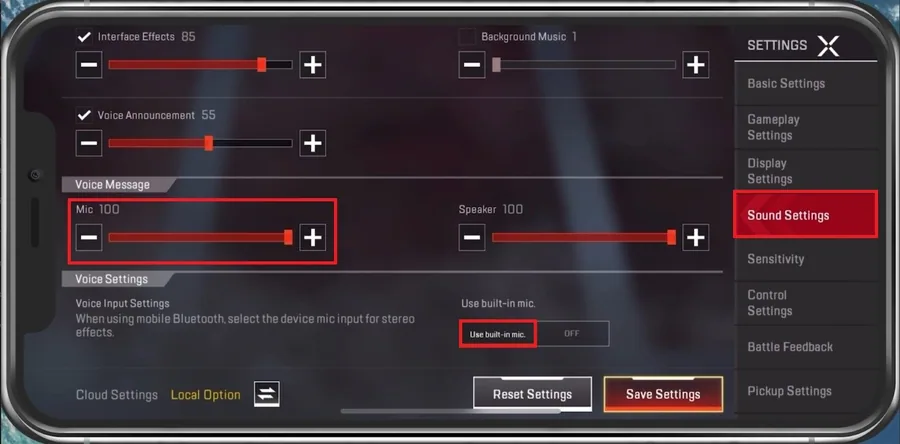
Open up Apex Legends and navigate to your Settings. In the Sound Settings section, scroll down and ensure the Mic Voice Message volume is not muted. Preferably, you should set this to at least 60%. Below, set the Voice Input option to the Built-In Mic. If you're using a Bluetooth device or other external microphone, then set this option to the correct device, which should be listed here. After applying your changes, voice chat should work in Apex Legends.
Restart your Device
In case nothing helps you out, then make sure to restart your mobile device. This is especially helpful when you haven’t done this step in a long time. Restarting your device will restart all processes and prevent bugs and other issues with your audio.
Video walkthrough
If it does not work
- Why is my Apex Legends Mobile voice chat not working?. It could be due to several reasons, such as a poor internet connection, server issues, incorrect audio settings, or a bug in the game.
- How do I check if my microphone is working correctly?. You can try recording your voice using your phone's built-in voice recorder app, and play it back to ensure that your microphone is functioning correctly.
- How do I ensure that my audio settings are correct?. You can navigate to the audio settings in the game, and make sure that the correct audio input and output devices are selected, and that the volume is adjusted appropriately.
- How do I fix a bug in the game that is causing voice chat issues?. You can try restarting the game or clearing the cache and data of the app. If the issue persists, you can reinstall Apex Legends on your mobile device.