
Tech How reference
StrongPass - Password Generator
Generate strong passwords, analyze strength, and store them securely with StrongPass. 100% offline, AES-256 encryption, Face ID lock, and Pro features.
StrongPass – Password Generator & Secure Offline Vault

Take back control of your digital security with a premium iOS password manager that runs 100% offline.
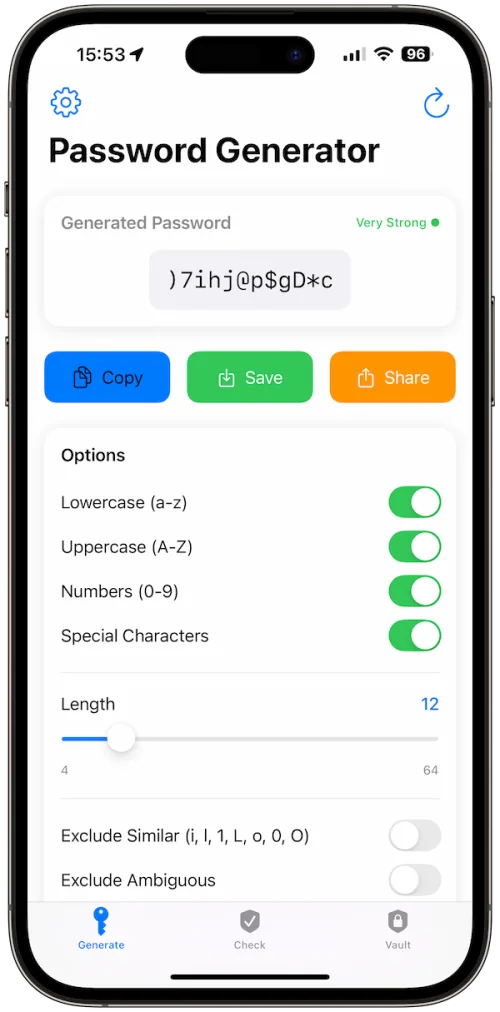

Stronger Passwords
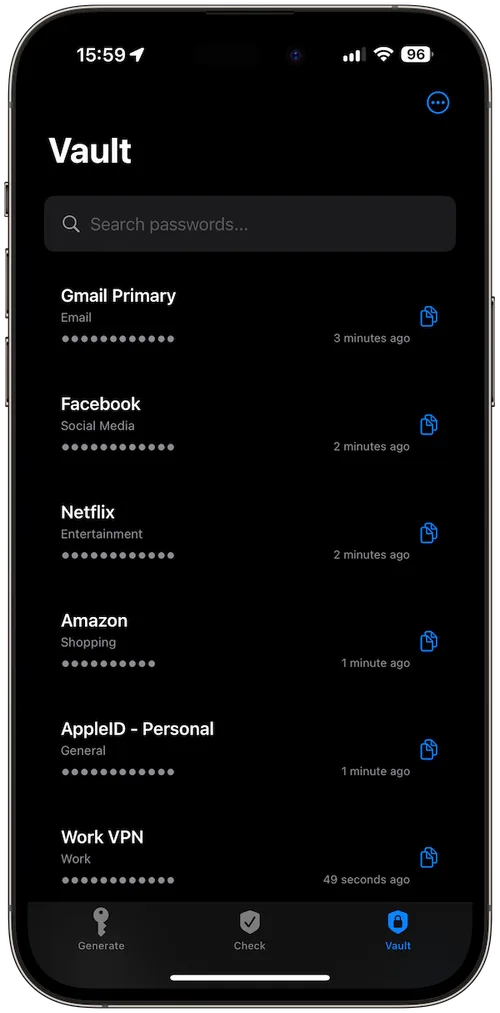
Offline Valut
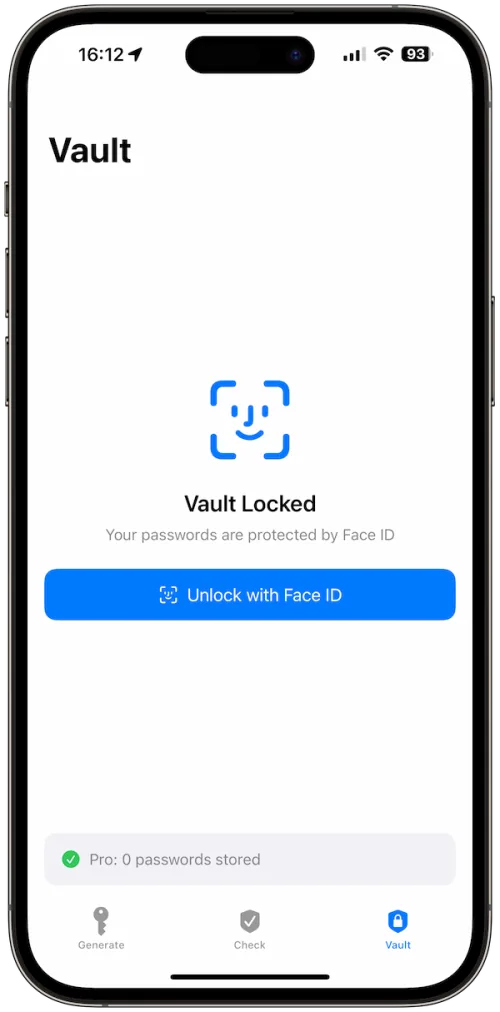
Biometric Lock
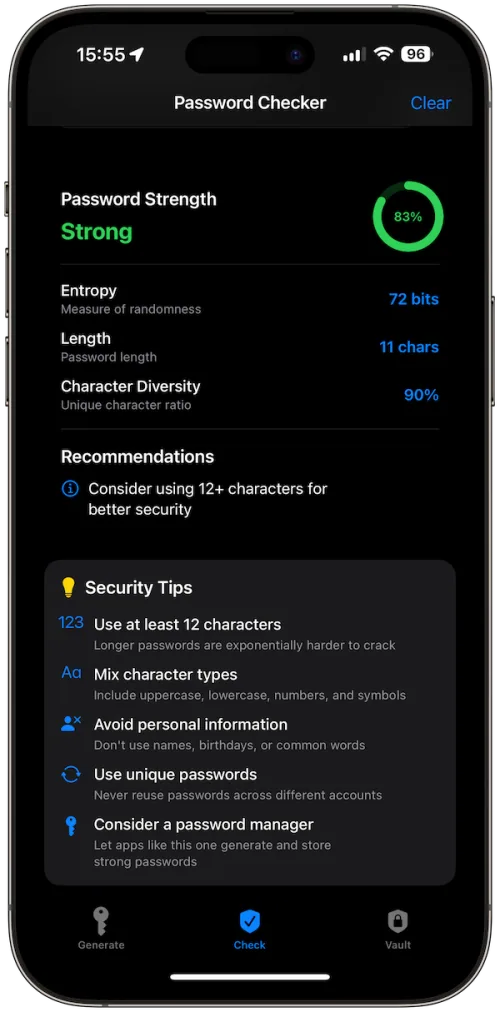
Security Tips
Military-Grade
Pro Themes
Features with Benefits
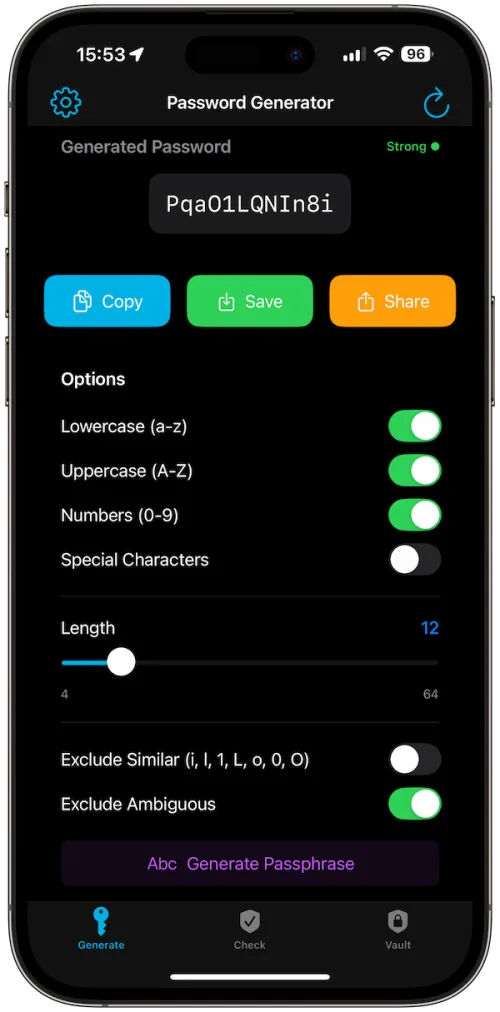
Instant Generation: Create secure passwords in one tap using Apple’s cryptographic API.
Custom Options: Adjust length (up to 64 chars with Pro), select character sets, or generate easy-to-remember passphrases.
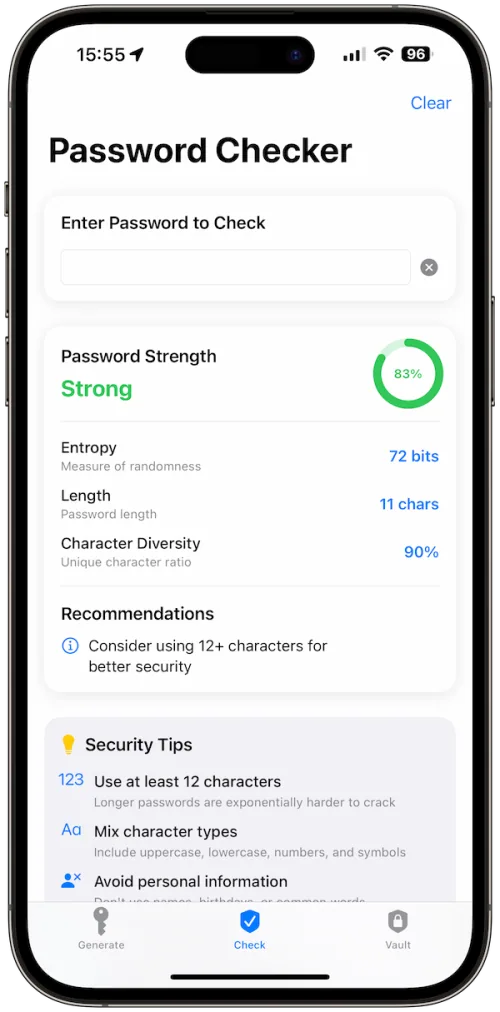
Strength Analysis: See entropy, character diversity, and security tips for smarter protection.
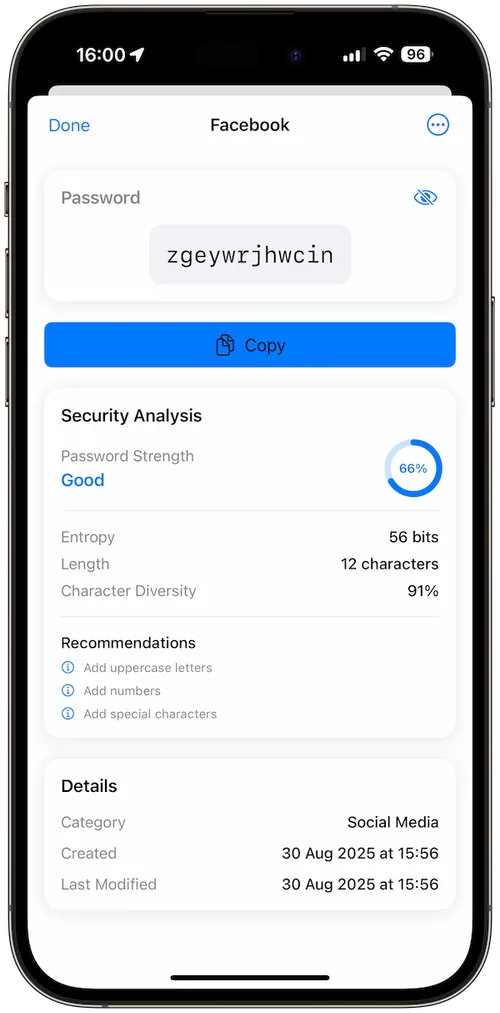
Secure Vault: Save passwords in categories (Work, Banking, Social, etc.) with AES-256 hardware encryption.
Biometric Lock: Access instantly with Face ID or Touch ID.
Privacy First: 100% offline operation, no accounts, no cloud, no tracking.
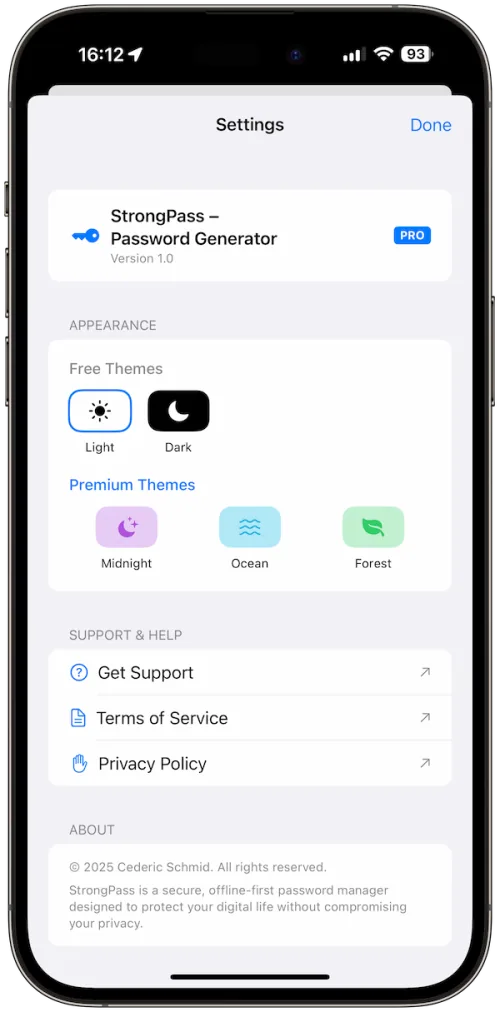
Premium Themes: Midnight, Ocean, and Forest themes to personalize your experience.
Encrypted Backup: Export and restore securely with iCloud Drive or Files.
Unlimited Storage: Remove the 3-entry limit and save as many logins as you need.
How It Works
StrongPass makes password management simple, private, and secure:
Generate: Use the built-in generator to create cryptographically secure passwords or passphrases in seconds. Customize length, characters, and exclusions for maximum usability.
Analyze: Each password is checked for entropy, diversity, and length, with expert tips to improve strength.
Store: Save your most important logins in the encrypted vault. The free version allows 3 entries, while Pro unlocks unlimited storage with advanced categories.
Access: Unlock your vault instantly using Face ID, Touch ID, or your device passcode, no accounts, no internet, no tracking.
Upgrade (Optional): Pro users gain passphrase generation, premium themes, secure encrypted backups, and unlimited storage.